






Introduction
Ensuring your NextlerAI Assistant represents your brand accurately on WordPress or WooCommerce is essential for both customer trust and operational efficiency. With the right configuration, the Assistant can reflect your company’s unique tone, visual identity, and messaging across every interaction. This guide addresses the specific needs of site owners, brand managers, and ecommerce teams: how to systematically audit, configure, and quality assure the Assistant so it aligns with your brand’s standards.
NextlerAI Assistant offers granular control over key elements—including greetings, colors, logos, language preferences, and chat widget identity—through its WordPress plugin settings. The Assistant draws from a local knowledge base and live WooCommerce data to generate responses tailored to your environment, making it possible to tailor tone and terminology for different customer journeys. By following a structured approach, you can verify that every visible touchpoint meets your brand requirements, identify gaps, and implement improvements with confidence.
This article provides a practical, stepwise framework for auditing and customizing every major facet of the NextlerAI Assistant: from visual branding and multilingual tone settings to knowledge base content and on-site QA methods. By understanding how your Assistant’s configuration interacts with WordPress themes, plugins, and WooCommerce flows, you gain the ability to anticipate where inconsistencies might arise—such as in dynamic product listings or custom checkout experiences. The guide also discusses the interplay between branded Assistant responses and your site’s accessibility or localization needs, ensuring compliance and user clarity. The outcome is a consistent, brand-aligned AI experience that supports your site’s commercial and reputational goals. The following table of contents outlines each stage—from initial audit to advanced customization decision criteria—enabling you to optimize the Assistant for your specific operational needs.
Auditing Your Assistant’s Brand Consistency: Key Steps
- Capture the Assistant’s Visual Presence Across Devices
Access your live site on both desktop and mobile. Document the appearance of the NextlerAI Assistant’s greeting, color scheme, logo, and chat widget identity in their actual deployed context. Note any inconsistencies in display, placement, or branding elements that could result from theme overrides, caching layers, or mobile-specific site templates. Use screenshots or screen recordings to preserve visual evidence at each key site entry point, including less-trafficked pages. This step not only surfaces overt visual mismatches but also reveals subtle issues, such as logo misalignment or color contrast failures, that may impact accessibility and brand clarity. - Map Assistant Responses to Brand Standards
Collect live contextual responses from the Assistant, using actual site workflows to trigger relevant messages. Compare each message with your documented brand guidelines for tone, terminology, and style. Pay attention to edge cases such as fallback responses, error messages, and non-standard phrasing that may only appear in less common user journeys. Establish a process for testing both default and customized responses by engaging the Assistant as a typical user would—including product inquiries, checkout support, and returns. Evaluate not only the wording but also the presence of required disclaimers or legal notices where applicable, and flag any deviation from established communication protocols or approved terminology. - Audit Language Settings and Multilingual Messaging
Cycle through every language option enabled in your Assistant configuration. For each, verify that greetings and template responses match your brand’s approved translations and intent. Look for discrepancies that may arise in automated or partial translations, or where the brand’s core message does not carry over due to character limits or language structure. Assess whether cultural nuances are preserved, particularly in greeting styles and formality levels, and ensure that language toggling in the widget is intuitive and functions as expected on all supported devices. Make note of automated translation limitations as these may require manual override or editing to protect your intended brand tone in each supported language. - Validate Embedded Positioning and Behavioral Consistency
Systematically review the Assistant’s embedded placement across critical user flows—homepage, product listings, and checkout. Confirm the widget’s location, trigger behavior, and visibility state remain consistent with your intended user journey. Investigate device-specific or browser-specific rendering issues by testing across multiple device emulators or real hardware. Check for conflicts with other plugins, pop-ups, or navigation elements that may obscure or interact with the Assistant. Evaluate how the widget appears and behaves during modal events, such as cart updates or login prompts, to ensure brand presentation remains uninterrupted throughout the user journey. - Log and Prioritize Brand Deviations for Remediation
For every identified inconsistency, record the finding with context, such as affected device and user flow, and attach supporting screenshots. Assign each issue a priority based on its potential impact on user trust and brand perception. Retain granular detail in your log to facilitate precise communication with technical implementers or design stakeholders during remediation. Use a structured format—such as a shared tracker or issue management tool—to categorize deviations by type (visual, messaging, language, behavioral) and link them to specific brand standards or design references. This detailed mapping supports efficient validation after remediation and underpins a transparent handoff to the implementation team.
By advancing through these targeted steps, you create a structured evidence base for identifying where your NextlerAI Assistant diverges from brand expectations, and prepare for efficient remediation in the next phase. The following section details which customization levers within NextlerAI Assistant can address the gaps surfaced in your audit. When refining NextlerAI Assistant brand customization, integrating an AI-powered support knowledge base ensures each response aligns with approved messaging and provides accurate, up-to-date information. NIST Special Publication 800-53: Security and Privacy Controls documents the relevant background and implementation boundaries.
Key Elements of Customization: Tone, Style, and Messaging
Achieving consistent brand voice with NextlerAI Assistant requires focused customization of key elements that shape user perception at every touchpoint. Each component—greeting, chat widget appearance, response language, and knowledge base—can be intentionally configured to reinforce your organization’s identity and messaging standards. To maintain high standards in AI response QA process, consider incorporating continuous improvement feedback loops that systematically gather team input on tone and messaging accuracy. Web Content Accessibility Guidelines (WCAG) 2.1 documents the relevant background and implementation boundaries.
Customizing Greetings and Default Messages
The first interaction a user has with the Assistant often sets expectations for your brand. NextlerAI allows you to tailor the greeting and initial prompt directly from the plugin settings. By editing these messages, you ensure that every customer is welcomed in a manner that reflects your organization’s preferred tone—whether formal, conversational, or specialized. This level of control is crucial for maintaining alignment with established brand language guidelines and for distinguishing your support experience from competitors.
Visual Branding: Widget Colors and Logos
The Assistant’s chat interface provides options to adjust visual elements such as widget colors and logos. Customizing these elements helps your AI assistant blend seamlessly with your WordPress or WooCommerce site’s established color palette and iconography. Consistency in visual identity across touchpoints has been shown, in authoritative brand guidelines, to reinforce user trust and recognition. NextlerAI’s settings cover these core interface customizations without requiring code changes, supporting efficient rollout for teams with varying technical resources.
Language Preferences and Multilingual Tone Matching
With built-in multilingual capabilities, NextlerAI Assistant can deliver responses in several supported languages. It is essential to set the appropriate language preferences and verify that translated greetings, prompts, and responses reflect your brand’s tone across all supported languages. A discrepancy here can dilute brand consistency and diminish user confidence. Regular review of Assistant responses in every enabled language is recommended to ensure tone and terminology remain consistent.
Knowledge Base Updates for Accurate, On-Brand Answers
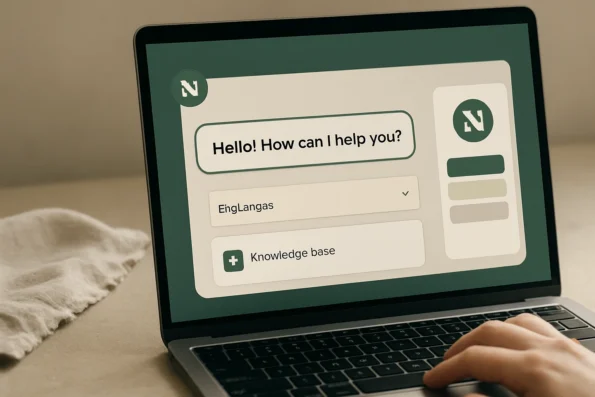
The Assistant draws from a locally managed knowledge base to answer site and product questions. Keeping this knowledge base up to date—by adding or revising entries for new products, policies, or terminology—directly affects the Assistant’s ability to provide on-brand, accurate information. This is especially important for regulated industries or stores with frequently changing inventory, where accuracy and tone must be maintained under all circumstances. The Assistant’s knowledge base management interface supports targeted updates without requiring a full content overhaul.
Action Limitation for Consistent, Supported Interactions
To prevent off-brand or unsupported responses, it is advisable to configure the Assistant’s actions in line with your WooCommerce setup. NextlerAI’s documented controls let you restrict the Assistant to actions that are enabled and supported on your site—such as cart management, stock alerts, or specific product recommendations. This limits user confusion, reduces the risk of unsupported workflows, and keeps your AI assistant’s behavior aligned with operational capabilities and brand expectations.
Key Takeaways
- Assistant greetings and default messages should reflect approved brand language for a coherent user experience.
- Widget appearance, including colors and logos, must match your site’s visual identity to reinforce trust and recognition.
- Review language settings and translations regularly to maintain tone and terminology across all supported languages.
- Keep the knowledge base current to ensure precise, on-brand answers to user questions.
- Limit the Assistant to WooCommerce actions that your store supports, reducing risk and maintaining user confidence.
Implementation Notes: Rolling Out Brand-Aligned Assistant Responses
Rolling out new or updated brand voice customizations in NextlerAI Assistant requires a disciplined, transparent workflow to ensure brand guidelines are accurately reflected in every interaction. The process is grounded in the plugin’s official setup procedures, as well as practical configuration steps proven in production environments. This section details how to move from technical configuration to a controlled deployment on both WordPress and WooCommerce sites. Leveraging workflow automation triggers within NextlerAI can help automate specific brand messaging updates, reducing manual oversight while maintaining consistency across your WooCommerce assistant customization. Guidelines | Brand Guidelines | University of California documents the relevant background and implementation boundaries.
Plugin Installation and Activation
Begin by installing and activating the NextlerAI Assistant plugin directly from the official source. This ensures compatibility and access to the most recent branding and QA features. During activation, verify that the plugin is registered under the correct domain and user role, as misalignments here can cause downstream branding issues or restrict access to customization controls. Administrative permissions are required to complete the initial setup, as these roles control the ability to manage Assistant branding and functionality settings. It is recommended to confirm plugin version compatibility with your WordPress and WooCommerce environments before proceeding, addressing any conflicts or warnings surfaced by the setup wizard.
Configuring Branding and Messaging Settings
Within the Assistant’s settings panel, configure all visible branding elements to match your organization’s standards. This includes setting the welcome message to reflect approved tone and terminology, selecting brand-specific colors for the chat interface, uploading a high-quality logo, and defining which languages the Assistant should support. Each visual and textual adjustment should be mapped back to your brand guidelines for consistency. The plugin enables administrators to update these elements without code changes, facilitating rapid iteration and brand alignment. For organizations with evolving standards, it is possible to revisit and modify these parameters at any time, allowing the Assistant’s presentation to keep pace with broader rebranding efforts or seasonal campaigns.
Knowledge Base Integration
To ensure on-brand, context-aware responses, integrate your site’s knowledge content into the Assistant’s Knowledge Base. Use only approved content sources—such as published pages, documented FAQs, and product descriptions—to shape AI-generated answers. Regularly review and update the Knowledge Base to synchronize with changes in your brand messaging or product offering. The Assistant uses this local content to generate responses, making the quality and tone of integrated materials a direct influence on user experience. When updating the Knowledge Base, prioritize maintaining a consistent editorial voice and verify that new content aligns with existing message hierarchies. This helps prevent inadvertent shifts in tone or terminology as site content evolves.
WooCommerce Action Controls and Testing
Enable only those WooCommerce actions within the Assistant that are relevant to your site’s operational workflows. For example, limit order-related actions to those that match your fulfillment and customer support capacities. After configuring these controls, conduct thorough scenario testing to verify that each action produces responses consistent with your brand’s approved style and accuracy standards. This stage is essential for preventing off-brand or unsupported Assistant behaviors in live commerce environments. Establish a clear mapping between allowed Assistant actions and your documented customer journey touchpoints, and use this as a reference when reviewing test results for both intended and edge-case user queries.
Staged Rollout and Quality Assurance
Adopt a staged rollout strategy by first updating and testing customizations in a controlled test environment. Use this phase to perform structured quality assurance, validating the Assistant’s branding, messaging consistency, and technical integration across devices. Only after successful QA should you deploy the finalized configuration to your production site. This approach minimizes disruption and provides a clear rollback path if inconsistencies or integration issues are identified. Maintain clear documentation of all configuration changes and test outcomes to streamline troubleshooting and support accountability throughout the rollout process.
QA Checklist: Ensuring Consistent AI Messaging
Rigorous quality assurance is critical for maintaining brand integrity in NextlerAI Assistant deployments on WordPress and WooCommerce. Before rolling out updates, use this evidence-based checklist to systematically validate that the Assistant’s interface and responses reflect your approved brand voice, visual identity, and multilingual standards across all entry points and devices. For organizations with multiple contributors, maintaining shared context with a centralized knowledge base is essential to ensure that every team member configures NextlerAI Assistant according to unified branding guidelines. Stanford AI Index Report 2023 documents the relevant background and implementation boundaries.
- Confirm Greeting and Branding at All Entry Points: Inspect the Assistant on your homepage, product pages, checkout, and any embedded locations. Ensure the greeting, logo, and colors consistently match your brand guidelines and display correctly regardless of user access point. Pay attention to widget visibility and placement, as inconsistencies here can cause confusion or erode trust.
- Validate Tone and Factual Accuracy with Real Customer Questions: Use frequently asked questions and edge-case queries relevant to your business. Review each response for alignment with approved tone, terminology, and factual correctness, drawing on your local knowledge base and live WooCommerce data where applicable. Cross-reference against official product information to confirm there are no outdated or off-brand statements.
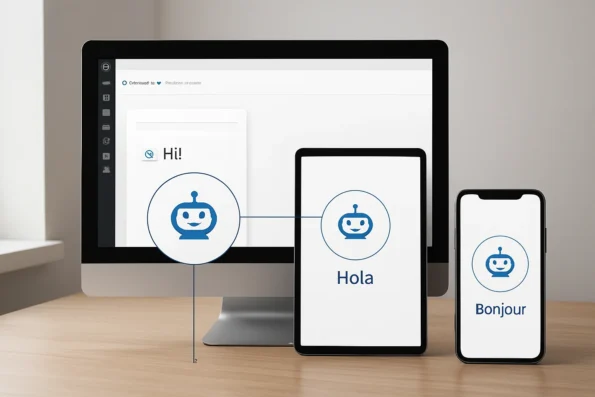
- Review Multilingual Brand Tone Consistency: Switch to each supported language within the Assistant and test a representative set of customer interactions. Confirm that translations preserve your brand’s style and intent, not just literal meaning, and that fallback messaging is handled gracefully if a translation is unavailable. Assess whether language switching is seamless and that navigation or system prompts remain on-brand in all languages.
- Assess Assistant Behavior Across Desktop, Mobile, and Tablet: Check the chat widget’s appearance, responsiveness, and interaction flow on all major device types. Address any discrepancies in visual identity, interaction timing, or message formatting that could undermine user trust or accessibility. Be sure to test in various browsers and device orientations, as font scaling, color contrast, or overflow issues may only become apparent under specific conditions.
- Log and Resolve All Inconsistencies Pre-Launch: Document any detected mismatches—whether in visual branding, messaging, multilingual tone, or device-specific behavior. Use a centralized log to assign ownership and track resolution before the Assistant is made live for customers. Include screenshots and direct links to problematic flows to support rapid troubleshooting and facilitate collaboration across teams.
Practical QA Checklist for NextlerAI Brand Consistency
- Check Assistant greeting text and brand visuals on homepage, product pages, checkout, and any custom embed locations.
- Test a set of typical and edge-case customer queries in every supported language; verify response tone, terminology, and factual content.
- Switch language settings and confirm that all system prompts, error messages, and fallback responses remain within brand guidelines.
- Evaluate chat widget layout, colors, and logo display on popular desktop, tablet, and mobile devices in landscape and portrait modes.
- Identify any areas where the Assistant oversteps WooCommerce capabilities or references unsupported actions; flag for immediate correction.
- Log issues with screenshots and assign to responsible team members for resolution; retest after each fix.
- Reference the official NextlerAI pre-launch test plan (NextlerAI Pre-Launch Guide) for detailed protocols and troubleshooting advice.
Applying this checklist minimizes subjective guesswork and ensures your NextlerAI Assistant delivers a cohesive, on-brand experience throughout your WordPress or WooCommerce site. This approach supports both technical QA teams and non-technical brand managers, helping you bridge the gap between branding requirements and live customer interactions. For in-depth device compatibility checks and Assistant interface QA, refer to the official NextlerAI appearance and mobile guide. Next, see how these QA concepts are put into practice in a real-world brand customization scenario.
Illustrative Scenario: Applying Brand Customization to a Live Store
This scenario demonstrates how a WooCommerce shop owner can systematically align the NextlerAI Assistant with their brand, using only features documented in official NextlerAI guides. The process follows concrete, evidence-based steps, highlighting both successful customization and troubleshooting methods grounded in real plugin capabilities. Implementing AI customer service automation using NextlerAI Assistant benefits WooCommerce store owners by delivering consistent, brand-specific support at scale.
Assessing Existing Assistant Messaging
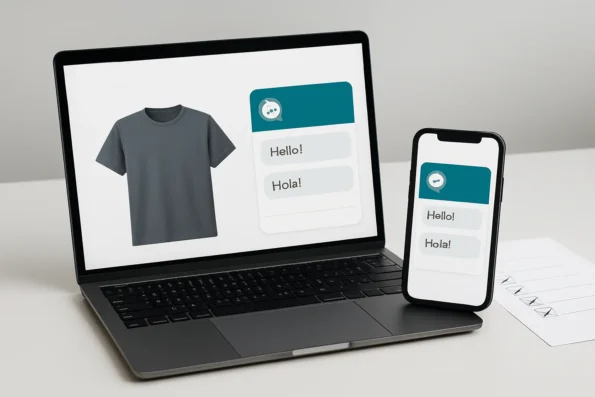
The shop owner begins by reviewing how the NextlerAI Assistant greets customers on both desktop and mobile. They notice that the default English greeting uses a generic, informal tone that does not reflect the shop’s professional brand voice. Upon further inspection, the owner sees inconsistency between the Assistant’s tone in greetings and in product-related messages. This prompts a comparison against the company’s internal brand guidelines, revealing the need for a more uniform expression in all customer interactions.
Customizing Greetings, Visual Branding, and Tone
To address these gaps, the owner accesses the Assistant settings through the WordPress dashboard. They update the default greeting to a brand-approved message, choose colors that match the store’s palette, and upload the official logo for display in the chat widget. These adjustments ensure that the Assistant’s first impression is visually and linguistically consistent with the website’s identity. The owner also sets the Assistant’s language options to support both English and Spanish, reflecting the shop’s bilingual customer base.
Updating the Knowledge Base for On-Brand Messaging
Recognizing that product information and answers must also be consistent, the owner reviews the Assistant’s Knowledge Base. They add approved language for top-selling items, ensuring that product descriptions and support responses mirror the shop’s preferred terminology and style. By leveraging the Assistant’s integration with WooCommerce data, the owner ensures that product details remain both accurate and on-brand during customer interactions. The owner pays special attention to fallback responses and edge-case scenarios, updating templates to avoid default or off-brand replies if product data is missing or ambiguous. This step involves reviewing the Knowledge Base entries for contextual relevance and directly editing any content that could undermine the shop’s tone or customer trust.
Quality Assurance Across Languages and Devices
With branding elements updated, the owner conducts a QA review. They test the Assistant’s responses in both supported languages, simulating common pre-sales and support questions on desktop and mobile devices. During checkout flow testing, the owner identifies an unexpected phrase in the Spanish response, inconsistent with brand standards. This error is logged for resolution. Additional device checks are performed to confirm the visual alignment of the chat widget and the consistency of message formatting across browsers and platforms, ensuring the branding holds up regardless of user environment.
Troubleshooting and Final Validation
Consulting the official troubleshooting checklist, the owner reviews Assistant response templates and verifies that the most recent Knowledge Base updates have been properly synced. They adjust the Spanish reply directly within the Assistant settings, retest the checkout flow, and confirm that the Assistant now delivers on-brand, accurate information across all devices and contexts. The owner also verifies that no unsupported WooCommerce actions are enabled, maintaining both compliance and a seamless branded experience as documented in the official NextlerAI troubleshooting guide (nextlerai.com).
Scenario Outcome
After this iterative process, the shop owner confirms that the NextlerAI Assistant consistently reflects the store’s brand voice and visual identity—regardless of language or platform. The approach aligns with best practices for both customization and quality assurance, ensuring a cohesive customer experience throughout the WooCommerce site.
Decision Matrix Table: Choosing Your Customization Approach
Choosing the right approach to NextlerAI Assistant brand customization requires a clear understanding of your site’s needs, available resources, and tolerance for complexity. The table below contrasts three primary methods: in-plugin configuration, manual knowledge base editing, and workflow-level integration. Each offers distinct advantages and trade-offs in customization depth, required expertise, quality assurance demands, and scalability. This comparison helps you match your decision to your brand risk profile and operational capacity, with references to broader workflow automation tool analyses for context. Systematic team productivity measurement can help quantify the impact of your NextlerAI Assistant brand customization on workflow efficiency and response alignment.
| Approach | Customization Depth | Required Expertise | QA Complexity | Scalability | Best Fit For | Key Pros | Main Cons | Source |
|---|---|---|---|---|---|---|---|---|
| In-Plugin Settings | Moderate: Control over greetings, branding, language, visible identity | Low: Accessible to non-technical users | Low to moderate: Standard plugin QA procedures | Suitable for single sites or small teams | Small businesses, site owners, managers without technical staff | Fast setup, minimal training required, direct visual feedback | Limited to options exposed by plugin; less granular control over fallback messaging | NextlerAI official documentation |
| Manual Knowledge Base Editing | High: Direct, precise control of responses and content | Moderate: Familiarity with site content structure and brand language | Moderate to high: Needs careful review of every change for tone, accuracy, and language consistency | Effective for sites with manageable KB size | Teams with strong editorial oversight or complex brand guidelines | Enables customized, on-brand responses; adapts to unique scenarios | Time-intensive; risk of inconsistencies without structured QA | NextlerAI official documentation |
| Workflow Integration | Very high: Integration with external QA or content workflows, automation triggers | High: Technical and process expertise required | High: Requires coordinated QA across systems and teams | Scales efficiently for large, distributed teams or multi-site deployments | Enterprises, agencies, or organizations with workflow automation in place | Automates brand QA; supports bulk updates and complex scenarios | Complex setup; needs ongoing process management; may require workflow tool evaluation | Best AI Workflow Automation Tools for Content and Service Teams |
Aligning Approach with Site and Team Requirements
Each customization method is shaped by underlying mechanisms and implementation decisions that influence brand control and operational efficiency. In-plugin settings leverage a predefined interface, allowing site managers to adjust core branding, greetings, and language options via the WordPress or WooCommerce dashboard. This method centralizes changes but confines administrators to the bounds of the plugin’s exposed controls, meaning fallback or edge-case response modification may be limited. Manual knowledge base editing allows direct access to Assistant responses, requiring content managers to manage versioning and ensure alignment with evolving brand standards across each update. This granular method is well-suited to sites with complex product ranges or unique terminology, but places the QA responsibility squarely on the editorial team, demanding systematic review of tone, style, and multilingual content. Workflow integration introduces the capacity to automate QA and content deployment using external tools or platforms, enabling synchronization across multiple sites or brands. However, this approach involves configuring integrations, defining approval checkpoints, and potentially coordinating between technical and non-technical stakeholders. It is vital to evaluate the extensibility of your existing workflows and the support offered by current automation tools, as referenced in the official workflow comparison. If customization needs increase—such as frequent rollouts, multi-brand support, or advanced QA protocols—consider escalating to workflow-level integration, consulting advanced platform guides, or involving dedicated process managers to safeguard brand consistency at scale. The next section explores how to apply these principles in practice.
FAQ
How do I audit my current Assistant setup for brand consistency?
Begin by reviewing your Assistant’s visible chat elements—such as greetings, logo, and colors—on every device type. Compare the tone and terminology in live responses with your official brand guidelines. Check the Assistant’s supported languages, ensuring messaging remains consistent. Document any deviations across key flows like product pages and checkout so you have a clear list for remediation. Effective audits should also consider fallback or error responses, as inconsistencies often surface in less common customer journeys. Record the visible Assistant placement and ensure its behavior aligns with user expectations, especially on critical conversion paths.
Which elements of NextlerAI Assistant can be customized for tone and style?
You can directly customize the Assistant’s greeting message, chat widget colors, logo, and supported languages through plugin settings. The local knowledge base further allows you to control phrasing and product messaging in responses. These elements shape how the Assistant communicates and visually represents your brand throughout the WordPress or WooCommerce site. Additionally, language preferences and multilingual support can be configured to maintain tone and messaging in all supported languages, and the scope of enabled WooCommerce actions can be limited to reinforce appropriate brand boundaries in Assistant-driven interactions.
What is the step-by-step process to implement brand voice changes?
First, update the Assistant’s settings to reflect new greetings, visual branding, and language choices. Next, revise the knowledge base content to align with your required tone and key product language. If applicable, adjust enabled WooCommerce actions to fit your brand’s support boundaries. Then, stage changes in a test environment, conduct thorough QA, and deploy updates only after all brand requirements are met. For complex implementations, use version control or staged environments to isolate changes before live deployment. This structured workflow ensures that each change is intentional, tested, and documented, reducing the risk of inconsistencies or regressions after rollout.
How can I systematically QA Assistant responses on WordPress and WooCommerce?
Design test cases for each major site flow and device. Evaluate the Assistant’s branding, tone, and accuracy in responses for both common and edge-case queries. Validate multilingual consistency. Log any mismatches and retest after corrections. Structured QA ensures the Assistant meets your brand standards before changes go live. Expand your QA process by including tests for fallback messaging, unsupported action requests, and context-sensitive flows, such as logged-in versus guest user experiences. Collaborate with stakeholders from marketing and support teams to review sample interactions and document feedback, then use standardized checklists to confirm remediation completion.
What criteria should I use to choose between customization approaches?
Base your decision on the level of control needed, available team expertise, and project scale. In-plugin settings are accessible and fast for basic changes. Manual knowledge base editing offers granular control but requires editorial oversight. Workflow integration is best for large teams needing scalable, automated consistency. Match your approach to your brand’s risk tolerance and operational complexity. Consider the resources required for ongoing maintenance, the frequency of brand updates, and the potential need for audit trails or rollback capabilities. If your organization requires frequent or multi-site updates, workflow integration offers more robust governance, while smaller teams may prefer the simplicity of in-plugin settings for faster iteration cycles.
Conclusion
Establishing reliable brand alignment in NextlerAI Assistant on WordPress or WooCommerce is a deliberate process that hinges on clear configuration and attentive quality assurance. The distinction between visual identity, messaging tone, and actionable controls is not abstract; it is reflected in every customer interaction and support exchange. This means that your customization choices—whether limited to accessible plugin settings or extending into knowledge base refinement—must be grounded in documented requirements and routine validation across all user environments.
Success depends not only on initial setup, but on maintaining an ongoing cycle of review and adjustment. Brand consistency is a dynamic concern: as your site evolves or your audience broadens, the Assistant’s responses, interface, and supported WooCommerce actions must be reevaluated. Encourage a collaborative approach between technical implementers and brand managers, using centralized documentation to track decisions about tone, visual elements, and language coverage. When deploying changes, leverage test environments and staged rollouts to minimize risk and ensure that branding is preserved through updates. Assign clear ownership for monitoring Assistant interactions post-launch, so any deviation from brand standards is quickly identified and addressed. This systematic stewardship is critical not only for compliance, but also for building lasting trust with your customers.
As you move forward, prioritize a formal post-deployment review involving your core brand and technical stakeholders. Schedule a live site walkthrough that covers diverse user flows, languages, and both desktop and mobile entry points. Document any remaining inconsistencies directly against your brand guidelines, then assign actionable remediation tasks within your content or development workflow. This approach ensures every element of the Assistant—visual, linguistic, and functional—remains consistent and accountable over time.