







Introduction
Optimizing your customer service knowledge base is central to delivering consistent, accurate support—especially as customer expectations for self-service continue to rise. NextlerAI Assistant offers a WordPress- and WooCommerce-native solution for structuring and maintaining knowledge bases, enabling AI-powered support that draws directly from your most reliable content. By integrating with public pages, posts, products, and custom Q&A, NextlerAI ensures your assistant can accurately retrieve and present answers aligned with your business needs.
This guide is designed to give customer support leads, WordPress site managers, and knowledge base administrators an actionable roadmap. You will learn how to configure, evaluate, and iterate on your knowledge base using only verified, product-supported features. Whether you are building from scratch or seeking to improve an existing system, the focus here is on practical steps and concrete criteria, helping you avoid common pitfalls and align your optimization strategy with proven best practices.
NextlerAI Assistant is purpose-built for organizations that want direct control over their support content, avoiding generic or opaque third-party knowledge management platforms. Its native approach to indexing and retrieval means your team can select only those WordPress resources that meet current editorial standards, exclude outdated or draft materials, and adapt the knowledge base to reflect new products, policies, and multilingual needs. By allowing precise curation and mapping of source material, NextlerAI Assistant empowers administrators to create a living, evolving knowledge ecosystem—one that grows alongside your business. This ensures that support agents and customers alike access only the most relevant and up-to-date information, reducing confusion and enhancing trust in your support channels.
After reviewing the following table of contents, you will be equipped to make informed decisions about structuring and evolving your customer service knowledge base with NextlerAI Assistant—maximizing both relevance and efficiency for your support team and customers alike.
Illustrative scenario: Deploying and evolving a WordPress knowledge base
This scenario illustrates how a midsize customer support team launches and refines its customer service knowledge base using NextlerAI Assistant within a WordPress and WooCommerce environment. By following structured, platform-supported methods, the team ensures the knowledge base stays authoritative, adaptable, and aligned with customer needs. Teams can follow the Assistant Knowledge Base setup guide to configure the foundational content and structure. For teams considering broader automation strategies alongside knowledge base structuring, reviewing the best AI workflow automation tools can clarify how NextlerAI Assistant’s WordPress integration compares to other leading platforms for customer service and content management. The process of deploying a WordPress knowledge base increasingly relies on practical guidelines for implementing AI-driven knowledge base assistants to streamline content updating and user interaction.
Establishing the initial knowledge base
The support lead begins by selecting only public, up-to-date WordPress pages, posts, and product entries that address core customer questions and policies. Outdated drafts, legacy FAQs, and restricted materials are intentionally excluded from indexing by configuring source behavior within the Assistant settings. This careful curation ensures that the foundation of the knowledge base is both reliable and relevant to the current business context.
Configuring source behavior and exclusions
The Assistant is explicitly set to include public content types only. Private, draft, and deprecated content are excluded by default, which prevents incomplete or obsolete information from being surfaced in customer interactions. The team periodically reviews content visibility settings within WordPress to confirm that only officially approved materials can be accessed by the Assistant.
Mapping customer questions with page and service training
To improve answer precision, the team uses the page and service training feature to link common customer question patterns directly to the most relevant WordPress resources. For example, questions about shipping times are mapped to the shipping policy page, while product compatibility inquiries are linked to specific product documentation. This mapping reduces retrieval ambiguity and aligns the Assistant’s answers with established company sources.
Iterative updates and index maintenance
As the company releases new products and updates its service policies, the support team regularly audits and expands the knowledge base. They remove outdated product pages, add new FAQ entries, and update links as needed. After substantive changes, the team triggers an index rebuild within the Assistant, ensuring that all content available to customers reflects the latest information. This ongoing process is critical for maintaining accuracy and preventing the recurrence of legacy issues.

Enabling multilingual support and adapting to change
With a growing international customer base, the team leverages Assistant’s multilingual indexing to include policy, product, and help content in multiple supported languages. Careful attention is paid to language-specific content selection, ensuring each audience receives relevant and clearly localized information. As customer needs evolve, the team reviews support logs to identify new question trends and adjusts the knowledge base structure accordingly, maintaining a cycle of continuous improvement.
Scenario insight: Implementation mechanisms and team decisions
In this scenario, the support team’s workflow highlights key technical and organizational mechanisms unique to the NextlerAI Assistant approach. Index configuration is not a one-time action; it is a living process that depends on accurate identification of eligible WordPress content types—such as published posts, public pages, and live product listings. The team uses built-in Assistant controls to explicitly define which URLs and content categories are indexed and to audit inclusion lists after every major website update. When excluding drafts or outdated resources, the team leverages WordPress’s native status markers, ensuring alignment between site publishing status and Assistant indexing.
Mapping customer inquiries through page and service training involves not only linking keywords to destinations but also determining which patterns should trigger specific responses. The team collaborates with subject matter experts to refine these mappings, balancing coverage of frequent questions against the risk of overfitting responses. For multilingual support, the team identifies gaps in translated content by cross-referencing the knowledge base index with live customer queries in each supported language, then schedules content creation for missing topics. Throughout, all changes are documented internally, and index rebuilds are timed to follow content approval cycles—ensuring consistency and minimizing customer exposure to transitional states.
This scenario demonstrates that optimizing a NextlerAI-powered knowledge base requires not only technical configuration but also ongoing cross-team coordination, proactive exclusion of legacy material, strategic mapping of information needs, and adaptation to both organizational and customer-driven change. Each decision and mechanism directly follows the product documentation and available platform features. The next section explores the strengths and limitations encountered by teams as they implement these practices.
Evaluating strengths and limitations of NextlerAI Assistant
NextlerAI Assistant’s integration with WordPress and WooCommerce operates at the data structure level, enabling direct access to native pages, posts, and product catalogues without intermediary plugins. This structural compatibility allows the Assistant to reference dynamic and static content types, but also enforces boundaries: only content explicitly indexed through WordPress is available for AI-driven answers, preventing accidental exposure of non-public or deprecated material. This mechanism ensures data governance but requires administrators to understand the underlying content taxonomies and visibility settings within their WordPress environment. For a summary of features and integration scope, visit the NextlerAI Assistant product page. AI-driven knowledge management systems for customer service are designed to enhance information retrieval and reduce response time, a strength reflected in tools like NextlerAI Assistant.
The multilingual support mechanism relies on the underlying WordPress site being properly localized, as the Assistant indexes each language variant present in site content. This means that the Assistant’s language coverage is constrained by the completeness and accuracy of site translations. If a page or product exists in multiple languages, each variant must be maintained and updated within WordPress to ensure consistent and current responses. This process makes multilingual coverage viable but introduces a dependency on the site’s ongoing localization efforts.
Custom Q&A functionality within NextlerAI Assistant is implemented as an explicit administrative interface for creating, editing, and deleting question–answer pairs. These entries are indexed alongside WordPress content but are not subject to the same automated update mechanisms as standard site pages or products. As a result, administrators must manually review and revise custom Q&A entries to reflect changing policies or support issues, or risk serving outdated responses. This direct editing interface offers flexibility but creates an additional maintenance stream.
Live product catalogue indexing leverages WooCommerce’s database structures, enabling real-time access to inventory, product metadata, and attributes. However, the Assistant does not monitor transactional or customer-specific data, nor does it perform inventory synchronization beyond what is exposed through WordPress. Any changes to product status, pricing, or descriptions require a re-indexing process initiated by administrators to be reflected in the Assistant’s responses. This constraint protects sensitive data but makes index freshness a recurring operational task.
Ongoing index maintenance is necessary to sustain the accuracy of the knowledge base. The Assistant’s retrieval mechanism is strictly bounded by the indexed dataset; it does not infer or extrapolate beyond what has been curated and approved. This design eliminates the risk of hallucinated or unauthorized content but places a diagnostic burden on administrators to identify and correct gaps in coverage. For example, if support queries spike on a topic not present in the current index, prompt content creation and re-indexing are required to close the response gap.
Content relevance is inherently linked to the workflow discipline of contributing teams. Since the Assistant neither aggregates from uncontrolled web sources nor performs automatic content expansion, the scope and quality of support answers are determined by the content lifecycle management practices in place. Teams must coordinate updates across multiple language variants, Q&A entries, and product data to ensure the Assistant delivers up-to-date, authoritative information. This approach prioritizes security and brand governance, but can create edge cases where overlooked or infrequently updated material persists in the knowledge base, affecting answer quality until manually addressed.
Administrators play a crucial role in determining both the scope and precision of the knowledge base by controlling which WordPress entities are indexed. This includes explicit decisions regarding page status (published, draft, private), taxonomy assignments, and exclusion of legacy or redundant resources. The Assistant’s mechanisms rely on these curation decisions—there is no automatic detection or filtering of outdated content unless specifically removed from the index. This places responsibility for relevance and compliance on the site managers, who must also periodically audit indexed items to adapt to new support requirements, regulatory changes, or shifts in product offerings. Furthermore, when introducing new languages or retiring old ones, the indexing process must be repeated for each affected variant to keep the Assistant’s multilingual support current and accurate. Such detail-oriented curation ensures a high degree of control but increases the operational complexity of maintaining an optimized AI-powered knowledge base.
Stepwise process for knowledge base optimization
Optimizing a customer service knowledge base with NextlerAI Assistant requires a disciplined, sequential approach. Each step directly influences the quality, relevance and reliability of AI-powered support, ensuring customers receive accurate responses and smooth self-service experiences. The following process reflects both platform-supported features and established research on knowledge base structuring for optimal outcomes. The Assistant setup walkthrough covers activation, grounding, and customer-facing deployment. Effective knowledge base optimization follows best practices for structuring and optimizing knowledge base content, ensuring users can efficiently find accurate information.
Essential steps for effective optimization
- Audit and approve authoritative content. Begin by reviewing all existing WordPress pages, posts and products. Exclude drafts, outdated guides, and non-canonical resources. Prioritize content that is current, policy-compliant and factually accurate. This step is foundational, as NextlerAI Assistant can only retrieve answers from indexed, approved material. Industry research consistently shows the effectiveness of AI-driven support depends on the clarity and trustworthiness of the underlying content. A systematic audit should involve collaboration with subject-matter experts to verify information accuracy and relevance. For organizations with multilingual sites, this audit must be repeated for each language variant prior to indexing, as the Assistant indexes each language separately and does not infer translations.
- Configure knowledge base sources. Within the Assistant configuration, restrict the knowledge base to approved public pages, posts and WooCommerce products. Exclude private and draft content to prevent accidental surfacing of incomplete or obsolete information. Use WordPress post status, taxonomy controls, and custom fields to maintain strict governance over what is made available to the AI layer. NextlerAI Assistant allows administrators to select specific post types and categories for inclusion, ensuring only intended resources are available for retrieval. This effectively limits knowledge base exposure and supports compliance with internal publishing standards and privacy requirements. When new products or documentation are added, administrators must explicitly update the source configuration to ensure timely inclusion.
- Add and refine custom Q&A entries. For common or complex support topics not covered in existing content, implement custom Q&A inside the Assistant interface. This feature allows administrators to define explicit question-answer pairs, supplementing indexed resources and addressing recurring gaps in the knowledge base. Carefully crafted Q&A entries are especially valuable for edge cases, policy clarifications, or when support language differs from published documentation. Regularly review and update these entries to reflect new policies, product changes, or emerging customer needs, as outdated Q&A can persist in AI responses until manually revised or removed.
- Map customer intent with page and service training links. Use page and service training tools in Assistant to align real customer questions with specific WordPress destinations, such as order status pages or product detail views. This mapping clarifies intent and improves the assistant’s ability to guide users, reducing ambiguity when multiple resources might seem relevant. Training links are configured by assigning representative queries to target pages or services, instructing the Assistant how to respond to similar customer input. Properly configured training links are essential for minimizing misdirected responses in high-traffic support scenarios, especially when product lines or policies overlap.
- Schedule and perform regular index rebuilds. Set a recurring schedule for index rebuilding, especially after major content updates, product launches or policy changes. Each rebuild refreshes the AI’s access to the most recent and relevant material. NextlerAI Assistant provides index management tools that allow administrators to trigger rebuilds and monitor progress. After rebuilding, test retrieval accuracy using a representative set of customer queries, including multilingual variants if applicable. If inaccuracies or outdated responses are detected, revisit source content, Q&A entries and training mappings before repeating the rebuild. This closed-loop workflow is supported by NextlerAI Assistant’s platform features and aligns with best practices recommended in knowledge management literature.
Maintaining accuracy and adaptability
Ongoing maintenance is critical as product lines evolve and policies change. Proactive oversight prevents outdated or conflicting information from reaching customers. Assign clear responsibility for content review and create systematic approval workflows for new or revised material. Regularly coordinate with subject-matter experts to resolve ambiguities and ensure consistency across all published resources. For multilingual knowledge bases, each language version must be individually reviewed, indexed, and tested, as NextlerAI Assistant does not automatically translate or adapt content across languages. By rigorously following these steps, support teams ensure the knowledge base remains a trusted, effective resource capable of adapting to business growth and changing customer expectations.
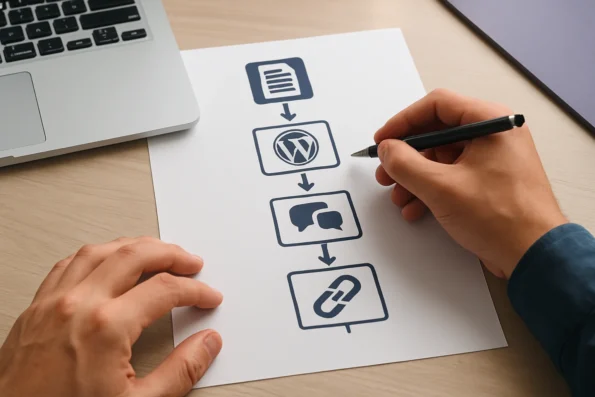
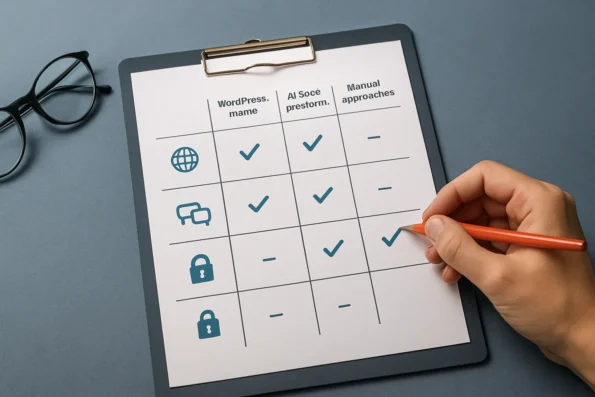
Criteria table: Comparing optimization methods and tools
When selecting an optimization approach for a customer service knowledge base, especially within WordPress environments, a clear understanding of technical and operational criteria is essential. The following table compares optimization strategies and tool categories on critical aspects: source selection control, compatibility with WordPress content types, support for custom Q&A, multilingual indexing, and security management. This analysis clarifies which capabilities are directly supported by WordPress-native solutions such as NextlerAI Assistant and where trade-offs with out-of-the-box AI SaaS platforms may arise. When comparing optimization methods and tools, the automation of knowledge management in customer support emerges as a critical factor for efficiency and scalability.
| Criteria | WordPress-Native Solutions (e.g., NextlerAI Assistant) |
Out-of-the-Box AI SaaS Platforms | Manual Knowledge Base Curation | Source |
|---|---|---|---|---|
| Source Selection Granularity | Granular: Select individual WordPress pages, posts, WooCommerce products, and custom post types for indexing. Exclude drafts and private items via post status. | Typically limited to broad document or file uploads, with less precise control over live site content. | Manual curation at the document level; requires ongoing administrator intervention to reflect site changes. | NextlerAI Assistant product documentation |
| WordPress Content Type Compatibility | Direct integration with native posts, pages, WooCommerce products, and selected custom post types. | May require third-party plugins or connectors; often lacks deep structural awareness of WordPress data. | Fully compatible, but lacks automation or AI retrieval. | Assistant Knowledge Base, page training, indexing and citations |
| Custom Q&A Support | Supports manual entry of custom Q&A for recurring or complex queries, with index inclusion managed by administrators. | Varies: some platforms offer FAQ input or CSV uploads, but may not natively link to WordPress post types. | Custom Q&A possible, but not AI-retrievable unless separately indexed. | NextlerAI Assistant product documentation |
| Multilingual Indexing | Language-aware: Indexes localized content per language variant, contingent on accurate and maintained translations. | May support multiple languages, but often depends on external translation layers; may not reflect site-specific localization. | Manual translation and review required for each content version. | Assistant Knowledge Base, page training, indexing and citations |
| Security and Permissions Controls | Administrators explicitly restrict which content is indexed and exposed. Advanced controls include exclusion of non-public items and privacy configuration. | Relies on vendor-level access management. May offer document-level permissions but less integration with WordPress user roles or custom workflows. | Complete manual control; risk of human error or omission. | Assistant security, rate limits, caching and advanced controls |
| Index Freshness and Maintenance | Manual or scheduled index rebuilds ensure up-to-date retrieval, but require administrator diligence. | Automated re-indexing may lag behind live WordPress site changes unless specifically integrated. | Fully manual; updates depend on active oversight. | Assistant Knowledge Base, page training, indexing and citations |
| User Permissions and Content Exposure | Leverages WordPress user roles and post status for granular exposure; integrates with site’s existing permission model. | Platform-specific; may not map to WordPress roles or advanced custom permissions. | Manual assignment and review; does not scale well. | Assistant security, rate limits, caching and advanced controls |
| Integration with Existing Workflows | Works directly within WordPress admin, supporting established editorial and publishing workflows, including scheduled publishing, taxonomy management, and bulk updates. | Integration may require custom connectors or API development. Workflow alignment is often limited to supported apps or file types. | Fully manual updates; may lack version control or audit logs unless separately implemented. | Assistant Knowledge Base, WordPress admin interface |
| Auditability and Change Tracking | Supports audit trails via WordPress revision history and logs of index rebuilds. Administrators can review and revert content or index changes as needed. | Audit features depend on the vendor; often less transparent for site-specific changes or index modifications. | Manual change tracking; dependent on documentation practices. | WordPress revision management, Assistant product documentation |
Organizations seeking robust control over knowledge base optimization should assess their need for granular source selection, seamless WordPress content integration, and advanced security configurations. NextlerAI Assistant, as documented, enables explicit management of indexed materials, multilingual coverage, and permission boundaries—key factors for regulated industries or multilingual support operations. Its design allows administrators to tightly govern which materials are included in the AI knowledge base and to use WordPress-native mechanisms for review, scheduling, and exclusion. Additional configuration options permit advanced privacy controls and rate limiting, as detailed in official security and advanced control guides. In contrast, generic AI SaaS platforms may offer convenience but can lack the tight alignment with WordPress content structures and administrative workflows necessary for high-stakes customer service environments. This table illustrates how the method chosen will impact not only daily content management but also auditability, user permissions, and future scalability. The next section will guide teams on how to apply these criteria when deciding if NextlerAI Assistant aligns with their support and compliance needs.
Decision criteria: Is NextlerAI Assistant the right fit?
Choosing NextlerAI Assistant for your customer service knowledge base requires a precise match between the solution’s capabilities and your organization’s operational needs. The decision should be anchored in the real structure of your WordPress content, your team’s workflow complexity, and the regulatory environment in which you operate. If retrieval issues arise, consult the Assistant troubleshooting master checklist for systematic solutions.
Alignment with content structure and retrieval model
First, evaluate whether your existing knowledge base content is organized in a way that supports Assistant’s retrieval and indexing logic. The platform is built to index selected public pages, posts, WooCommerce products, and custom Q&A entries. If your support resources are scattered across unsupported content types, or if much of your critical information resides outside WordPress, you may need to reorganize or migrate content to maximize Assistant’s effectiveness. Consistency and clarity in content structuring directly affect retrieval accuracy and customer satisfaction.
To ensure optimal retrieval, review how your team uses WordPress taxonomies, post status markers, and page hierarchies. NextlerAI Assistant’s indexing is limited to explicit source selections, so material set as private, draft, or otherwise excluded will not be available to the Assistant. This places responsibility on administrators to maintain clear standards about what constitutes an authoritative, up-to-date support resource. Any changes to content types, taxonomies, or status can have a direct impact on what is retrievable through the Assistant, requiring careful documentation and communication across editorial and support teams.
Scale of operation, language coverage, and compliance
Next, consider the scale and diversity of your customer support needs. Assistant is designed for multilingual environments and can serve global audiences when the underlying WordPress content is properly localized and maintained. If your support operation spans multiple jurisdictions, pay close attention to how the Assistant handles data privacy and content exposure. WordPress status controls and explicit source exclusions help restrict indexed material, but ongoing review is needed for organizations bound by specific sectoral or national regulations. Ensure your team is equipped to audit and maintain compliance settings as part of regular operations.
For organizations subject to GDPR, CCPA, or industry-specific requirements, responsibility for lawful processing, storage, and access to knowledge base content rests with the controller or deployer of the Assistant. NextlerAI Assistant’s mechanisms for restricting sources and managing index rebuilds support compliance, but these controls depend on administrators to enforce internal data governance policies. Regular audits of indexed material, especially in multilingual deployments, are crucial to prevent accidental exposure of outdated, sensitive, or non-compliant content. Regulatory alignment should be verified against official documentation and legal counsel, as the Assistant itself offers only the technical means for restriction and does not guarantee compliance by default.

Advanced collaboration and permission requirements
For teams operating at scale or across departments, assess the necessity of advanced collaboration features and permission granularity. NextlerAI Assistant supports enterprise workflows by enabling distributed content management, granular access control, and role-specific knowledge base editing. Teams with regulated approval processes or distributed editorial responsibilities benefit from these mechanisms, as documented in enterprise collaboration guides. However, these advanced features also require clear internal policies and technical onboarding to avoid permission misconfigurations or workflow bottlenecks.
Decisions about who can approve, edit, and publish knowledge base entries should be mapped directly to the Assistant’s permission model. For example, editorial roles responsible for content updates may be granted access only to specific sections, while compliance officers may require audit visibility without editing rights. The technical team must ensure the organizational permission structure is consistently reflected in the Assistant’s configuration, and that any changes in team composition or workflow are promptly updated to avoid lapses in oversight or unintentional content exposure.
Documentation review and organizational alignment
Before making a final decision, scrutinize official product documentation and enterprise collaboration guides to confirm that the Assistant’s configuration options map effectively to your organization’s goals. Detailed attention to knowledge base training, index rebuild procedures, and access control will surface any potential friction points between platform design and your operational model. This approach ensures that the deployment is sustainable and aligned with both technical realities and business objectives.
Engaging relevant stakeholders—content managers, technical administrators, compliance leads, and end users—in the documentation review process helps identify gaps between existing workflows and the Assistant’s feature set. This shared understanding enables teams to establish best practices for source selection, index maintenance, language support, and permission assignment, reducing the risk of misalignment after deployment. If the review highlights limitations in the Assistant’s current capabilities, document these findings for future evaluation or escalation to the provider.
FAQ
How does NextlerAI Assistant integrate with a WordPress knowledge base?
NextlerAI Assistant directly indexes selected public WordPress pages, posts, WooCommerce products, eligible custom post types, and custom Q&A entries. Administrators control content inclusion, status filtering, and language variants. The Assistant retrieves answers exclusively from this curated, indexed content, ensuring responses align with approved knowledge base material.
What are the main benefits and potential drawbacks of using NextlerAI Assistant for customer service?
The main benefits are deep WordPress and WooCommerce integration, granular source selection, multilingual support, and explicit control over what customers can access via the Assistant. Potential drawbacks include the need for continuous index maintenance, manual curation to avoid outdated answers, and administrative oversight to ensure content accuracy and relevance.
What practical steps can optimize a knowledge base for better AI-driven support?
Effective optimization involves regularly auditing content for authority and currency, clearly structuring information, mapping common queries to precise destinations, excluding drafts or private material, and scheduling index rebuilds after updates. Industry research underscores the importance of ongoing review and alignment with evolving customer needs to sustain knowledge base performance.
Which criteria should be compared when selecting a knowledge base optimization approach?
Key criteria include compatibility with WordPress content types, multilingual indexing capability, support for custom Q&A, ability to restrict content exposure, security and permissions controls, integration with editorial workflows, auditability, and the requirement for ongoing manual maintenance. Consider how each approach aligns with your team’s expertise and operational needs.
How can teams decide if NextlerAI Assistant fits their specific customer support goals?
Teams should review their content structure, language requirements, regulatory obligations, and collaboration needs. If granular control, integration with WordPress/WooCommerce, and explicit data governance are priorities—and your team can commit to proactive maintenance—NextlerAI Assistant offers mechanisms to meet these requirements. Evaluate against your current workflows and support strategy.
What are common troubleshooting steps for knowledge base retrieval issues?
Start by confirming Assistant version, plugin status, and content inclusion settings. Check if the index reflects the latest content and language. Review public/private status of sources, and confirm no excluded or draft material is interfering. Consult structured troubleshooting guides and ensure all plugin dependencies and permissions are current.
Conclusion
Optimizing a customer service knowledge base with NextlerAI Assistant demands a disciplined, evidence-based approach to information management. For teams operating within WordPress environments, this method provides direct control over what customers see, ensuring only current, approved content is accessible through support channels. By requiring administrators to explicitly select, map and review knowledge sources, the system sharply limits the risk of outdated, irrelevant, or private material surfacing in customer interactions. This manual stewardship, while resource-intensive, safeguards organizational knowledge integrity and supports compliance with both internal standards and external regulations.
The effectiveness of this approach stems from the tight integration between NextlerAI Assistant and WordPress’ content architecture. Administrators set boundaries by curating which posts, pages, and products are indexed, relying on post status and taxonomy to reinforce access control. The system’s reliance on explicit content inclusion, rather than inference or automated crawling, means accuracy and relevance are directly tied to ongoing human oversight. Further, in multilingual or compliance-sensitive settings, the distinction between public and restricted data must be rigorously maintained at each update cycle. This hands-on model enhances auditability and transparency, making it easier to demonstrate compliance with legal requirements or internal governance policies. However, it also places responsibility for continuous review, index rebuilding, and documentation on the knowledge base team, emphasizing the importance of clear workflows and cross-functional coordination for sustained success.
As the next practical step, assemble an interdisciplinary review team—including support leads, content owners, and technical administrators—to conduct a full audit of existing knowledge base content. Agree on inclusion criteria, establish a maintenance schedule for index rebuilding, and assign responsibility for ongoing curation. This foundation will ensure that your deployment of NextlerAI Assistant delivers reliable, brand-aligned answers and remains adaptable as products, policies, and customer expectations evolve.