







Introduction
NextlerAI Assistant brings advanced collaboration capabilities to enterprise teams seeking secure, organized, and efficient ways to work together. This article directly addresses the core concerns of IT decision-makers and operations leads: how the assistant enables team productivity through context sharing, robust permissions, and workflow management, all designed for enterprise standards.
By focusing on practical, evidence-based detail, the following sections clarify how NextlerAI Assistant can be configured for shared knowledge bases, granular access control, and structured collaboration. You will gain a clear understanding of the assistant’s mechanisms for reducing repetitive work, maintaining shared context, and managing workflows within large or distributed teams.
The outcome for readers is actionable guidance on evaluating, implementing, and governing NextlerAI Assistant in complex enterprise environments—supporting both security requirements and team collaboration goals.
For organizations planning enterprise-scale adoption, it is essential to understand not only the feature set but also the underlying architectural decisions and operational requirements. NextlerAI Assistant is designed for flexible deployment within varied IT ecosystems, supporting integration with existing identity management and directory services to streamline user provisioning and permission assignment. Configuration options allow administrators to specify how knowledge bases are segmented or shared between teams, ensuring that sensitive information remains appropriately siloed while still enabling cross-team insights where policy permits. The assistant’s collaboration tools are underpinned by auditable activity logs, enabling compliance with data governance frameworks and internal audit requirements. This article provides a focused starting point for decision-makers aiming to align AI-driven collaboration with enterprise technical, operational, and security standards, leading into a readiness checklist in the next section.
Checklist: Readiness for Enterprise Collaboration
Before moving forward with NextlerAI Assistant enterprise collaboration, it is essential to verify that your organization’s technical and operational foundation aligns with the product’s requirements. This checklist allows decision-makers to systematically assess all key areas that influence a successful deployment, from infrastructure compatibility to ongoing management and compliance. Each point addresses a critical readiness factor, drawing directly from verified product documentation and enterprise best practices. For a full overview of capabilities and licensing, visit the NextlerAI Assistant product page. AI Collaboration in Modern Enterprises: Trends and Best documents the relevant background and implementation boundaries.
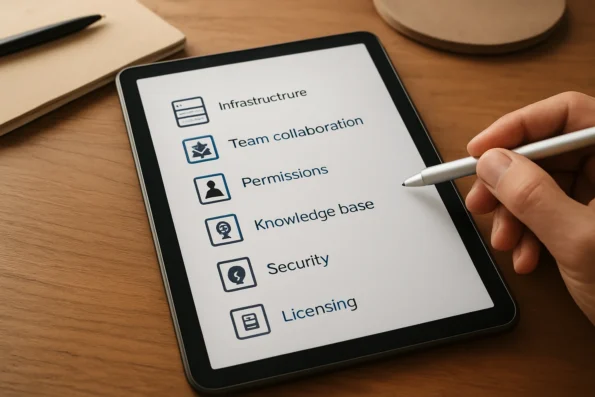
- Infrastructure Compatibility: Confirm that your current hosting, network, and application environment meet the technical requirements for installing and operating NextlerAI Assistant. This includes server specifications, supported platforms, and connectivity needs as detailed in official product documentation. Evaluate whether your organization can support the necessary bandwidth, uptime, and maintenance windows to ensure uninterrupted collaboration. Check for dependencies on third-party integrations or middleware that may affect deployment.
- Team Collaboration Needs: Assess whether your teams require consistent shared context, streamlined workflow management, and reduced repetitive tasks. Clearly define collaboration objectives and identify where AI-driven context organization and workflow clarity will add value in daily operations. Determine if current communication and project management tools align with the assistant’s capabilities for knowledge sharing and workflow oversight.
- Permissions Management: Verify your ability to assign, review, and update user roles and access controls at the enterprise level. Ensure administrative processes can support granular permission settings and enforce least-privilege access across teams, as supported by NextlerAI Assistant’s configuration options. Designate responsible administrators and establish internal procedures for periodic audit of permission settings to prevent access creep or role confusion.
- Knowledge Base Maintenance: Evaluate your current capacity to curate, update, and verify a centralized knowledge base for the assistant. Assign responsibility for sourcing authoritative content and maintaining version control so that team-wide context remains accurate and current. Consider how onboarding, offboarding, and organizational changes will be reflected in the knowledge base. Document procedures for validating content accuracy and archiving outdated information.
- Security and Compliance Controls: Ensure your organization has defined security policies, monitoring, and incident response plans that cover AI tool integration. Confirm that rate limits, audit trails, and advanced controls can be configured to meet organizational standards and regulatory requirements. Review data handling practices and ensure compliance with any applicable data protection laws, such as GDPR or HIPAA, based on your industry and jurisdiction. Involve IT security teams in the configuration and ongoing monitoring of the assistant’s activity.
- Licensing and Support Planning: Review your enterprise’s licensing needs in relation to the assistant’s scale, user base, and support expectations. Plan for capacity, legal compliance with vendor agreements, and access to ongoing support resources for troubleshooting and updates. Identify escalation contacts for technical support and outline procedures for renewing or scaling licenses as user demand grows.
Enterprise Readiness Checklist
- Obtain and review NextlerAI Assistant’s latest system requirements from the official documentation.
- Map current infrastructure and identify potential compatibility gaps before installation.
- Develop a list of collaboration use cases and define measurable objectives for AI integration.
- Inventory all user groups and determine required permission levels for each team or function.
- Appoint knowledge base owners and establish a documented update and validation schedule.
- Verify presence of security protocols covering user authentication, data retention, and audit logging.
- Confirm coverage of all legal and regulatory requirements applicable to AI deployment in your jurisdiction.
- Align support SLAs and escalation pathways with enterprise operational needs.
By working through this expanded checklist, decision-makers gain clarity on operational readiness and can identify focus areas for improvement before deploying NextlerAI Assistant at scale. The next section illustrates how these readiness factors come into play during day-to-day collaboration across distributed teams.
Illustrative Scenario: Coordinating a Distributed Product Team
Illustrative Scenario: Consider a product team distributed across multiple time zones, responsible for delivering regular feature updates to a complex enterprise application. Each sub-team—product management, engineering, and support—needs to work from the same set of requirements, customer feedback, and technical decisions, while maintaining strict role-based access to sensitive project data.
Maintaining Shared Context with a Centralized Knowledge Base
The team’s administrator configures NextlerAI Assistant with a dedicated knowledge base, indexing authoritative documents such as requirements lists, meeting notes, and approved workflows. This shared context ensures every team member—regardless of location—can retrieve up-to-date project information and reduce miscommunication. The ability to curate, update, and verify knowledge sources is essential for keeping the AI assistant’s responses aligned with project realities. Administrators can designate trusted editors who manage uploads and metadata, creating a single source of truth that evolves alongside the project. By linking knowledge articles directly to specific features or product decisions, the assistant provides targeted answers and references, as detailed in the official knowledge base configuration guide.
Applying Granular Permissions to Safeguard Insights
Project leads assign access levels using the assistant’s granular permissions. For example, engineering leads may access technical documentation and sprint retrospectives, while customer success managers are limited to user documentation and FAQ content. This separation helps prevent accidental exposure of confidential material and keeps each discipline focused on relevant insights. The permission model, detailed in product documentation, supports role changes and access reviews as team composition evolves. Permissions can be adjusted at the document or knowledge group level, allowing precise control over which users or groups view, edit, or query specific knowledge sources. This flexibility supports compliance requirements and organizational policy changes over the project lifecycle.
Clarifying Tasks and Reducing Repetition with Workflow Controls
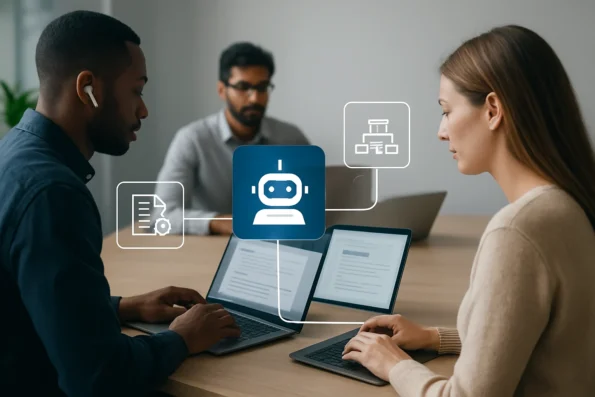
During a sprint review, the assistant’s workflow management features help clarify next steps by summarizing open action items and linking them to relevant background material in the knowledge base. This reduces duplicated effort—such as team members independently researching the same topic—and enables leads to assign tasks with clear context. The assistant’s structured approach to workflow tracking supports cross-team accountability and streamlines follow-up during asynchronous collaboration. Workflow controls can be customized for each project, allowing teams to specify the types of actions that trigger reminders or require additional context, and to set notification preferences for updates or new content additions.
Adapting the Knowledge Base for Ongoing Project Needs
As requirements shift, designated editors update the knowledge base, training the assistant on new priorities or retiring deprecated content. The assistant’s change management controls allow administrators to verify sources and ensure outdated information is not surfaced to the team. This cycle of regular review and targeted updates helps maintain organizational alignment and supports scaling the product team as new members onboard. Audit logs track changes and access patterns, enabling project leads to identify gaps or inconsistencies in knowledge coverage and prioritize updates accordingly, as described in the platform’s documentation.
Phased Enterprise Implementation Steps
Enterprise deployment of NextlerAI Assistant demands a disciplined, stepwise approach to ensure security, scalability, and lasting team value. The following implementation sequence is grounded in official guides and product documentation, providing a reliable path from initial evaluation to verified rollout. For step-by-step instructions on deployment, refer to the complete setup guide.
-
Choose the Appropriate Enterprise Plan and Review Infrastructure
Begin by selecting the subscription tier that aligns with your team size, data protection requirements, and integration needs. Assess existing infrastructure compatibility, especially regarding hosting environment, API access, and authentication systems, to avoid downstream configuration conflicts. Decisions at this stage should involve IT, compliance, and relevant business unit leads to confirm that planned integrations, network security measures, and data retention protocols align with organizational policy. Document any exceptions or unique legacy system needs for downstream implementation. -
Install and Activate the Assistant Using Verified Procedures
Follow the documented setup instructions to install NextlerAI Assistant on your production environment. Use administrative credentials and perform a backup before making structural changes. Confirm activation and licensing are correctly registered to enable all enterprise features. Designate a system owner who will maintain installation logs, monitor early diagnostics, and liaise with vendor support in case of installation issues or version conflicts. Verify that all dependencies, such as database drivers or messaging queues, are in place prior to activation. -
Connect and Configure AI Providers and Permissions
Integrate approved AI providers by securely entering API keys and selecting service regions. Assign role-based permissions to restrict provider configurations and usage to authorized administrators. Set cost and rate limits if necessary, referencing operational requirements and compliance guidelines. Ensure that all credentials are stored according to enterprise security standards, and audit logs are enabled for provider-related activities. Coordinate with data privacy officers to confirm compliance with cross-border data flow regulations if external providers are used. -
Build and Index a Trusted Knowledge Base
Curate authoritative, current documentation and data sources for the assistant’s knowledge base. Use the assistant’s indexing controls to include only validated pages, ensuring that all context shared across teams remains consistent and reliable. Verify the completeness of indexed material before enabling team-wide access. Establish versioning policies for knowledge base updates and restrict editing privileges to vetted subject matter experts, preventing unreviewed changes from propagating. -
Configure Workflow Management and Collaboration Settings
Define collaborative workflows by activating features for structured task assignment, shared note-taking, and status tracking. Adjust access controls for sensitive or specialized team functions, ensuring only relevant personnel can modify or view workflow elements tied to critical business processes. Map workflow configurations to existing project management structures and test escalation paths for exceptions or unresolved tasks. -
Verify Deployment with Representative Team Members
Conduct acceptance testing with users from each major team function. Confirm that permissions, context sharing, and workflow tools perform as intended and support daily collaboration needs. Address gaps in configuration or documentation before expanding usage to the broader enterprise. Collect structured feedback and update onboarding materials to reflect lessons learned during initial rollout.
Each step is designed to minimize disruption and maintain organizational control. By sequencing setup, permissions, knowledge base building, and workflow configuration, enterprises can confidently deploy NextlerAI Assistant to support advanced team collaboration. The next section addresses security, governance, and scaling cautions for maintaining long-term reliability.
Expert Caution: Security, Governance, and Scaling Limits
Deploying NextlerAI Assistant for enterprise collaboration introduces a set of complex risks and responsibilities that must be addressed by technical leads before scaling to production environments. Central to a secure deployment is thoughtful configuration of security controls, rate limits, and audit mechanisms—each serving to minimize exposure to unauthorized data access and potential leakage. For instance, setting strict rate limits and request protections is necessary to align with your actual traffic patterns and hosting capacity, ensuring no unexpected resource exhaustion or data flow occurs. See the AI workflow automation comparison for broader context on managing enterprise collaboration tools.
Access control, while robust, is not static. Enterprise environments encounter frequent role changes and evolving team structures. It is therefore essential to establish a regular review cadence for permission settings to guard against access creep, where users retain rights beyond their duties. Leveraging granular permission management features allows administrators to define, monitor, and adapt access policies as roles shift. This supports compliance and reduces the likelihood of inadvertent privilege escalation.
At scale, performance boundaries matter. NextlerAI Assistant offers enterprise-grade features, but its behavior under sustained high load or simultaneous queries must be empirically tested within your infrastructure. Controlled load testing can reveal latent bottlenecks, such as queuing delays or incomplete request handling, which are not always apparent during small-team pilots. Early identification of these boundaries enables informed scaling decisions and prevents service interruptions as demand grows.

Governance extends beyond technical configuration. The collaborative power of a shared knowledge base requires disciplined oversight. Without a clear process for content verification and updates, outdated or unverified entries may propagate errors across teams. Assigning responsibility for knowledge base governance, coupled with periodic audits, maintains the integrity of shared context and underpins reliable workflow management.
Technical leads should recognize that security configurations in NextlerAI Assistant involve not only initial setup, but ongoing adjustment of audit controls, session expiration, and event logging. Audit trails must be preserved in accordance with your organization’s policy and relevant regulations, and logs should be periodically reviewed for signs of unauthorized use or anomalous access patterns. Decisions regarding rate limiting must balance user productivity with the need to mitigate denial-of-service risks, and should be updated if team size or usage changes. Additionally, comprehensive permission reviews should include both direct user assignments and inherited roles, as indirect access can undermine intended restrictions. For shared knowledge base content, implement a change management protocol with dual verification or approval where feasible, and require regular revalidation of critical documentation to prevent knowledge drift.
Finally, best practices in this domain evolve quickly. Regularly consulting official product guides and comparing your deployment approach with emerging evidence ensures your configuration remains aligned with both current threats and enterprise needs. This continuous improvement mindset reduces the risk of overlooked vulnerabilities and positions your team to adapt to changing regulatory or operational requirements. For the latest configuration recommendations and security controls, refer to the official guide at NextlerAI Assistant Security, Rate Limits, Caching, and Advanced Controls.
Implementation Table: Feature Controls and Verification
Robust enterprise collaboration using NextlerAI Assistant depends on aligning key configuration areas with clear responsibilities and verification methods. This table offers a practical reference for IT leaders and team managers, mapping each core feature—shared context, permissions, and workflow—to actionable setup steps, responsible roles, and specific verification criteria. By consulting this breakdown during rollout and ongoing management, teams can ensure secure, effective deployment and rapid troubleshooting should issues arise. Each feature area in the table below includes unique configuration, monitoring, and escalation responsibilities, with a focus on process ownership and traceable controls. Teams should carefully document who is responsible for authorizing changes, who reviews logs and permissions, and which guides support each configuration. This structure supports audit readiness and clear accountability, particularly where responsibilities overlap across IT, compliance, and operational managers. Routine audits and role-based configuration reviews are essential for maintaining system integrity and adapting the setup as the team or organizational needs evolve.
| Feature Area | Configuration Actions | Responsible Role(s) | Verification Steps | Success Criteria | Reference Guide |
|---|---|---|---|---|---|
| Shared Context / Knowledge Base | Curate, approve, and index authoritative sources for team access | Knowledge Manager, Team Lead | Test retrieval and accuracy using diverse sample queries | All relevant information is accessible; responses match current content | Assistant knowledge base, page training and indexing |
| Permissions and Access Controls | Assign user roles, set access boundaries for sensitive data, review permission tiers | IT Administrator, Security Lead | Impersonate roles to verify no unauthorized access | Roles cannot access restricted data or actions | Assistant security, rate limits, caching and advanced controls |
| Workflow Management | Enable collaboration settings, structure next-step prompts, define task handoff logic | Team Lead, Operations Manager | Simulate common workflows and task transitions | Tasks and next steps are clear to all users; handoffs are reliably tracked | Best AI Workflow Automation Tools for Content and Service Teams |
| Security & Rate Limits | Set request, data retention, and audit policies aligned to traffic and risk profiles | IT Administrator, Compliance Lead | Review logs and test enforcement under typical and high load | No data leakage or unlogged access; limits align with policy | Assistant security, rate limits, caching and advanced controls |
| Deployment Verification | Run structured pre-launch test plan across representative accounts | Project Owner, QA Lead | Complete guided acceptance testing of all configured features | All controls function as intended; test plan passes without exceptions | Pre-launch test plan for Assistant and Publisher |
| Troubleshooting & Ongoing Review | Consult role-specific guides and update configurations as roles or requirements evolve | System Administrator, Team Lead | Schedule periodic audits; document and resolve new issues | Configuration stays current; emergent risks are addressed promptly | Assistant: complete setup from first activation to launch |
This structured mapping helps enterprise teams preempt common rollout challenges and maintain operational clarity. By explicitly assigning roles and referencing authoritative configuration guides at each phase, organizations reduce the risk of permission drift, context misalignment, or workflow breakdowns. For in-depth test procedures and troubleshooting, official pre-launch and security documentation provides stepwise validation and resolution paths.
FAQ
What makes NextlerAI Assistant suitable for enterprise collaboration?
NextlerAI Assistant is designed for enterprise environments by enabling teams to minimize repetitive tasks and organize a collective knowledge base. Its structure allows multiple users to interact with shared information, ensuring that context is preserved throughout ongoing projects and across departments. The assistant accommodates scalable user management and supports collaboration across distributed teams, so information remains consistent and accessible as team composition or project scope evolves. Built-in mechanisms for controlled access and structured knowledge sharing reduce the friction of onboarding new users, while facilitating cross-functional alignment.
How does shared context benefit large teams?
Shared context ensures that all team members access the same curated information base, reducing miscommunication and duplicated effort. This centralization enhances productivity by keeping everyone aligned on project goals, deliverables, and previous decisions, regardless of team size or distribution. With an actively managed shared context, teams can coordinate handoffs more efficiently, quickly reference historical decisions, and minimize time spent reconciling conflicting information. This framework is particularly beneficial for enterprises where multiple departments or remote contributors must align their actions to shared objectives.
What permission controls are available in NextlerAI Assistant?
The assistant provides role-based permissions, allowing administrators to define who can access, modify, or curate content within the knowledge base. These controls help maintain data integrity and limit sensitive information exposure to authorized personnel only. Permission hierarchies can be established to reflect organizational structure, enabling fine-grained management of who can create, edit, or approve content. Administrators can review and update permissions as team roles change, ensuring robust governance and traceability of content modifications.
How can enterprises implement workflow management with this assistant?
NextlerAI Assistant supports workflow definition by letting users clarify actionable next steps and structure collaborative tasks within the environment. Teams can assign responsibilities and monitor progress using the assistant’s workflow management features, fostering accountability and continuity. Workflow templates can be configured to standardize processes, while notifications and collaborative comments help maintain momentum. This approach enables visibility into task ownership, status, and deadlines, streamlining coordination for distributed project teams.
What risks or limitations should IT leaders be aware of?
IT leaders should note potential risks such as misconfigured permissions, incomplete knowledge base updates, and capacity boundaries under peak load. Regular reviews of settings and careful scaling are vital to avoid data leaks, unauthorized access, and system bottlenecks. It is also important to document and audit role assignments, as access creep can occur in dynamic teams. Additionally, ensuring that content verification processes are in place mitigates the risk of outdated or inaccurate information being referenced in critical workflows.
Which steps ensure a secure and effective rollout?
A secure deployment requires phased implementation: selecting the right plan, configuring permissions, curating the knowledge base, enabling workflow controls, and verifying functionality with representative users. Ongoing monitoring and periodic audits help maintain operational security and alignment with enterprise protocols. Enterprises should dedicate resources to training administrators on permission management and knowledge base governance, as well as establish procedures for regular review of access logs, system performance, and compliance with organizational standards. Transitioning to the implementation table, teams can visually map these steps to responsible roles and verification actions.
Conclusion
NextlerAI Assistant stands out for enterprise collaboration by offering configurable shared context, granular permission controls, and structured workflow management, all supported by clear documentation and verifiable setup guides. These features address core requirements for large teams needing secure, scalable, and transparent AI-driven assistance in daily operations. The product’s approach—emphasizing control, clarity, and ongoing verification—aligns with enterprise expectations for reliability and data governance.
Evaluating NextlerAI Assistant’s readiness for enterprise use involves strategic decisions around permissions architecture, knowledge base governance, and the integration of workflow processes with existing team structures. Enterprises must determine how best to align assigned user roles with operational hierarchies and clarify which business units should oversee knowledge curation and permission reviews. The implementation process requires collaboration between IT, compliance, and line-of-business stakeholders to map out responsibilities for onboarding, change management, and ongoing verification. This ensures that each mechanism—whether access management or knowledge updates—operates under defined accountability and traceability, minimizing the risk of unauthorized data access or operational bottlenecks as the deployment scales.
For organizations considering deployment, the next practical step is to identify a representative team or project and conduct a controlled pilot implementation. This allows IT leaders to assess fit, fine-tune permissions, and verify workflow integration under real conditions before broader rollout. Structured evaluation at this stage ensures alignment with both security requirements and operational goals.