


AI-POWERED COMPLETE WORDPRESS LOCALIZATION
NextlerAI Translator
Translate complete WordPress sites without rebuilding their layoutsNextlerAI Translator is a downloadable WordPress and WooCommerce localization plugin that translates complete websites without rebuilding their layouts. It creates connected language versions of pages, posts, products and custom content, protects technical structure and runs long jobs safely in the background.
- Downloadable plugin ZIP
- Install on your own WordPress website
- Connect your own AI provider

COMPLETE CONTENTPages, posts, products, taxonomies, SEO and public custom post types.STRUCTURE PRESERVEDGutenberg, Elementor, HTML, shortcodes and supported structured custom fields.PROFESSIONAL QUALITYGlossary, protected terms, translation memory and an independent AI review pass.
WORKS WITH YOUR WORDPRESS STACK — SCROLL TO EXPLORE
WordPressGutenbergWooCommerceElementorBricks BuilderBreakdanceBeaver BuilderOxygenACFEasy Digital DownloadsPolylangWPMLTranslatePressSEOPressYoast SEORank MathAIOSEOOpenAIGoogle GeminiAnthropic ClaudexAI Grok
Selected purchaseWordPress plugin ZIP · Instant download
Buy now ↗✓ Secure checkout · Instant download · 14-day money-back guarantee
A COMPLETE TRANSLATION WORKFLOW
From detected content to a connected language version.
Translator separates human-readable content from technical structure, sends only the text that needs localization, validates the result, and saves it through the active multilingual plugin.
YOUR WORDPRESS SITEContent, layout and language relationships stay under your control.
Understand the site
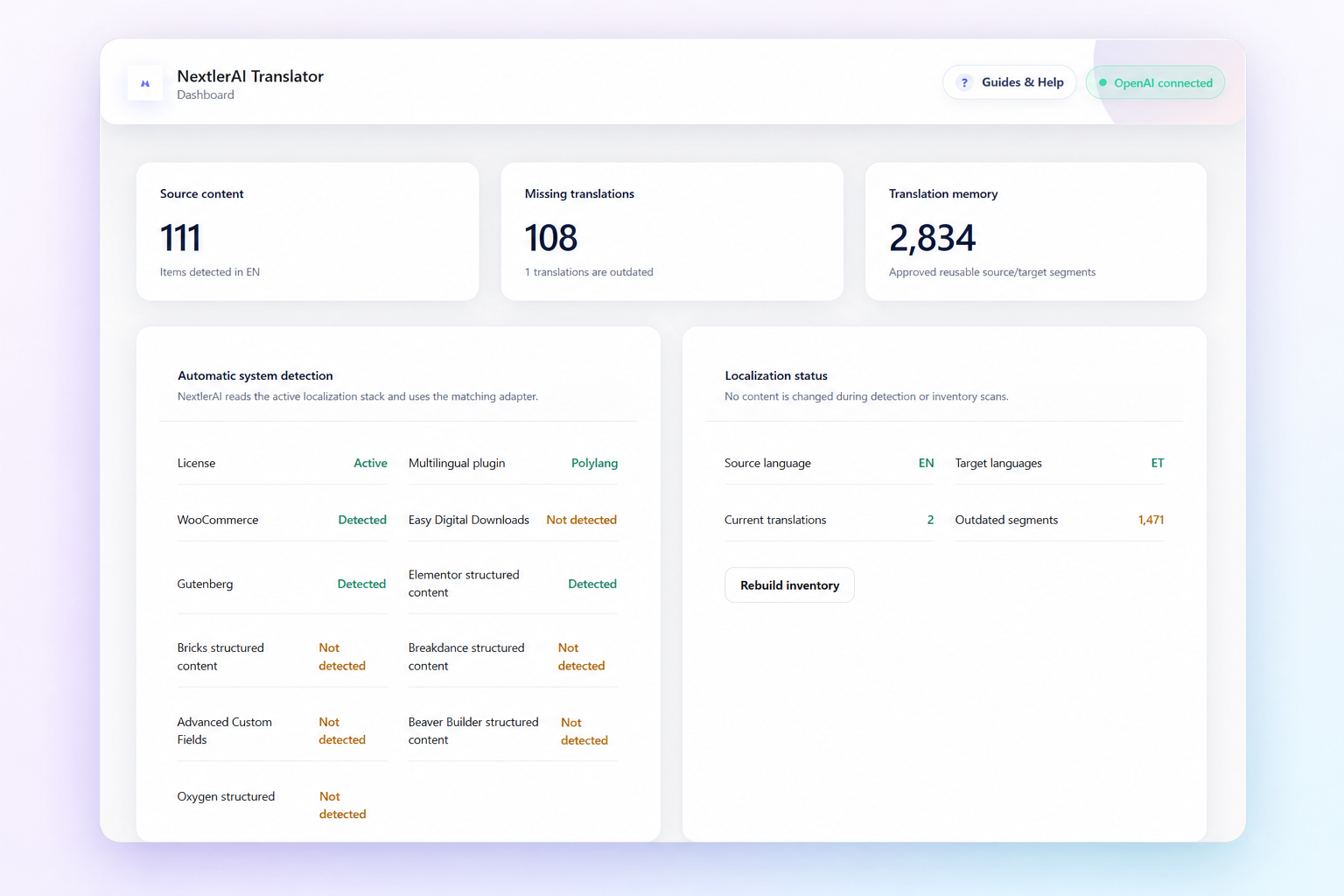
Identify the multilingual plugin, configured languages, WooCommerce, editors, public content types, supported SEO plugins and structured content.
→Choose what needs work
Filter missing or outdated translations, select items across multiple result pages, or translate every item in the filtered result.
→Process safely
Protect HTML, shortcodes, URLs, placeholders, code and structured data while translating human-readable segments in bounded background batches.
→Save only valid results
Validate target language and protected tokens, run the optional professional review, create or update the native translation and show exactly where it was saved.
COMPLETE WORDPRESS CONTENT COVERAGE
Translate the content that makes a real website useful.
Translator is not limited to the title and main editor. It builds a complete translatable bundle for each item, including supported structured builders, product content, custom fields, taxonomies and metadata.
Pages, posts and custom post types
Translate standard WordPress content and any selected public custom post type, including its title, excerpt, body, slug and supported metadata.
PagesPostsPortfolioGuidesPublic CPTs
WooCommerce products
Translate product names, descriptions, purchase notes, variation text, attributes, categories, tags, downloads and visible custom product fields while technical commerce data remains synchronized.
ProductsVariationsAttributesTaxonomies
Builder and structured content
Read human-facing text from Gutenberg, Elementor and supported structured data used by Bricks, Breakdance, Beaver Builder, Oxygen, Themify, SiteOrigin, Cornerstone, Zion Builder, Visual Composer and compatible systems.
Custom fields and custom tabs
Discover readable text inside ACF and compatible structured metadata, proprietary tab systems and custom product or page fields while excluding IDs, settings and technical values.
SEO and social metadata
Translate supported titles, descriptions, keywords and social fields from SEOPress, Yoast SEO, Rank Math and All in One SEO.
SEO titleDescriptionOpen GraphTwitter
Slugs, media and taxonomies
Create natural translated URL slugs, language-specific image ALT text, and connected translations for categories, tags, public taxonomies and WooCommerce attributes.
TRANSLATE TEXT. PRESERVE THE SITE.
The layout stays a layout. Store data stays store data.
Translator extracts text from the structure and writes it back into a native language version. It does not ask the AI provider to rewrite complete HTML documents, CSS, JavaScript or serialized builder systems.
Human-readable content
- ✓ Titles, headings, paragraphs and labels
- ✓ Product descriptions and customer-facing variation text
- ✓ Selected custom fields and visible structured values
- ✓ SEO metadata, slugs and eligible ALT text
- ✓ Categories, tags and public taxonomy terms
Technical structure and commerce facts
- ✓ HTML, shortcodes, URLs, placeholders and code tokens
- ✓ Gutenberg and builder layout structure
- ✓ CSS classes, IDs, scripts and technical attributes
- ✓ Prices, stock, SKUs, dimensions and product behaviour
- ✓ WordPress IDs and multilingual relationships
PROFESSIONAL QUALITY CONTROLS
Better localization needs more than a single prompt.
Professional mode combines a strict translation pass with independent review, terminology rules and save-time validation. Difficult content is retried in smaller focused segments instead of discarding an otherwise valid page.
Brand and glossary control
Protect brand names and required terms, define a mandatory glossary, select market and tone, and add project-specific localization instructions.
Independent AI review
Professional mode can run a separate senior-editor pass for meaning, native grammar, terminology, locale, tone and formatting.
Strict validation
Reject missing segments, changed technical tokens or meaningful source-language text that should have been translated before anything is marked complete.
Review when meaning is risky
Ambiguous content can remain in a visible human-review workflow instead of allowing the system to invent a confident answer.
BUILT FOR LONG PAGES AND LARGE QUEUES
Close the screen. The job keeps moving.
Translation jobs continue through the WordPress background system. Large pages are divided into bounded provider-safe batches, every validated checkpoint is preserved, and temporary limits or connection problems are retried without starting the whole item again.
Progress that survives interruptions
Validated text sections are saved before the next callback, so completed work is not lost if a provider request, worker or server pauses.
Automatic continuation
Temporary provider and connection errors use controlled retry and backoff. Truncated responses are split into smaller work units automatically.
Clear jobs and results
See current item, language, sections, failures and result cards with direct links to edit, preview or view the translated content.
WORKS WITH THE WORDPRESS STACK YOU ALREADY USE
Native multilingual storage.
Broad plugin compatibility.
The active multilingual plugin keeps control of language URLs, routing, hreflang and translation relationships. Translator loads only the matching adapter and preserves the rest of the WordPress stack.
WordPressPlatform
GutenbergBlock editor
WooCommerceCommerce
Easy Digital DownloadsCommerce
ElementorPage builder
Bricks BuilderPage builder
BreakdancePage builder
Beaver BuilderPage builder
OxygenPage builder
Advanced Custom FieldsStructured fields
PolylangMultilingual
WPMLMultilingual
TranslatePressMultilingual
SEOPressSEO
Yoast SEOSEO
Rank MathSEO
All in One SEOSEO
OpenAIAI provider
Google GeminiAI provider
Anthropic ClaudeAI provider
xAI GrokAI provider
TECHNICAL FOUNDATION
Designed as a WordPress localization system—not a page copier.
Built for self-hosted WordPress, native multilingual storage, protected commerce data and resumable background translation.
- Platform
- Self-hosted WordPress 6.0+
- PHP
- 7.4, 8.0, 8.1, 8.2 and 8.3
- Multilingual systems
- Polylang, WPML or TranslatePress
- Commerce
- WooCommerce and Easy Digital Downloads discovery
- Content
- Pages, posts, products and selected public custom post types
- Editors
- Gutenberg, Elementor and supported structured builder data
- SEO
- SEOPress, Yoast SEO, Rank Math and All in One SEO
- Storage
- Native multilingual objects or TranslatePress dictionaries
- AI providers
- OpenAI, Google Gemini, Anthropic Claude and xAI Grok
- Processing
- Checkpointed background jobs with retry and cancellation
- Quality
- Glossary, protected terms, target-language validation and optional independent review
- Licence
- Signed NextlerAI activation with encrypted local key storage
Use a staging site and a database backup for the first full-catalog translation. Review drafts before publishing when a site uses a heavily customised theme, builder or commerce extension.
QUESTIONS, ANSWERED
Before you translate a live website.
Does NextlerAI Translator replace Polylang, WPML or TranslatePress?+
No. Keep one supported multilingual plugin active and configured. It owns language routing and relationships; Translator supplies the localized content through that system’s native storage path.
Will it preserve my page design?+
Translator preserves WordPress, Gutenberg, Elementor and supported structured content instead of asking the AI provider to rewrite complete layouts. A staging test is still recommended for custom themes, builders and proprietary field systems.
What happens to WooCommerce prices, stock and SKUs?+
They are synchronized technical values, not translation text. Translator localizes customer-facing product content while WooCommerce continues to own price, inventory, SKU, dimensions and product behaviour.
Can it translate custom post types and custom fields?+
Yes. Selected public custom post types are supported, and human-readable values can be discovered inside compatible structured metadata, ACF, builders and custom tab systems. Technical and private metadata is excluded.
What if an AI provider times out or reaches a temporary limit?+
The job checkpoints validated work, schedules controlled retries and resumes from the saved point. A temporary provider problem does not require the whole page to start again.
Can I review translations before they go live?+
Yes. Draft is the recommended target status. Professional mode can also flag ambiguous content for human review and every result links directly to the created translation.
Does the licence include AI usage?+
No. You connect your own supported AI-provider account, and the provider bills its usage separately. The plugin stores the API key encrypted on your WordPress website.
Can it update an existing translation after the source changes?+
Yes. Translation memory and source hashes identify current, missing and outdated content. Changed segments can be translated incrementally while manual edits are protected by the workflow.
NEXTLERAI TRANSLATOR
Localize the complete site. Keep the WordPress structure.
Install the plugin on your own website, connect your supported AI provider and translate through the multilingual system you already trust.
Selected planLifetime · 1 websiteChange plan
Buy now ↗



