







Introduction
Effective AI workflow analytics are essential for WordPress and WooCommerce teams striving to optimize both operational efficiency and compliance. For team leads and managers, the ability to identify and interpret targeted workflow metrics drives more informed decisions, enhances team collaboration, and reduces operational blind spots. This article delivers a clear path to understanding which analytics and KPIs matter most for AI-driven workflow automation, especially for organizations using NextlerAI Publisher and Assistant within WordPress environments.
By focusing on task completion rates, approval bottlenecks, automation coverage, and compliance incidents, teams can surface underlying issues that impact content production and customer support. NextlerAI’s analytics features provide purpose-built dashboards and workflow logs, enabling users to monitor every stage of the content and support pipeline—without relying on generic or incomplete data.
Readers will gain the practical knowledge needed to select, configure, and act on workflow analytics that reflect their team’s real-world complexity and regulatory context. Scenario-driven guidance, concrete decision criteria, and a risk-control matrix are included to align analytics strategy with both NIST and OECD recommendations for responsible AI measurement. The result is a more transparent, accountable, and efficient workflow that empowers WordPress and WooCommerce teams to maintain high standards and adapt as operational needs evolve.
In this context, workflow analytics are not limited to surface-level data points; they extend to granular process mapping, responsibility tracking, and compliance traceability. By integrating analytics from both automated and manual workflow stages, teams can distinguish between systemic workflow delays and isolated incidents tied to specific approval chains or unclear ownership. NextlerAI’s analytics modules are specifically designed to capture these distinctions, allowing teams to segment performance metrics by role, workflow phase, and compliance flag. This approach supports a deeper understanding of how AI-driven automation interacts with human oversight and regulatory boundaries in WordPress environments, setting the stage for targeted optimization and risk mitigation covered in subsequent sections.
Illustrative Scenario: Measuring Real Workflow Impact in a WordPress Team
Illustrative Scenario (Not a Real Case Study): Consider a midsize editorial team managing a dynamic WordPress site with frequent content updates and an active user support channel. Seeking to streamline operations and reduce manual bottlenecks, the team implements NextlerAI Publisher for content workflow automation and NextlerAI Assistant to handle first-level support queries. Both tools are selected for their native WordPress integration and built-in analytics capabilities. For a detailed breakdown of measuring team productivity in automated workflows, see measuring team productivity. For those comparing platforms, the best AI workflow automation tools article provides a practical comparison of capabilities—including analytics and compliance features—across top solutions for content and service teams. In a modern WordPress team, the use of AI-driven analytics can provide detailed insight into how automation and intelligent systems influence task completion rates and overall workflow performance.
Establishing Analytics-Driven Operations
The team’s first step is to configure Publisher’s analytics dashboard to monitor key workflow stages—draft creation, review, approval, and publication. Simultaneously, they activate Assistant’s analytics overview to track unresolved user queries, response distribution, and support load over time. These dashboards provide real-time visibility into operational throughput and emerging pressure points across both content and support processes.
Pinpointing Workflow Bottlenecks and Collaboration Challenges
Within weeks, the analytics modules highlight a recurring pattern: the average time-to-publication for feature articles is significantly longer than for standard posts. Digging into Publisher’s workflow logs, the team identifies that the delay stems from ambiguous editorial responsibilities at the approval stage. Approval requests often linger in queue, awaiting clarification or action from multiple editors, with no clear accountability. On the support side, Assistant’s analytics reveal that a disproportionate share of unresolved queries coincide with staff absences—suggesting that coverage gaps are not fully accounted for in the team’s support roster.
Using Deep Workflow Analytics to Diagnose Root Causes
Leveraging the detailed data available in NextlerAI Publisher, the team explores content lifecycle metrics by filtering by article category, author, and approval chain. Publisher’s workflow logs allow the editorial lead to trace each article’s journey, revealing handoff times and highlighting stages where tasks are delayed or reassigned. This granular tracking exposes not only the approval bottleneck but also secondary delays associated with incomplete quality checks and ambiguous escalation paths. In parallel, Assistant’s analytics deliver breakdowns of query types, staff response rates, and time-to-resolution distributions, illustrating precisely when and how user support requests become stuck or overlooked.
Further, the team examines system status and inventory dashboards (see NextlerAI Publisher Dashboard Guide) to visualize workload peaks and identify mismatches between editorial capacity and publishing demands. This enables targeted discussions about resource allocation and the need for backup approvers during high-traffic periods or planned absences.
Taking Action Based on Analytics Insights
To address these findings, the editorial lead refines the team’s workflow configuration within Publisher. Each article type is assigned a defined primary approver, and review rules are adjusted to escalate pending tasks after a specified threshold. For support, the team coordinates Assistant’s escalation paths with staff schedules, ensuring unresolved queries are automatically routed to available team members. Both sets of adjustments are guided by the patterns made visible in the analytics dashboards.
Additionally, Publisher’s quality rule compliance indicators help the team spot recurring content issues that could otherwise slow publication. By instituting required checks for specific article formats, the workflow ensures that quality gates are automatically enforced before approval is requested, reducing the need for rework and redundant reviews. For support, custom notifications and role-based handoffs within Assistant target the exact points of failure previously detected, minimizing response delays.
Qualitative Outcomes: Gaining Transparency and Operational Balance
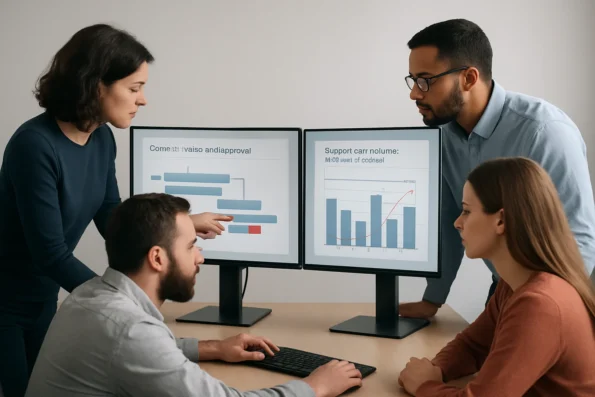
Over subsequent editorial cycles, the team observes qualitative improvements: content moves more predictably through each workflow phase, and support queries are resolved with fewer handoffs and less confusion. Editorial staff report greater clarity about their responsibilities, and support leads note reduced backlogs during periods of high demand. The analytics modules also bolster operational transparency, providing concrete evidence for regular workflow reviews and helping team leads maintain workload balance as priorities shift. These insights are particularly valuable for compliance reporting and operational audits, as prescribed by frameworks such as the NIST AI Risk Management Framework and OECD AI Principles.
By continuously engaging with the analytics tools—not only for periodic reviews but as an ongoing component of daily management—the team builds a culture of transparency and accountability. This approach helps them adapt to changing editorial priorities and maintain performance standards without relying on anecdotal feedback or trial-and-error interventions.
Scenario Takeaway
This scenario demonstrates the practical value of measuring and interpreting workflow analytics in a WordPress team using NextlerAI tools. By tracking time-to-publication, unresolved support requests, and approval bottlenecks, teams can move beyond anecdotal problem-solving to informed, data-backed process improvements. The result is a more resilient, transparent, and collaborative editorial operation—fully aligned with best practices for AI-driven workflow measurement and risk control.
Key Definitions: Workflow Analytics, KPIs, and NextlerAI Features
Understanding the terminology and available analytics tools is foundational for any WordPress or WooCommerce team considering AI-driven workflow optimization. Clarity on these concepts ensures that teams measure the right aspects of their operations and fully leverage the unique capabilities of NextlerAI Publisher and Assistant. Teams seeking a detailed breakdown of available reporting and monitoring capabilities will benefit from the overview in NextlerAI Publisher advanced analytics, which outlines built-in dashboards, external integration options, and compliance boundaries. Best practices for workflow analytics in WordPress teams should include clear guidelines for measuring AI data processes to ensure all key performance indicators are accurately tracked and managed.
Workflow Analytics in Automated WordPress Environments
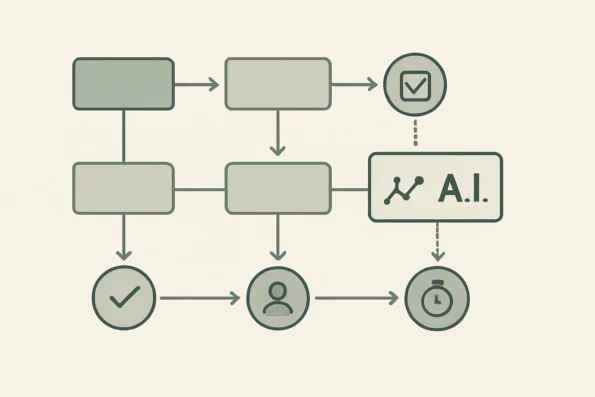
Workflow analytics refer to the systematic measurement of processes, collaboration patterns, and operational efficiency within automated WordPress or WooCommerce environments. Unlike basic traffic analysis or user metrics, workflow analytics focus specifically on how tasks move through editorial, content, or support pipelines. This includes mapping the sequence of automated and manual actions, identifying points of delay, and tracking team interactions across stages. The aim is not just to collect data, but to provide actionable visibility into how automation and human oversight intersect at each workflow step. In practice, this means distinguishing between transitions handled by AI and those requiring editorial intervention, so operational leaders can pinpoint where bottlenecks or inefficiencies originate.
Defining Workflow KPIs for AI Automation
KPIs, or Key Performance Indicators, are quantifiable metrics that allow teams to objectively assess workflow performance. In the context of AI-powered WordPress operations, essential KPIs include:
- Task completion rate: The proportion of workflow tasks finalized within a set period, distinguishing between manual completions and those handled by automation.
- Time-to-resolution: The elapsed time from task initiation to completion, highlighting delays or inefficiencies in automated and human-driven stages.
- Automation coverage: The percentage of workflow steps that are reliably automated versus those requiring manual intervention.
- Compliance incidents: The count of rule or policy violations identified during workflow execution, particularly relevant for regulated industries.
Teams may additionally track KPIs such as approval cycle duration, number of handoffs, and escalation frequencies, depending on their workflow complexity. Importantly, these KPIs must be defined in a way that aligns with both technical workflow boundaries and the specific compliance or editorial requirements of the organization.
Analytics Capabilities Unique to NextlerAI Publisher
NextlerAI Publisher equips teams with analytics tailored to content-centric workflows in WordPress. Its built-in dashboards provide visibility into the content pipeline, displaying the status of editorial review, publication timing, and compliance with quality rules. Unlike generic analytics tools, Publisher allows granular tracking of each article or post as it advances from draft to publication, including timestamps for handoffs and automated versus manual approvals. The quality rule reporting feature surfaces compliance issues at the article level, which is particularly valuable for teams operating under editorial or regulatory requirements. The system also records both scheduled and ad-hoc publication events, enabling a detailed audit trail of all workflow actions. Teams can filter analytics by content category, publication status, or responsible editor, making it possible to isolate process delays or compliance gaps by team, department, or workflow stage. These mechanisms support transparent process ownership and make it easier to allocate resources or redesign workflows where persistent issues are revealed.
NextlerAI Assistant: Analytics for Support Workflow Optimization
NextlerAI Assistant focuses on analytics for support and contact capture workflows. The analytics module tracks demand patterns, usage rates, and the volume of unresolved user requests. This supports both operational oversight—by quantifying how many user questions are answered automatically—and continuous improvement, by surfacing topics or requests the AI has not resolved. Logs and demand reports are accessible within the Assistant dashboard, enabling targeted workflow adjustments without the need for third-party analytics integration. The Assistant logs not only categorize user queries by type and frequency, but also record system actions taken in response, allowing teams to assess the effectiveness of their AI-driven support. By analyzing unresolved request patterns, teams can prioritize updates to automated responses or escalate complex cases to human support, based on hard data rather than anecdotal feedback.
Distinguishing General Analytics from NextlerAI-Specific Insights
While general analytics platforms may capture basic process or user activity data, NextlerAI products provide workflow-centric, domain-specific insights relevant to WordPress and WooCommerce environments. Publisher’s analytics are natively aware of editorial stages, content types, and compliance checkpoints, while Assistant’s focus on support demand and unresolved interactions is uniquely suited to WordPress-powered service teams. This distinction is critical: only analytics that are deeply integrated with operational workflows can reliably inform decisions on automation boundaries, collaboration handoffs, and compliance monitoring. Furthermore, NextlerAI’s analytics modules are designed for role-based access, ensuring that editors, managers, and compliance officers each have tailored dashboards and reports. This segmentation supports granular accountability and enables each stakeholder to act on insights specific to their responsibilities, without exposing unnecessary data or creating information overload. The result is a more secure, efficient, and transparent workflow analytics environment—purpose-built for the demands of modern, AI-augmented WordPress operations.
Decision Criteria: Selecting the Right Workflow Analytics Metrics for Your Team
Understanding Workflow Scope and Complexity
The first step in identifying the right workflow analytics for your WordPress or WooCommerce team is a clear assessment of existing process structure. Teams that blend manual editorial reviews with automated publishing or support escalation need analytics that distinguish between human and machine-driven stages. For example, NextlerAI Publisher can segment analytics by editorial handoff points, highlighting where tasks stall or require manual oversight. This granular visibility matters most when your workflow includes a mix of content automation and discretionary approvals, as it exposes the true sources of delay and enables targeted intervention. For in-depth advice on matching workflow complexity and automation scope to your analytics strategy, consult the comprehensive AI workflow automation with NextlerAI for WordPress resource. Selecting workflow analytics metrics requires careful attention to measurement and governance practices, particularly when teams rely on AI to analyze and interpret operational data.
Factoring in Team Size and Responsibility Distribution
Your team’s size and the way responsibilities are shared will directly influence which metrics offer actionable value. In larger editorial or support teams, tracking unresolved requests or overdue approvals at the role or department level becomes essential for balancing workload and ensuring accountability. NextlerAI Publisher and Assistant allow filtering analytics by user role and workflow stage, supporting operations managers as they pinpoint process bottlenecks or identify uneven task distribution. By aligning metrics granularity to your team structure, you ensure that analytics drive purposeful action—whether that’s redistributing tasks, refining approval chains, or clarifying escalation paths.
Compliance and Regulatory Considerations
For organizations operating under strict standards—such as GDPR for personal data or sector-specific rules for publishing—analytics must enable evidence-based compliance oversight. NextlerAI Publisher provides audit logs and inventory tracking that document workflow changes and content status in real time, supporting transparent compliance review. Teams should prioritize metrics that expose non-conformance, such as missed quality checks or unapproved changes, and ensure auditability aligns with current regulatory requirements. Where sensitive data is processed, analytics selection should account for controller and processor obligations under applicable law, as outlined in frameworks like those from NIST and the OECD.
Implementation decisions in regulated environments must involve information governance leads and legal counsel to verify that analytics solutions adhere to the most recent regulatory interpretations and data minimization requirements. For example, logs and workflow data should be retained only as long as justified for compliance audits or operational reviews, and access should be strictly role-based—capabilities available in NextlerAI’s Publisher dashboard (official documentation), which supports granular access restriction and audit trail management.
Prioritizing Metrics That Drive Operational Change
Metrics should not be collected for their own sake. The most practical analytics for WordPress and WooCommerce teams using NextlerAI are those that reveal actionable workflow dynamics. These include:
- Process duration: Identify stages where time-to-completion increases, enabling focused improvements.
- Automation coverage: Monitor which content or support requests are handled by AI versus manually, guiding future automation opportunities.
- Unresolved requests: Track outstanding editorial reviews or support tickets to ensure nothing is missed.
- Compliance violations: Surface issues such as skipped reviews or deviations from policy, supporting timely intervention.
NextlerAI’s analytics dashboards and event logs can be configured to highlight these exact indicators, keeping teams focused on metrics that directly inform workflow refinement. Additional decision mechanisms include setting thresholds and automated alerts, so process owners are notified immediately when KPIs fall outside of acceptable bands. This supports responsive operations and continuous improvement, rather than retrospective reporting alone.
Aligning With Established Risk Management Frameworks
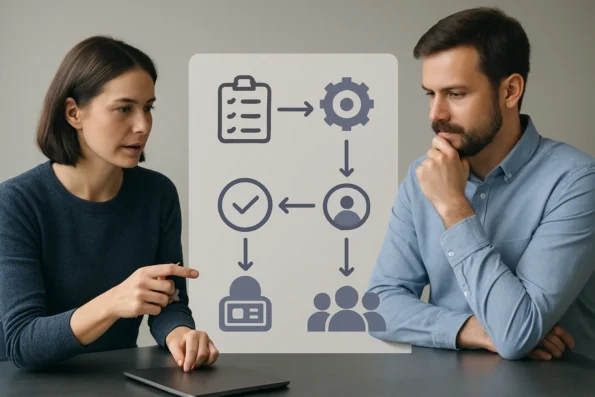
To ensure analytics support responsible AI deployment, teams should reference established guidance. The NIST AI Risk Management Framework and the OECD AI Principles both recommend transparent measurement, risk monitoring, and continuous review of AI system impact. In practical terms, this means selecting analytics features that provide audit trails, support documentation of decision points, and enable ongoing monitoring of automation boundaries. NextlerAI’s role-based access and log features facilitate this alignment, allowing organizations to document and demonstrate responsible workflow management consistent with recognized international standards.
Decision criteria should also address the need for cross-functional buy-in—engaging not just technical leads but also compliance, editorial, and support stakeholders—to confirm that analytics outputs are both interpretable and actionable across disciplines. By establishing regular review cycles and mapping selected metrics to policy and risk controls, teams reinforce operational accountability and compliance assurance.
Optimization Steps: Using NextlerAI Analytics to Improve Team Efficiency
Implementing workflow analytics in WordPress and WooCommerce environments requires more than passive reporting. NextlerAI Publisher and Assistant provide structured tools for real-time insight, operational adjustment, and compliance assurance. The following steps guide your team through a practical sequence to configure, monitor, and act on analytics data, enabling both immediate gains in efficiency and long-term process refinement. To implement actionable changes based on analytics, consider establishing continuous improvement feedback loops as described in this guide, ensuring team input is systematically captured and addressed.
-
Establish Analytics Dashboards and Operational Logs
Activate and configure the built-in dashboards available in NextlerAI Publisher and Assistant. These dashboards centralize real-time workflow and support analytics, displaying publication status, task queues, unresolved demand, and system warnings. Ensure logging is enabled for both editorial and support workflows to capture complete event histories. Within NextlerAI Publisher, logs are generated for every content pipeline event—from draft creation through final approval and publication—providing traceable audit trails. In Assistant, operational logs systematically record support request intake, escalation, and closure, supporting both user-facing and internal process reviews. Assign permissions so only authorized team members can access sensitive analytics and logs. -
Define and Track Core Workflow KPIs
Identify specific, actionable metrics that reflect your operational targets. In NextlerAI Publisher, monitor publication timing, task completion rates, and approval status. Use NextlerAI Assistant to track unresolved support requests and demand spikes. Align dashboard views to your team’s roles—editors, support agents, or administrators—to ensure relevant KPIs are visible to each stakeholder. Take advantage of Publisher’s capability to filter analytics by content status (draft, review, published), workflow stage, and assigned user. For WooCommerce environments, integrate content workflow analytics with product or campaign timelines to maintain a unified operational view. -
Interpret Analytics to Diagnose Bottlenecks
Review analytics reports for patterns such as recurring delays in publication, clusters of unresolved support tickets, or frequent workflow handoffs. Use Publisher’s workflow stage breakdowns to pinpoint where assignments stall or approvals accumulate. In Assistant analytics, analyze demand logs to identify under-resourced support periods or knowledge base gaps. Examine time-series visualizations to detect peaks in workload or periods of inactivity, and drill down into log details for root cause analysis. Where multiple stages or roles are involved, compare average durations and approval turnaround times to highlight areas needing intervention. -
Adjust Assignments and Workflow Structures Based on Evidence
Use insights from analytics to rebalance workload, reassign tasks, or restructure approval chains. For example, if analytics reveal prolonged approval wait times, introduce parallel review stages or redistribute responsibilities. Make operational changes within NextlerAI’s assignment and scheduling settings to address the diagnosed inefficiencies. In Publisher, adjust the workflow configuration to add or remove review steps, set escalation paths, or automate task reassignment when thresholds are breached. In Assistant, reallocate support agents during demand spikes or refine routing rules to optimize responsiveness. -
Apply Publisher Quality Rules and Review Technical Logs
Activate relevant Publisher quality rules to enforce editorial standards and technical safeguards. Regularly review technical logs for warnings or compliance flags, using them as triggers for deeper audits or immediate remediation. Quality rules complement standard analytics by flagging process deviations and supporting safe publication. Publisher quality rules can be configured to block publication if required metadata or approval steps are missing, and technical logs provide granular event detail for later review by compliance or IT teams. Ensure continuous monitoring of both to maintain audit readiness. -
Leverage Automation, Scheduling, and Editorial Approval Features
Employ NextlerAI Publisher’s automation capabilities to streamline routine publishing, synchronize with WordPress Cron for timed executions, and require structured editorial approvals where needed. These features allow you to operationalize improvements surfaced through analytics, reducing manual intervention and supporting scalable, compliant workflows. Utilize Publisher’s scheduling options to automate repeated publishing tasks, and set up automated reminders for pending approvals. Integrate approval logic that enforces separation of duties for sensitive content. For comprehensive details on automation and approval management, consult the official NextlerAI documentation: Publisher Automation, Scheduling, Approvals, and WordPress Cron.
By systematically following these steps, WordPress and WooCommerce teams can move from static reporting to a cycle of continuous optimization—where analytics drive concrete, auditable process improvements. The operational and compliance insights revealed by NextlerAI’s built-in analytics form the basis for sustained efficiency gains and risk-aware workflow management. The next section will map common analytics-related risks to corresponding controls and monitoring practices.
Risk-Control Table: Addressing Compliance and Operational Risks
Operational and compliance risks in AI-powered workflow analytics for WordPress and WooCommerce teams require direct, evidence-based control measures. This section provides a structured mapping between common risk categories and the practical controls or monitoring practices that mitigate them, referencing authoritative frameworks—including the NIST AI Risk Management Framework and OECD AI Principles. NextlerAI Publisher and Assistant offer specific mechanisms such as role-based access and audit logging, which align with these recommendations and address the unique operational boundaries of WordPress and WooCommerce environments. The following table details these risks and corresponding controls, clarifying which are fulfilled by WordPress, WooCommerce, or NextlerAI features and which stem from broader regulatory or technical frameworks. For stepwise implementation of compliance, audit logging, and recovery measures, follow the official recommendations for integrating NextlerAI Publisher into WordPress workflows. Mitigating compliance and operational risks in workflow analytics should align with the established AI risk management framework to ensure responsible and secure integration of artificial intelligence.
| Risk Category | Example Scenario | Recommended Control or Monitoring Practice | Primary Source or Framework | Supported by NextlerAI | WordPress/WooCommerce Scope |
|---|---|---|---|---|---|
| Data Privacy Breach | Unauthorized user accesses analytics logs containing sensitive editorial or customer data | Implement role-based access control and granular permission management for analytics dashboards and logs | NIST AI Risk Management Framework, OECD AI Principles | Yes (role-based access, permission controls) | WordPress user roles and capability mapping |
| Regulatory Non-Compliance | Lack of documented consent or audit trails for analytics data processing in regulated environments | Maintain detailed audit logs and ensure compliance documentation is accessible and regularly reviewed | NIST AI Risk Management Framework, OECD AI Principles | Yes (audit logs, compliance features) | WooCommerce order and customer data records; WordPress activity logs |
| Operational Failure | Automated workflow fails to trigger, causing delayed publication or unresolved support requests | Monitor system logs, configure operational alerts, and establish escalation protocols for workflow errors | NIST AI Risk Management Framework | Yes (system status dashboards, operational alerts) | WordPress cron and WooCommerce process logs |
| Insufficient Audit Trail | Absence of traceable event logs for critical workflow actions, impeding investigations or compliance checks | Enable immutable event logging and regular auditing of workflow analytics and system actions | OECD AI Principles | Yes (detailed event logs, review history) | WordPress revisions, WooCommerce order history |
| Excessive Data Collection or Retention | Analytics systems store more personal or operational data than justified by workflow requirements | Define data minimization policies and configure retention settings aligned with legal and operational needs | NIST AI Risk Management Framework, OECD AI Principles | Yes (configurable retention and minimization settings) | WordPress database retention controls |
| Lack of Role Segregation | Single user has unrestricted access to analytics, increasing the risk of unintentional changes or data exposure | Enforce strict segregation of duties, ensuring that no individual has conflicting permissions over analytics configuration and review | NIST AI Risk Management Framework | Yes (role assignment, permission segmentation) | WordPress multisite and user capabilities |
| Unmonitored Third-Party Integrations | External plugins or services connected to analytics modules introduce untracked data flows or bypass established controls | Regularly audit integrations, restrict third-party access, and monitor for unauthorized data transfer or extension of analytics scope | OECD AI Principles | Partial (integration logging, access restriction) | WordPress plugin management, WooCommerce REST API controls |
| Non-Transparent Decision Logic | Automated analytics-driven actions occur without clear documentation or review, reducing accountability | Document workflow logic and analytic-driven triggers, and provide accessible review logs for all automated decisions | NIST AI Risk Management Framework, OECD AI Principles | Yes (workflow logic documentation, automation logs) | WordPress workflow plugin documentation |
This risk-control mapping demonstrates how operational and compliance risks in AI-powered WordPress workflows can be managed by combining native platform capabilities, NextlerAI’s documented controls, and adherence to international frameworks such as NIST and OECD. Teams should periodically assess their implemented controls and update permissions, retention policies, and audit strategies as operational needs, regulatory requirements, or technology integrations evolve. Integrating these controls supports not only compliance and transparency, but also strengthens operational resilience as team workflows and analytics requirements change over time.

FAQ
What are the most valuable workflow analytics and KPIs for WordPress teams using AI automation?
The most valuable workflow analytics for WordPress teams using AI include task completion rates, time-to-publication, workflow bottleneck identification, automation coverage, unresolved support or content demand, and logged compliance incidents. These metrics allow teams to measure both operational performance and the effectiveness of automation, supporting informed decisions on process improvements and resourcing.
How does NextlerAI Publisher support content workflow analytics in WordPress?
NextlerAI Publisher provides built-in dashboards tracking each stage of the content pipeline, including draft status, publication timing, approval handoffs, and quality rule compliance. It maintains granular audit trails, enabling teams to monitor editorial progress, identify delays, and support compliance documentation within WordPress and WooCommerce environments.
What criteria should teams use to select workflow analytics metrics?
Teams should select metrics based on workflow complexity, team roles and size, compliance obligations, and the intended scope of automation. Actionable metrics are those that reveal points of delay, inefficiency, or compliance exposure. Regularly reviewing selected KPIs ensures ongoing alignment with operational goals and regulatory requirements.
How can WordPress teams use analytics data to optimize efficiency and collaboration?
Analytics data enables teams to pinpoint process bottlenecks, balance workloads, and clarify task ownership. By configuring role-based dashboards and interpreting unresolved requests or delayed handoffs, teams can realign responsibilities, streamline approval chains, and reinforce collaborative practices—all supported by the reporting features in NextlerAI Publisher and Assistant.
What risk controls are recommended for AI-powered workflow analytics in regulated environments?
Best practices include enforcing role-based access to analytics, maintaining auditable logs, regularly reviewing compliance incidents, and segmenting data retention according to jurisdictional requirements. Controls should align with frameworks such as the NIST AI Risk Management Framework and OECD AI Principles, ensuring both operational integrity and regulatory adherence.
Conclusion
Effective AI workflow analytics in WordPress and WooCommerce settings demand a disciplined, evidence-based approach tailored to your team’s operational and compliance realities. The most reliable outcomes come from leveraging native features in platforms like NextlerAI Publisher and Assistant, which are engineered to capture the nuances of both automated and manual workflow stages. These tools support granular segmentation, continuous monitoring, and compliance documentation, aligning with best practices from international frameworks such as NIST and OECD AI Principles.
The success of analytics-driven optimization hinges not just on selecting the right metrics, but on the structures that support their ongoing interpretation and use. By embedding workflow analytics directly into editorial and support processes, teams gain visibility into handoffs, approval chains, and responsibility assignments that would otherwise remain opaque. This deep integration ensures that operational improvements are directly traceable to specific analytics insights, facilitating both quality assurance and regulatory alignment. NextlerAI’s documented capabilities for role-based reporting, audit logging, and compliance segmentation empower teams to act decisively on emerging trends and risk signals. Consistent review cycles—supported by access controls and transparent logs—anchor accountability and reinforce a culture of continuous improvement, making analytics a shared resource rather than a siloed technical tool.
For your next step, schedule a collaborative review with key stakeholders to interpret your team’s current analytics dashboard and logs. Focus on identifying one workflow bottleneck or compliance concern that can be addressed with a concrete configuration change or process adjustment. This targeted, data-driven action will create immediate accountability and set the foundation for ongoing, measurable improvement across your WordPress or WooCommerce operations.