







Introduction
Integrating NextlerAI Publisher into a WordPress-based CMS transforms how content teams orchestrate structured automation with editorial oversight. The Publisher is engineered to convert source material into consistent, review-ready articles, directly within WordPress environments. Its official documentation prescribes a carefully staged process—starting from safe ZIP installation and licensing, through controlled API key configuration, to the production of an initial draft article.
For technical content managers and CMS administrators, this stepwise approach delivers both reliability and transparency. Publisher natively inventories eligible WordPress post types, supports granular workflow controls, and enables secure connections to external text and image providers using customer-owned API keys. Data flows remain WordPress-native, with comprehensive logging and transparent rollback for recovery. Security guidelines emphasize administrator-only setup, current backups, and explicit permission management before any automation is activated.
Beyond initial deployment, the Publisher’s integration mechanisms are designed for scalability and oversight. Configuration options allow teams to define which custom post types are surfaced for automation, map taxonomy fields, and enforce pre-publication review steps. Inventory scanning occurs through direct queries within the WordPress database, ensuring real-time visibility of eligible content and minimizing manual synchronization. Provider API keys are stored using WordPress’s credential management practices, isolating access by role and ensuring compliance with organizational security policies. These capabilities help organizations maintain operational control, prevent unwanted publication, and adapt the workflow to evolving editorial requirements.
This guide provides a practical walkthrough for integrating NextlerAI Publisher with WordPress, balancing structured automation with the safeguards required for professional publishing workflows. The result: you gain the knowledge to optimize content production, manage integration risks, and maintain editorial quality at every stage.
Decision Matrix: Choosing Your CMS Integration Path
Effective NextlerAI Publisher CMS integration starts with a clear assessment of your site’s architecture, workflow complexity, and automation requirements. The primary decision is between using the native WordPress plugin, building a custom API-based workflow, or combining both in a hybrid model. Each approach has implications for compatibility, automation control, and recovery processes. Understanding these differences is essential for selecting a path that fits your technical environment and editorial needs. If your workflow requires connecting Publisher to external systems or non-standard endpoints, the NextlerAI custom API integration guide explains supported data flows, security boundaries, and safe authentication practices. For context on how NextlerAI Publisher compares to other platforms, see the AI workflow automation tools comparison to review key decision criteria and feature differences relevant to CMS automation.
Integration Path Comparison Table
| Criteria | Native WordPress Plugin | Custom API Workflow | Hybrid (Plugin + API) |
|---|---|---|---|
| CMS Version Support | WordPress 6.0+, PHP 7.4+ Officially supported |
Dependent on API endpoints and custom code; may support headless or non-WordPress CMS | Requires WordPress 6.0+ for plugin; API layer for legacy or decoupled components |
| Site Architecture Fit | Best for single-instance or tightly integrated WordPress sites | Suited for distributed, microservices, or headless CMS setups | Enables bridging traditional WordPress with external content sources or multi-site deployments |
| Data Flow Control | Native post types and taxonomy; direct write/read inside WordPress | Custom routing between CMS and provider; more granular but higher implementation overhead | Plugin manages core flow; API extensions add external or decoupled steps |
| Automation Flexibility | Supports configured scheduling, quality gates, and review states within WordPress | Automation determined by external scripts and API orchestration | Base automation in plugin; custom layers can trigger or override core workflow |
| Review/Approval Workflow | Leverages WordPress status (Draft, Pending, Publish); configurable within plugin | Requires custom code or third-party tools to mimic editorial review | Combines plugin’s native review with additional API-based validation |
| API Provider Compatibility | Officially supports OpenAI, Gemini, Anthropic, xAI via customer keys | Any API provider, if supported by custom integration logic | Plugin for core providers; API layer for additional or legacy services |
| Recovery & Rollback | Safe rollback, detailed logs, and job management built in | Manual error handling; recovery requires custom implementation | Plugin covers core recovery; custom steps for API-driven exceptions |
| Security & Permissions | Administrator-only setup, explicit provider key management, WordPress-native roles | Depends on API auth and custom security controls; must follow best practices | Plugin enforces core security; API surface increases risk and requires extra controls |
| Maintenance Overhead | Updates via standard WordPress plugin management | Ongoing maintenance of custom code and API endpoints required | Must coordinate plugin updates with custom API change management |
| Illustrative Use Case | Mid-sized editorial team adopting semi-automated workflows using scheduled draft publishing and built-in review | Enterprise with distributed CMSs needing unified content orchestration and external validation | Organization operating both WordPress and headless CMS, requiring synchronized automation and review |
| Source | NextlerAI Publisher complete guide: how it works | REST API Handbook | Developer.WordPress.org OWASP API Security Project | OWASP Foundation |
NextlerAI Publisher complete guide: how it works REST API Handbook | Developer.WordPress.org |
This table clarifies the trade-offs between direct plugin integration in WordPress, building a custom API-based workflow, and combining both approaches. Each integration path reflects a spectrum of control and complexity: the native plugin excels in environments prioritizing standardization, native post type support, and controlled automation within WordPress. Custom API workflows allow for granular orchestration, multi-CMS interoperability, and advanced validation logic, but demand greater technical oversight and ongoing maintenance. Hybrid models can bridge the strengths of both, enabling organizations to standardize core publishing while extending automation or review to external systems. For a mid-sized content team transitioning from manual editorial to semi-automated workflows, the native plugin scenario offers clear advantages in stability, auditability, and recovery, while hybrid or API-centric models may be reserved for teams with established DevOps and multi-platform requirements. The next section addresses how Publisher implements content inventory, data flow, and automation boundaries in detail.

Implementation Notes: Data Flow, Inventory, and Automation Scope
Integrating NextlerAI Publisher into a WordPress CMS requires a clear understanding of how content inventory, data flow, and automation boundaries are handled. Publisher is engineered to work natively with WordPress post types, enabling structured, consistent content generation that aligns with existing editorial and technical workflows. This section delineates how content moves from inventory through review, which elements remain under human control, and where automation begins and ends within the supported environment.
When planning the integration layer for your CMS, incorporating API design best practices ensures that your data flow and automation processes remain robust, scalable, and maintainable throughout the system’s lifecycle.
Inventory and Content Pipeline
Publisher inventories all eligible WordPress post types and their associated taxonomies. Upon installation, it detects posts, pages, and custom post types, which can be used to inform strategy and provide internal link options. However, generated output is always a native WordPress post, ensuring compatibility with standard editorial workflows. Publisher compiles and structures draft articles based on configured topics, applying brand voice, content length, and unique structure settings set by administrators. Output is prepared for review, with each article’s native post status—draft, pending, or publish—controlled via Publisher’s configuration, not by default automation.
The inventory process leverages WordPress’s built-in API endpoints to enumerate available post types in real time, allowing administrators to restrict or expand Publisher’s scope as needed. When new custom post types or taxonomies are registered within WordPress, Publisher detects these changes automatically and updates its eligible inventory list. Administrators can then toggle which types are included for content generation directly from the Publisher settings panel. This granular selection is essential for teams managing multisite deployments or specialized content silos, ensuring only approved areas are subject to automation or AI-assisted creation. Publisher also logs inventory updates for auditability, aiding in troubleshooting and compliance monitoring.
Provider Connections and Metadata Handling
Publisher connects to external text and image generation providers (such as OpenAI, Gemini, Anthropic, or xAI) through customer-owned API keys, which are supplied and managed by the site administrator. This connection is required for text generation and optional for image creation. Permissions and cost controls are set at the provider level, ensuring that Publisher only operates within the boundaries established by customer credentials. SEO metadata, taxonomy assignments, and author attribution are managed through configuration screens, so teams maintain direct editorial control over how content is categorized and optimized for discovery.
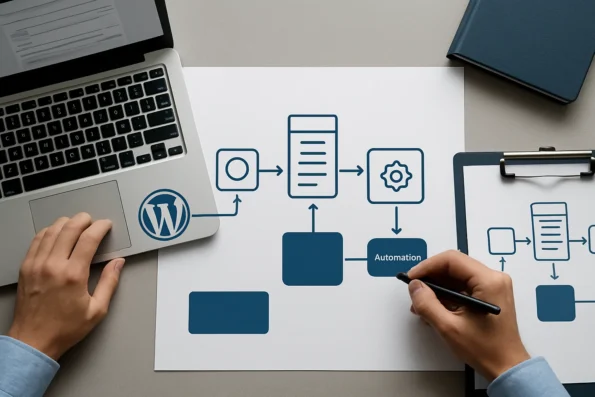
Provider API keys are never stored in plain text within the WordPress database; instead, Publisher utilizes WordPress’s secure options storage mechanisms. Administrators input and validate keys within the plugin interface, and access is restricted to users with appropriate capabilities. When generating content, Publisher requests outputs using the specific provider and model selected by administrators, and all provider-side quotas and limits are enforced externally. Metadata fields, including custom SEO parameters and custom taxonomy values, are mapped through Publisher’s interface, enabling automated yet consistent tagging in accordance with site-wide SEO and taxonomy strategies. Changes to provider or metadata settings are logged for review, supporting transparent change management.
Automation Scope and Editorial Boundaries
Publisher’s automation is intentionally bounded. It automates the transformation of pre-defined topics into structured WordPress articles, applies quality checks, and, if enabled, schedules or publishes content according to administrator-set rules. However, it does not select topics, set editorial direction, or override quality gating. Manual review, report-based quality gates, and taxonomy approval remain under editorial authority. This preserves human oversight where strategic decisions and brand integrity matter most.
Administrators retain exclusive authority over the topics fed into Publisher, as well as any custom prompts or brand-specific style requirements. Quality gating—such as requiring human review before an article is published or specifying minimum editorial standards—is configured within Publisher’s workflow settings and cannot be bypassed by the automation layer. If a generated article fails to meet required criteria, it remains in draft or pending status for further review. Integration with WordPress’s user roles ensures that only authorized editors can approve, revise, or publish content, further delineating the separation between automated generation and final editorial control.
Workflow Controls and Verification
Administrators configure all critical workflow parameters: selecting eligible post types, setting quality thresholds, enabling or disabling scheduling, and specifying minimum and maximum content modules. Media settings, such as inline images and link requirements, are also controlled within Publisher’s settings. Before scaling automation, the official documentation advises running a controlled test—using text-only generation with scheduling disabled—to validate the pipeline’s readiness and output quality. This staged approach minimizes operational risk and confirms that content inventory, provider connections, and automation triggers are functioning as intended.
Publisher provides logging and status overviews for every automated action, including generation attempts, provider response codes, and publication events. Administrators can review these logs in real time to trace data flow, detect errors, and verify that automation boundaries are respected. For sites with complex editorial or compliance requirements, Publisher supports disabling specific automation routines—such as scheduling or direct publishing—so that every generated article must pass a manual gate. These controls are essential for organizations seeking to balance automation with risk management and editorial standards.
Compatibility and System Requirements
NextlerAI Publisher requires WordPress 6.0 or newer and PHP 7.4 or above. These baseline requirements ensure full access to WordPress’s REST API and data handling features, which Publisher uses for post creation, taxonomy management, and media integration. The plugin writes directly to the WordPress database, relying on native APIs for reliability and compatibility across standard and custom site configurations.
Deployments on unsupported or outdated WordPress or PHP versions may encounter API incompatibilities, reduced feature support, or security vulnerabilities. Administrators are responsible for maintaining their WordPress environment within the officially documented compatibility window, as Publisher’s integration and automation logic are tested exclusively against these versions. Regular system updates and plugin version checks are advised to maintain full interoperability and benefit from new features and security patches described in official release notes.
Reference Implementation Guides
Official guides provide stepwise instructions for installing Publisher, connecting providers, configuring inventory, and verifying automation settings. Administrators are encouraged to consult these resources to ensure consistent implementation and to troubleshoot inventory or data flow issues that may arise during integration or scaling. For further technical depth, review the complete setup and automation configuration procedures at Publisher Complete Setup and Automation, Scheduling, and Approvals.
Expert Caution: Security, Failure Boundaries, and Safe Recovery
Before any automation is enabled in your WordPress CMS, strict preparation is critical. NextlerAI Publisher’s integration must be performed by a site administrator, using only secure credentials. Maintain a current, verifiable backup of both the WordPress database and file system immediately before activating or updating the Publisher plugin. Provider API keys—such as those for OpenAI, Gemini, Anthropic, or xAI—should never be handled by non-administrators, and must remain under direct administrative control with permissions and costs explicitly managed by your organization. These precautions ensure that only authorized personnel can initiate, modify, or roll back Publisher-driven workflows, limiting risk exposure to your entire content pipeline.
Understanding Failure Boundaries and Data Integrity
NextlerAI Publisher is designed with clear automation and recovery boundaries. If a content generation or publication job fails, Publisher will not overwrite or delete existing WordPress posts, taxonomy, or uploaded media. Only the intended draft or scheduled post is affected, with error states and partial outputs logged for review. Uninstalling or deleting the Publisher plugin itself does not remove generated posts or media, but may clear plugin-specific settings, logs, and pending jobs. Rollback actions—such as restoring a pre-integration backup or manually replacing the plugin ZIP—are required to fully revert changes. Administrators should understand these boundaries to avoid data loss and maintain a reliable editorial record.
Audit, Monitoring, and Job Recovery Best Practices
Ongoing monitoring is essential for maintaining automation reliability. Publisher provides detailed logs and job histories for every background task, including article generation, media insertion, and scheduling. Administrators should regularly audit these logs, verify job completion statuses, and monitor for failed or cancelled tasks. If anomalies occur, Publisher supports manual cancellation and retry of individual jobs without disrupting the broader CMS environment. This level of transparency enables rapid error identification and supports compliance with organizational audit requirements.
For more granular oversight, it is recommended to establish a recurring schedule for reviewing job logs and background task summaries. Assign responsibility for job audit to a designated administrator, and use Publisher’s built-in log export capability (as described in the official documentation) to preserve a historical record during periods of significant change or after plugin upgrades. This ensures that operational anomalies can be correlated to configuration adjustments or external service interruptions. Comprehensive monitoring also helps detect potential provider API quota exhaustion, permission changes, or expired credentials before critical workflows are disrupted.

Safe Update, Rollback, and Validation Procedures
When updating Publisher or migrating between environments, always follow official guides for safe ZIP replacement, backup validation, and post-migration checks. Direct deletion of the plugin is never a safe rollback method, as it does not restore previous settings or active jobs. Instead, use controlled plugin upgrades and maintain versioned backups to ensure reversibility. After any update or migration, validate that all core Publisher functions—such as job scheduling, provider connectivity, and content inventory—operate as expected before enabling automation or resuming workflow tasks.
Consult the official NextlerAI recovery and rollback guide for the latest, supported procedures. Always test rollback in a staging environment first, confirm that backup restores are successful, and retain a copy of the previous plugin version for rapid reversion if errors are detected post-update.
Staged Rollout and Controlled Automation
To minimize operational risk, Publisher’s native workflow supports a staged rollout: begin by disabling scheduling and limiting output to draft articles. Manually review all early outputs, confirm that editorial and compliance controls remain effective, and only then enable full automation. This incremental approach ensures that workflow and integration boundaries are fully proven in your specific CMS context before any live content is published or scheduled automatically.
By following these expert guidelines, administrators can establish a robust safety net that supports reliable content delivery and protects organizational assets throughout the integration lifecycle. The next section details the concrete, stepwise process for integrating and testing Publisher within WordPress.
Actionable How-To Steps: Integrating and Testing Publisher
- Download and Upload Publisher: Access the official NextlerAI Publisher ZIP package from your product account. In the WordPress admin dashboard, go to Plugins > Add New and use the upload feature to add the ZIP file. This ensures the full plugin bundle is deployed to your CMS environment. Only use the certified ZIP obtained directly from the vendor.
- Activate Licence and Validate System Readiness: Upon successful upload, activate the plugin. Enter your unique licence key in the dedicated field within the Publisher setup wizard. The system will validate the licence status with NextlerAI servers. As part of activation, the plugin checks for required versions of WordPress (6.0+) and PHP (7.4+), blocking further setup if prerequisites are not met. If errors occur, consult the health check utility linked in the plugin dashboard.
- Integrate Provider API Keys: Navigate to Publisher > Integrations. Paste valid API keys for external content providers you wish to enable (such as OpenAI, Gemini, Anthropic, or xAI). Publisher verifies basic key format and connectivity, but does not test quota or billing status. After saving, the integration panel displays the provider’s connection state for further troubleshooting if needed.
- Customize Content Type Inventory and Defaults: Within Publisher > Settings, select which WordPress post types should be eligible for automated content generation. Adjust the publication status defaults, such as setting all new content to draft until review is complete. Confirm that the eligible post type list reflects your editorial policy, as any unchecked type will be excluded from further automation.
- Conduct a Single-Topic Draft Generation Test: In Publisher > Topics, create a new test topic. Trigger the article generation pipeline with automation features—such as scheduling and media enrichment—temporarily disabled. Inspect the resulting output on both the Publisher dashboard and the native WordPress post list. Confirm that the record contains the correct post type, title, taxonomy, and metadata as specified.
- Enable and Validate Advanced Features in Sequence: After a successful manual draft, incrementally enable additional features (for instance, featured image generation or automatic scheduling) in Publisher > Automation. Activate only one feature per trial. After each activation, monitor the plugin status area for error notifications and check that the new functionality interacts smoothly with your CMS. Use the plugin’s built-in test function to confirm the feature’s operational status before proceeding to the next.
- Verify Backup and Recovery Readiness: Before enabling full automation, use the plugin’s backup integration check to verify your CMS backup system detects Publisher-generated content. In the event of plugin deactivation or failed automation, confirm that content records remain intact and that system recovery restores pre-automation data states. Document any exceptions encountered for future reference.
- Reference Authoritative Setup Documentation at Each Phase: For every step, consult the official Publisher product page (nextlerai.com) and the full setup guide (nextlerai.com) for detailed process instructions, supported feature lists, and troubleshooting procedures. These references are updated by the publisher and should be checked prior to plugin updates or system modifications.
FAQ
What are the core decision criteria for integrating NextlerAI Publisher with a CMS?
Key criteria include whether your CMS is supported (WordPress 6.0+), the technical architecture (monolithic or headless), the need for human review and approval checkpoints, compatibility with required provider APIs, and your organization’s willingness to manage automation boundaries within the CMS. Assessing these factors determines the appropriate integration path and the level of control retained over content workflows. To ensure that every generated article matches your brand and editorial requirements, configure Publisher content settings for brand voice, length, and structure as detailed in the official guide. To maximize content discoverability and interoperability during CMS publishing, consider embedding structured data markup in your implementation, following established guidelines for schema and metadata.
How does NextlerAI Publisher manage data flow between content inventory and publication?
NextlerAI Publisher inventories eligible WordPress post types and taxonomy directly within the CMS environment. It generates structured drafts for review, using administrator-configured settings. Content remains within the native WordPress pipeline, and Publisher never circumvents editorial review or quality gates. All data transfer occurs through WordPress-native mechanisms, ensuring traceability and compatibility.
What security measures are essential when automating content workflows?
Administrator-only setup, current verified backups, explicit API/provider key management, and limiting permissions to trusted users are essential. Provider API keys should be stored securely, and automation features should not be enabled until the entire workflow is validated with non-destructive test runs. Regular audits of logs and job histories further strengthen security and traceability.
Which implementation steps ensure a safe and reliable NextlerAI Publisher integration?
Successful integration requires staging the installation, activating the correct licence and provider API keys, configuring content defaults and inventory, running controlled tests with automation disabled, and incrementally enabling advanced features. At each stage, confirm backups and monitor logs to quickly identify and address any issues.
How can teams recover from integration or automation failures?
Recovery options include using WordPress-native backup and restore tools, Publisher’s own rollback features, and detailed logs to identify and reverse failed jobs. Uninstalling the plugin is not recommended for rollback, as it removes settings and logs. Instead, perform controlled replacements and verify data integrity through post-migration validation steps.
What distinguishes NextlerAI Publisher’s CMS integration from generic AI publishing tools?
NextlerAI Publisher offers direct WordPress integration, granular control over topic inventory and workflow boundaries, transparent job logs, and administrator-defined quality gates. Unlike generic tools, it does not bypass editorial review or automate topic selection, ensuring structured output and safe, auditable workflows tailored for professional content environments.
Conclusion
Integrating NextlerAI Publisher into your WordPress CMS is a strategic move that prioritizes both automation and editorial control. The product’s native compatibility with WordPress post types and its staged, administrator-led setup ensure that content managers control every phase of the workflow, from initial inventory to final publication. Publisher’s transparent logs, built-in rollback, and configurable automation boundaries provide safeguards that align with complex content governance requirements.
This approach also empowers organizations to set granular permissions, linking provider API keys exclusively to approved users and workflows. By leveraging Publisher’s role-based access within WordPress, teams can assign responsibility for API access, scheduled automation, and manual review at each step. The integration’s safeguards extend to error handling and auditability, ensuring every action—from draft creation to post-publication rollback—can be traced and reversed if necessary. These mechanisms facilitate compliance with internal editorial policies and external regulatory mandates, supporting sustainable scaling with minimal operational risk.
For teams ready to advance, the next logical step is to document your current workflow boundaries and schedule a controlled test run using Publisher’s draft-only mode. This validates not only the technical integration but also your review process and automation readiness—minimizing risk before scaling production. With robust evidence and recovery mechanisms in place, you can confidently progress toward a fully automated, auditable publishing pipeline tailored for WordPress environments.