






Introduction
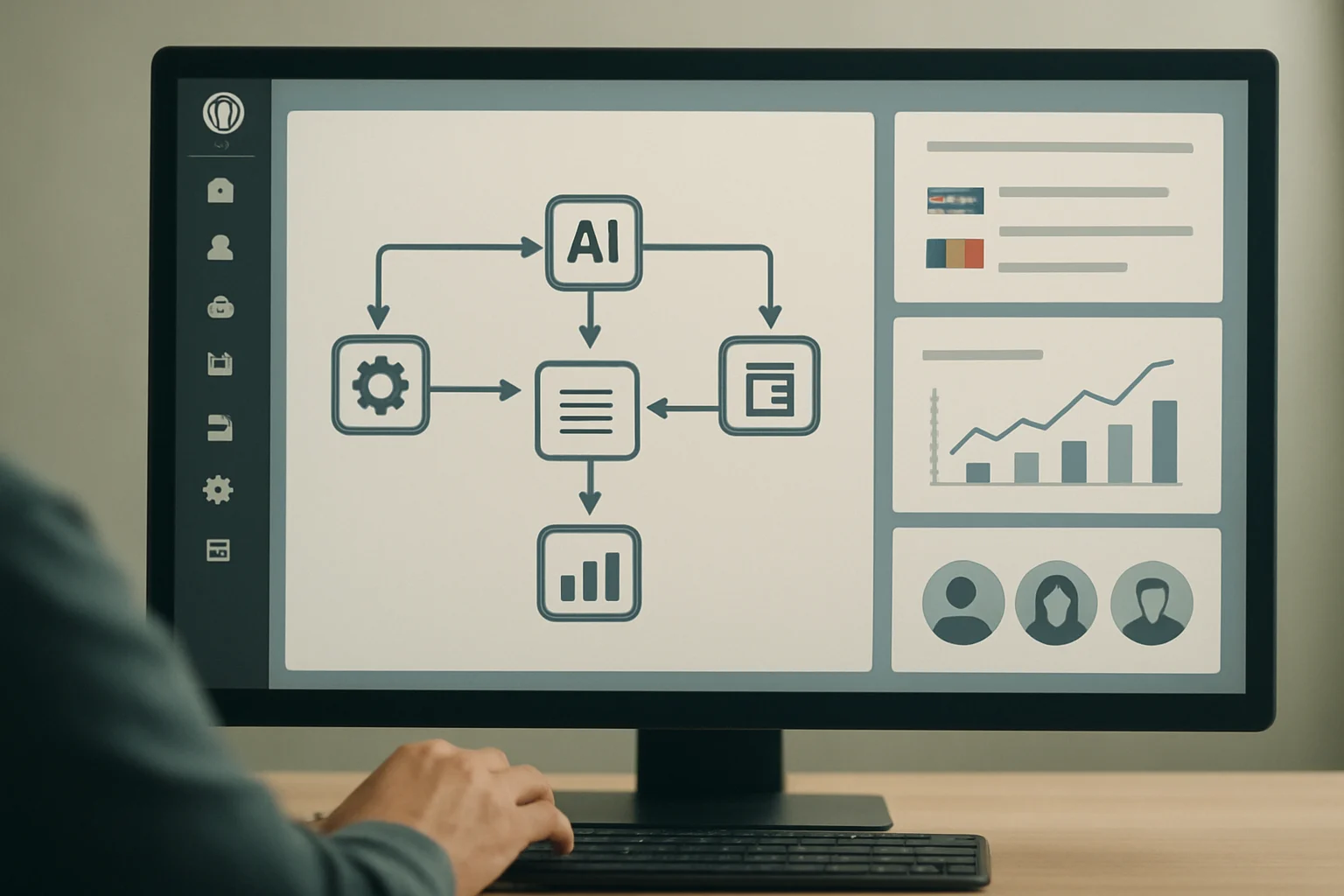
AI workflow automation with NextlerAI for WordPress delivers a structured, evidence-based approach to streamlining content, customer service, and marketing operations. By integrating NextlerAI Assistant and Publisher, WordPress and WooCommerce teams can automate sales support, content production, multilingual publishing, and compliance tasks directly within their existing environments. This guide is designed to help you confidently select, configure, and optimize NextlerAI tools for your specific workflows, giving you the knowledge to manage operational models, maintain regulatory alignment, and leverage built-in analytics for continuous improvement.
Teams working with high content volumes or complex multilingual requirements will find that NextlerAI’s integration with WordPress and WooCommerce supports native scheduling, structured approvals, and role-based access controls. These mechanisms enable organizations to automate routine tasks while retaining editorial oversight and auditability. Operational costs and AI provider controls remain distinct and under your management, which is crucial for sustainable scaling and transparency.
NextlerAI’s automation is embedded within existing WordPress roles and categories, allowing teams to map workflow triggers and permissions directly to their organization’s structure. This ensures that automation aligns with internal review processes, team hierarchies, and multilingual content pipelines. Advanced users can configure automation to operate on specific WooCommerce product types or restrict access to compliance-sensitive areas. All workflows are documented in diagnostic logs, enabling traceability and facilitating audits. Whether your goal is to accelerate publishing, enhance customer support capacity, or ensure consistent compliance in regulated sectors, NextlerAI provides granular configuration options mapped to real-world team roles and workflow demands. This guide will walk you through the critical decisions and features that set NextlerAI apart, enabling practical, secure, and multilingual automation at every stage.
Decision Criteria for Selecting an AI Workflow Automation Model
Effective AI workflow automation in WordPress or WooCommerce demands clear alignment between your operational goals and the unique capabilities of NextlerAI’s modular tools. Before selecting an automation approach, clarify which business functions—content publishing, customer support, or marketing—are your primary focus. NextlerAI Assistant is engineered for multilingual sales and support automation, leveraging your WooCommerce catalogue and knowledge base, while NextlerAI Publisher automates structured, reviewable content creation with built-in scheduling and SEO support within WordPress. Your use case will determine which product or combination fits best.
For a deeper understanding of automation triggers and how they shape workflow decisions, explore the workflow automation triggers article. Plugin Handbook | Developer.WordPress.org documents the relevant background and implementation boundaries.
Compatibility with WordPress, WooCommerce, and Multilingual Needs
Native integration is pivotal. NextlerAI Publisher works directly inside the WordPress interface, inheriting your categories, authors, and scheduling logic, which ensures seamless compatibility and minimizes the risk of workflow conflicts. For WooCommerce stores, NextlerAI Assistant can automate product recommendations, multilingual support, and customer query responses using live inventory and product data. Multilingual requirements are met by both products: Publisher automates content and metadata translation, while Assistant’s knowledge base can be configured for multiple languages to support global audiences.
Editorial Oversight, Compliance, and Team Collaboration
The level of human oversight and governance you require should shape your automation design. NextlerAI Publisher supports multi-stage approvals, granular role-based access, and detailed audit trails, making it suitable for regulated or distributed editorial teams. Assistant and Publisher both integrate privacy and security controls that reflect regulatory guidelines, and access can be restricted by role or workflow stage. If your operations require strict compliance, configure automated review checkpoints and maintain separation between licence management (controlled by your organization) and AI provider API keys (which must be managed securely and independently).
Demand Analytics, Diagnostics, and Ongoing Optimization
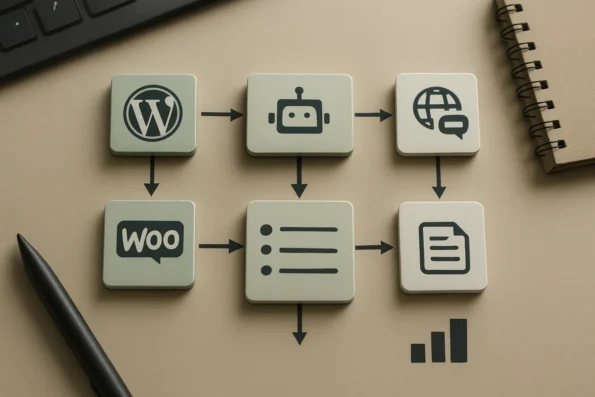
To support continuous improvement, NextlerAI embeds analytics, diagnostics, and demand reporting into both content and service workflows. Publisher logs every automation event, tracks scheduling, and exposes rollback options, allowing you to diagnose and adjust processes as your needs evolve. Assistant offers insights into interaction volume and knowledge base effectiveness. Relying on these built-in tools enables you to identify bottlenecks, measure adoption, and adapt automation coverage with confidence.
Mapping Decision Criteria for a Multi-Lingual WooCommerce Store
Choosing the right automation approach for a multi-lingual WooCommerce environment requires evaluating how Assistant and Publisher address the intersection of catalogue complexity, language support, and compliance. For stores with a large, frequently updated inventory and diverse customer base, NextlerAI Assistant’s real-time access to WooCommerce data enables accurate product recommendations and responsive multilingual support. Its knowledge base configuration ensures localized responses, with updates reflecting changes in product data or customer policies. If your team manages a high content volume in several languages, NextlerAI Publisher’s automation of post creation, metadata localization, and scheduling streamlines editorial workflows while supporting native WordPress taxonomy and user permissions. The decision to integrate both modules may depend on whether you need tightly coordinated automation between customer-facing and content teams or if you can operate the functions in parallel. Assess the granularity of reporting, rollback, and workflow diagnostics needed for your compliance posture. Ultimately, the optimal selection aligns with your operational priorities, editorial resources, and the degree of multilingual or regulatory complexity present in your business.
Definitions: Core Concepts in NextlerAI Workflow Automation
Understanding the terminology and operational distinctions in NextlerAI-powered WordPress automation is fundamental to effective setup and management. This section clarifies key terms and mechanisms unique to NextlerAI products, enabling teams to approach workflow automation with clarity and confidence. REST API Handbook | Developer.WordPress.org documents the relevant background and implementation boundaries.
Key Terms in NextlerAI Automation
- AI Workflow: A sequence of automated actions, decisions, and content handling tasks orchestrated by NextlerAI products within WordPress or WooCommerce. These workflows range from content drafting and scheduling to multilingual support and customer service automation.
- Automation Model: The defined structure and logic that determines how tasks are assigned, approved, scheduled, and monitored. NextlerAI supports models tailored for publishing, service, or marketing scenarios, with operational boundaries and review points set by administrators.
- API Key: A credential issued by the underlying AI provider (such as OpenAI or Azure) required to access generative AI functionality. API keys manage operational costs and connect NextlerAI products to external AI services.
- Semantic Search: An AI-powered method for retrieving contextually relevant information from a knowledge base, catalog, or documentation. Within NextlerAI Assistant, semantic search enables accurate, on-brand responses in sales and support scenarios.
- Knowledge Base: A structured, site-specific repository of facts, policies, and catalog data indexed for use in AI-driven workflows. NextlerAI Assistant leverages both live product data and curated knowledge bases to ensure accuracy and compliance in automated responses.
- Multilingual Publishing: The capability to generate, translate, and manage content across multiple languages—including SEO metadata and structured content—directly within WordPress. NextlerAI Publisher and Assistant support multilingual operations for global sites and stores.
- Operational Model: The set of roles, permissions, scheduling policies, and automation triggers that govern how NextlerAI interacts with WordPress authors, categories, and workflow stages. This model ensures content is reviewable and auditable at every step.
Licence Keys Versus API Keys: Distinct Controls
A NextlerAI licence key activates product features and binds the software to a specific WordPress environment. In contrast, AI provider API keys are required for accessing the underlying language models. This separation allows organizations to manage budget, compliance, and provider selection independently of feature licensing. Each credential has its own security and operational implications.
Core Functions: NextlerAI Assistant and Publisher
Within WordPress and WooCommerce, NextlerAI Assistant delivers multilingual, AI-driven sales and support automation by drawing on live catalog data and the site’s knowledge base. NextlerAI Publisher automates structured content creation, scheduling, multilingual publishing, and SEO metadata, directly managing content as native WordPress posts and products. Both modules integrate with editorial and operational review systems, ensuring workflows remain auditable and adaptable.
Native WordPress Integration
NextlerAI tools natively support WordPress authors, categories, and structured content types, preserving familiar editorial roles and workflows. Publisher leverages built-in scheduling, approval checkpoints, automation queues, and logging—enabling granular oversight and rollback when needed. Multilingual support extends to both human and machine-generated content, including SEO and taxonomies.
Security, Privacy, and Access Controls
Automated workflows in NextlerAI are governed by robust security measures, including granular role-based access controls, privacy settings, and audit trails. Administrators can restrict sensitive actions, knowledge base visibility, and workflow triggers by user role, aligning with modern compliance requirements in WordPress environments.
Key Takeaways for Automating Workflows with NextlerAI
Successfully automating workflows in WordPress and WooCommerce with NextlerAI requires a deliberate, evidence-driven approach. By focusing on core integration mechanics, role-based controls, and analytics, teams can achieve scalable, compliant automation tailored to their operational needs. For an in-depth walkthrough of content workflows, consult the Publisher complete guide. To better understand how NextlerAI manages product data and catalogue authority in WooCommerce environments, review the section on catalogue authority and data handling. WordPress Coding Standards – Coding Standards Handbook | documents the relevant background and implementation boundaries.
Streamlined Setup and Integration Reduce Barriers and Risks
Adopting NextlerAI begins with a proven installation and configuration sequence. Teams must first secure both a valid product license and AI provider API keys; these are managed independently to align automation costs and permissions. The official guides emphasize safe deployment through ZIP installation, license binding, and explicit environment selection. This process minimizes the risk of misconfiguration and ensures that only authorized users can initiate automated workflows within WordPress or WooCommerce.
Knowledge Bases and Live Product Data Drive Automation Accuracy
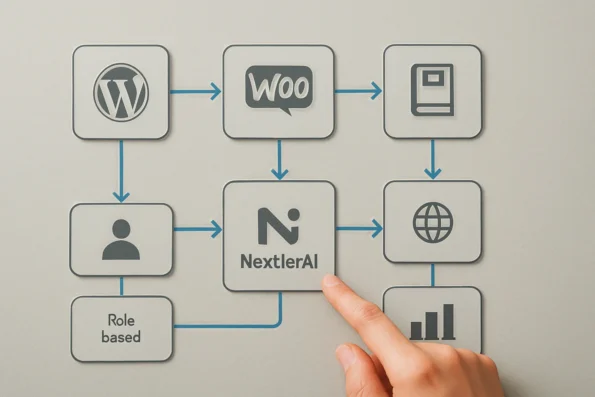
Automation quality depends on curated knowledge bases and real-time product data. NextlerAI Assistant leverages indexed site-specific content and WooCommerce catalogues, enabling AI-driven support and sales workflows to deliver precise, compliant responses. Teams must actively manage and update these knowledge assets to avoid outdated or incomplete automation, especially for regulated or rapidly changing environments.
Role-Based Access and Review Safeguard Scalability
Operational safety at scale is achieved through granular role-based access controls and structured content reviews. NextlerAI Publisher integrates directly with native WordPress roles, approval queues, and scheduling. This design restricts sensitive actions—such as publishing or re-indexing—to authorized personnel and enforces multi-stage editorial review before content is published. For organizations with distributed teams, these controls are essential for maintaining workflow integrity and regulatory compliance.
Multilingual and SEO-Aware Automation from Brief to Publication
NextlerAI supports multilingual content and metadata workflows throughout the automation lifecycle. Both Assistant and Publisher can generate, translate, and schedule posts in multiple languages, including managing localized SEO metadata and structured fields. This enables global publishing operations to remain consistent and discoverable across language markets, without requiring parallel manual processes.
Analytics and Logging Inform Ongoing Improvements
Continuous optimization is underpinned by built-in analytics, demand insights, and technical logging. NextlerAI captures detailed workflow logs, demand signals, and event outcomes—enabling managers to diagnose issues, refine automation triggers, and adapt strategies as business needs evolve. These diagnostic tools are particularly valuable for identifying gaps, tracking operational trends, and supporting compliance audits.
Pros and Cons: Operational Benefits and Limitations
Implementing AI workflow automation in WordPress with NextlerAI delivers a suite of practical advantages, but it also imposes important constraints. Understanding these trade-offs is essential for site managers, technical leads, and compliance officers seeking reliable, scalable automation in complex publishing or commerce environments. Teams seeking granular security and workflow permissions can benefit from the detailed breakdown of role-based access control in NextlerAI. Security – WordPress.org documents the relevant background and implementation boundaries.
Strengths: Multilingual, Integrated, and Secure Automation
NextlerAI’s operational strengths begin with robust multilingual support that extends across both content generation and customer service. The Assistant delivers AI-driven sales and support in multiple languages, dynamically referencing the live WooCommerce catalogue and tailored knowledge bases. Publisher automates multilingual content production, scheduling, and SEO metadata directly within native WordPress queues, supporting editorial oversight and structured review.
Security and governance are reinforced through granular role-based access controls, allowing teams to restrict sensitive actions and workflow triggers by user role. These mechanisms align with common privacy and regulatory requirements by offering configurable permissions and logging. Built-in analytics track workflow performance and demand signals, while diagnostic logs provide transparency for troubleshooting and audit trails. Native integration with WordPress and WooCommerce ensures that workflows can be mapped directly to existing site structures, with catalogue data and knowledge bases kept up to date for accuracy in automation. Capability to configure workflow triggers, access boundaries, and knowledge base scope helps organizations tailor automation to their operational context. The separation of content creation, curation, and publication supports multi-stage review processes and compliance with editorial standards. Detailed analytic dashboards and log exports enable teams to monitor adoption, identify bottlenecks, and support evidence-based process improvements.
Limitations: Configuration Burden and Model Control
NextlerAI requires both a product licence and separate API keys from third-party AI providers. This structure gives teams direct control over usage and cost, but it also introduces extra steps and places the responsibility for compliance and operational safety on the deployer. Unlike platforms that attempt automatic adaptive optimization or continuous model retraining, NextlerAI does not automate these processes; human oversight remains central to tuning and improvement. Careful configuration is required to avoid over-permissioning, unintentional data exposure, or automation that exceeds regulatory boundaries.
Teams must make deliberate decisions regarding credential management, workflow boundaries, and permissions to ensure only appropriate users can trigger high-impact automations. The need for explicit configuration of knowledge bases, access controls, and logging can increase initial setup time and require ongoing administrative attention. Since NextlerAI does not automatically optimize or retrain any AI model, deployers are responsible for monitoring workflow quality and updating prompts or automation rules as business needs evolve. This creates a dependency on internal expertise to maintain operational safety and relevance.
Risks and Operational Cautions
Automated workflows can introduce operational risk if not restricted and monitored appropriately. Overly broad automation, particularly in regulated sectors, may create compliance gaps or privacy exposures. Official compliance resources from NextlerAI and sector-specific guides emphasize the importance of aligning workflow configuration with jurisdictional requirements and organizational policies. Diagnostic logging and manual review are recommended for high-stakes scenarios, ensuring that issues are detected and mitigated before they escalate. Consistent audit practices, combined with workflow-level logging, are essential for maintaining trust and accountability in AI-powered operations. For more detail on compliance responsibilities and technical controls, consult the official NextlerAI compliance guide.
Implementation Notes: Workflow Design and Practical Pitfalls
Initial Setup: Licensing, API Keys, and Environment Preparation
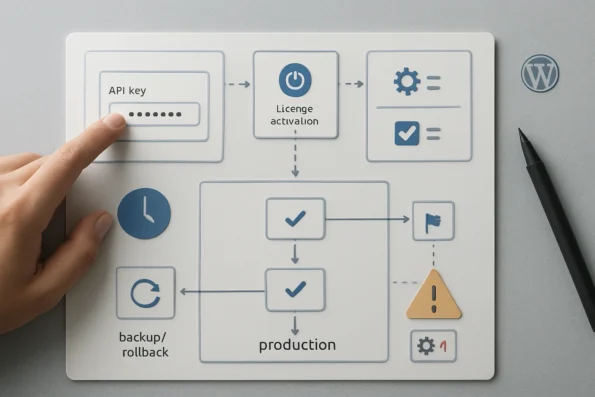
Establishing a reliable foundation for NextlerAI workflow automation in WordPress begins with precise licensing and API key management. Each NextlerAI product requires both a verified licence and a compatible AI provider API key. These are entered and stored directly within the NextlerAI dashboard, allowing you to distinctly manage operational costs, provider selection, and compliance boundaries for each environment—development, staging, or production. It is critical to align each API key and licence with its intended deployment context to prevent accidental cross-environment activation or budget overruns. In addition, organizational account structures should be clearly mapped so that permissions and access to configuration panels are restricted to appropriate administrative or editorial roles. This minimizes the risk of unauthorized settings changes, especially in multi-site or distributed team environments. For a technical walkthrough of setup and staged deployment, consult the guide to stepwise Publisher CMS integration.
Designing Automated Workflows: Content, Service, and Approvals
NextlerAI Publisher and Assistant orchestrate their automation through structured, configurable workflows that reflect your team’s publishing or service model. For content automation, Publisher enables granular topic planning, knowledge base mapping, and multi-stage approval chains. You define content topics and approval thresholds, integrating with WordPress’s native scheduling, category, and author structures. For service automation, Assistant leverages a curated knowledge base and real-time product data, ensuring that AI-powered replies remain accurate and policy-compliant. Both modules support multilingual coverage and the assignment of workflow triggers based on operational needs. When configuring these workflows, it is important to explicitly assign each stage—such as drafting, review, scheduling, and publication—to specific user roles, leveraging Publisher’s native compatibility with WordPress authors and custom roles.
Integration Pitfalls: Cron, API Configuration, and Workflow Duplication
Several technical pitfalls can affect automation reliability if not addressed early. Misconfigured or overlapping WordPress cron jobs may result in missed publication windows, duplicate posts, or stalled queue processing. To maintain queue integrity, confirm that WordPress cron is active, and that no conflicting scheduled tasks exist across plugins or server-level schedulers. API misconfiguration—such as an invalid key, quota exhaustion, or incompatible provider setting—can halt automation silently. Additionally, running parallel automations with similar triggers or overlapping scopes can produce duplicate or conflicting outputs. Always review workflow mappings and deactivate legacy or redundant automations prior to launch. Documenting all cron schedules and maintaining a registry of active automation triggers makes it easier to audit and diagnose integration issues in complex setups.
Safe Rollout: Staging, Backup, and Pre-Launch Testing
Deploying any new automation model should follow a staged rollout strategy. Use a staging environment to validate integration, content flow, and approval checkpoints without risking live data. NextlerAI Publisher and Assistant both support exportable configuration backups and controlled rollback procedures, enabling rapid recovery from missteps or incompatibilities. Comprehensive pre-launch testing—covering scheduling, approval, multilingual handling, and analytics logging—ensures predictable outcomes and auditability in production. Document all configuration changes and establish a clear rollback protocol before migrating to a live environment. For distributed teams, coordinate rollout timings and role assignments to prevent overlap or conflicting changes across time zones or departments.
Ongoing Oversight: Monitoring, Logs, and Technical Diagnostics
After deployment, maintain operational oversight through built-in logs, workflow dashboards, and diagnostic tools. NextlerAI provides detailed scheduling and approval logs, integration health checks, and analytics dashboards for tracking workflow status and resolving incidents. This transparency is essential for long-term reliability, compliance response, and continuous optimization. For advanced troubleshooting and recovery, reference official WordPress developer handbooks as needed. Regularly review log output and error reports to quickly detect anomalous automation behavior or emerging integration conflicts, especially after updates or team composition changes.
Diagnostic Steps: Troubleshooting and Optimization
Effective troubleshooting of NextlerAI workflow automation in WordPress requires a methodical, evidence-driven approach. Begin by confirming that the automation products in use—such as NextlerAI Assistant or Publisher—are fully entitled and correctly licensed for the intended environment. Product entitlement is a prerequisite for all downstream diagnostics, as incorrect or expired licences will prevent workflow triggers and scheduled actions from executing. Learn how structured topic strategies and contextual internal linking automation workflow can elevate SEO and user experience through NextlerAI Publisher.
Structured Troubleshooting Sequence
- Confirm Product Entitlement and Permissions
Check that each NextlerAI product is activated with a valid licence key and mapped to the correct operational environment. Verify that users have the appropriate WordPress roles and NextlerAI permissions to initiate and approve automations. Insufficient entitlement or misassigned roles are primary causes of workflow blockage. - Validate API Credentials and Provider Connections
Ensure the required AI provider API keys are entered accurately and are active. NextlerAI mandates separate credentials for each provider, and incorrect keys or exceeded usage limits will result in automation failures. Both Publisher and Assistant surface credential errors in their operational logs, making this a critical early diagnostic step. - Review Operational and Technical Logs
Access detailed workflow and job logs within the NextlerAI dashboard. These logs provide timestamped records of trigger events, automation state changes, and API interactions. Systematically filter for errors such as job cancellations, retries, permission denials, or API quota warnings. According to the official guides, these logs are the primary resource for root cause analysis of missed automations, data mismatches, and scheduling anomalies. - Investigate Common Automation Issues
Apply a focused checklist to isolate the problem: - Are automations being skipped due to missing triggers or misconfigured cron schedules?
- Do permissions or access rules prevent certain roles from executing, reviewing, or publishing content?
- Are API limits or quotas reached for the connected providers?
- Is there inconsistency in data transfer, such as incomplete multilingual content or missing metadata?
- Leverage Built-In Analytics for Continuous Improvement
Monitor built-in analytics to track workflow throughput, automation reliability, and productivity trends post-implementation. NextlerAI’s analytics modules allow you to identify recurring bottlenecks, underutilized automations, and areas for process optimization. This ongoing measurement is essential for maintaining operational efficiency and adapting automation strategies as site demands evolve.
Ongoing Optimization
Once immediate issues are resolved, establish a regular schedule for reviewing operational logs and analytics. Proactive monitoring reduces the risk of workflow disruption and supports long-term gains in content velocity and service responsiveness. For detailed guidance on log analysis and productivity measurement, consult the NextlerAI troubleshooting master checklist and analytics documentation.
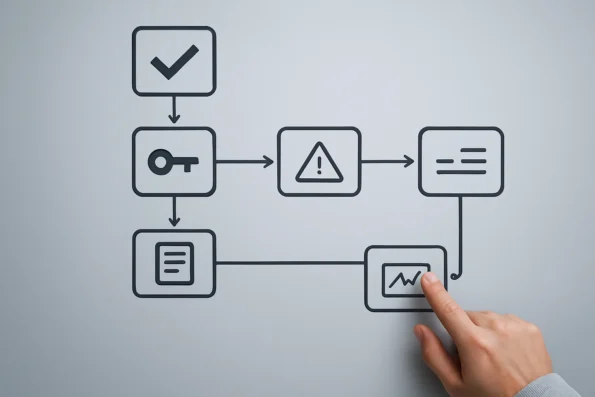
Comparison Table: Approaches to WordPress AI Workflow Automation
Understanding how NextlerAI’s automation mechanisms differ from native WordPress options and generic AI plugins is essential for selecting the right operational model for your team. The table below presents a direct, factual comparison of these approaches, focusing on editorial oversight, multilingual publishing, compliance controls, analytics, and integration depth. This evidence-backed perspective clarifies the practical requirements and governance implications for each method.
| Approach | Editorial Oversight | Multilingual Support | Compliance Controls | Analytics Access | Integration Depth |
|---|---|---|---|---|---|
| Native WordPress Automation (Manual or Plugin-Based) | Manual review and scheduling; oversight depends on workflow design | Limited; multilingual plugins required for translation and metadata | Varies by plugin; native roles and permissions only | Basic post and user analytics; advanced tracking needs extra plugins | Works at the content and user level; custom development needed for advanced workflows |
| Generic AI Plugins | Limited to basic approval or draft steps; manual review recommended | English-first; multilingual often incomplete or requires third-party tools | Minimal; compliance features depend on plugin and are rarely granular | Often lacks workflow analytics; may log AI prompts | Integrates at the editor or post level; usually requires manual connection to external AI providers |
| NextlerAI Product-Based Automation | Granular, multi-stage editorial checkpoints and approvals; detailed logs and rollback | Full multilingual workflows, knowledge bases, and SEO metadata; native support for structured content | Role-based controls, workflow-specific permissions, and compliance-aligned logging | Built-in analytics, demand insights, and technical diagnostics per workflow | Deep native integration with WordPress and WooCommerce; leverages site inventory, categories, and live product data; requires separate licence and AI provider keys |
This table illustrates that while native automation and generic plugins offer basic workflow triggers and limited oversight, NextlerAI delivers structured editorial controls, robust multilingual publishing, compliance-ready governance, and integrated analytics specifically designed for WordPress and WooCommerce automation at scale.
FAQ
How do I choose the right AI workflow automation approach for my WordPress or WooCommerce team using NextlerAI?
Start by mapping your operational goals—such as content publishing, multilingual support, or customer service—to the distinct capabilities of NextlerAI Assistant and Publisher. Consider your team’s size, review processes, compliance needs, and the complexity of your WooCommerce catalog. NextlerAI enables granular assignment of workflows and approval checkpoints, allowing you to align automation with team structure and business requirements. Carefully evaluate whether your use case requires real-time product data integration, multilingual content, or advanced access controls to determine whether a single product or a combination best supports your workflow.
What do key AI workflow automation terms and concepts mean in the context of NextlerAI for WordPress?
Within NextlerAI, an AI workflow refers to a structured sequence of automated actions, such as generating, translating, or scheduling content. Automation models are the configured logic for these processes. Knowledge base denotes curated information used by the Assistant for accurate support or sales responses. Licence keys activate NextlerAI products, while API keys authorize external AI providers. Each term has a specific operational role in system setup and management. Semantic search enables content retrieval across languages and categories, while role-based permissions ensure only authorized users can initiate or approve automated actions. Understanding these distinctions is essential for maintaining control and security within your workflows.
What are the most important takeaways for successfully automating workflows with NextlerAI?
Effective automation with NextlerAI relies on detailed knowledge base curation, careful mapping of access roles, and explicit configuration of approval sequences. Multilingual capabilities require structured source content and accurate metadata alignment. Analytics and logging features are integral for tracking workflow health and ensuring continuous improvement. Always plan for staged rollout and validation before enabling automation site-wide. Additionally, continuous monitoring of system diagnostics and regular review of generated outputs help maintain accuracy and compliance, avoiding unintended publication or customer communication errors.
What are the main advantages and limitations of using NextlerAI for workflow automation in WordPress environments?
NextlerAI offers deep WordPress and WooCommerce integration, multilingual publishing, granular access controls, workflow analytics, and compliance-ready features. Limitations include the need for separate AI provider credentials, the absence of automatic AI model optimization, and a requirement for sustained administrative oversight. Diagnostic logs support transparency, but each workflow must be monitored to prevent overreach or compliance lapses. Teams should recognize that while automation can improve efficiency, it does not eliminate the necessity for human review, especially where regulatory or brand standards apply.
How do I safely implement, configure, and manage NextlerAI automation across content, marketing, and service workflows?
Begin with environment-specific licence and API key setup. Assign roles and workflow stages explicitly, referencing operational policy and compliance requirements. Configure backup routines, schedule automation triggers thoughtfully, and document configuration changes. Use the built-in approval and rollback features to manage risk. Regularly review operational logs and analytics for anomalies and adjust workflows as organizational needs evolve. Ensure all team members are aware of their responsibilities in the workflow, and maintain clear documentation of each automated process, including criteria for escalation or manual intervention.
How can I systematically diagnose and resolve issues in automated NextlerAI workflows for WordPress?
Use a structured process: confirm product licensing, validate all API credentials, and check provider connectivity. Examine operational logs for error patterns and workflow failures. Reference built-in analytics to identify missed automations or permission issues. Address data consistency and API limits methodically. When problems persist, isolate variables by testing individual workflow components before redeploying automation sequences. Maintain an incident log to track recurring issues and resolutions, and periodically review workflow performance metrics to identify areas for targeted improvement.
Conclusion
Choosing to integrate NextlerAI for workflow automation in WordPress and WooCommerce is fundamentally about aligning robust, product-specific mechanisms with your operational realities. The decisive advantage lies in its ability to enforce structured, reviewable automation across multilingual content, customer service, and marketing—without sacrificing compliance or diagnostic transparency. By leveraging native WordPress scheduling, granular access controls, and built-in analytics, NextlerAI empowers teams to automate at scale while maintaining the necessary safeguards for regulated or fast-evolving environments.
NextlerAI’s distinct architecture enables seamless orchestration of automated tasks alongside manual review and approval checkpoints. This combination is crucial for organizations facing regulatory obligations, complex catalogue structures, or the need for localized publishing. The platform’s exclusive separation of licence and AI provider API keys offers an additional compliance and budgeting lever, while detailed operational logging supports both technical audits and continuous refinement. Teams benefit from the ability to map automation models not just to generic workflows, but to specific business logic, catalogue segmentation, and multilingual requirements directly within their WordPress ecosystem. Such integration reduces context-switching, shortens feedback cycles, and consolidates reporting, all while ensuring robust access and compliance controls at each stage of the automation lifecycle.
For teams ready to advance, the most effective next action is to conduct a targeted workflow inventory. Map your high-impact content, support, and marketing processes to NextlerAI’s available modules, and document the required approval, compliance, and multilingual touchpoints. This approach will clarify which automation triggers and permissions to configure first, ensuring your rollout is both controlled and immediately relevant to your business goals.