






Introduction
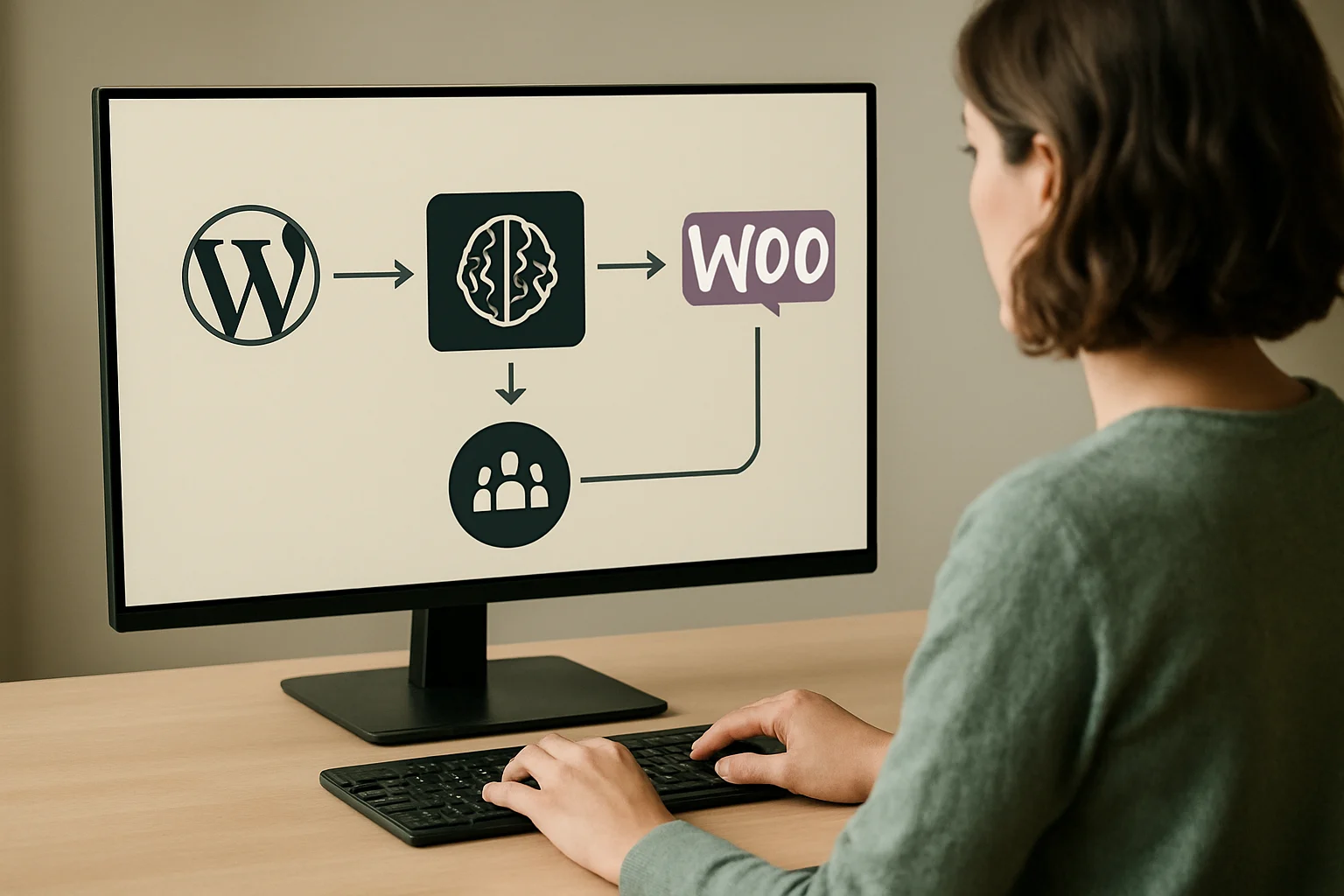
Building a custom AI outreach pipeline for niche WordPress and WooCommerce markets means tailoring every stage of outreach—from data preparation to messaging—to the unique characteristics of your target segment. This approach moves beyond generic automation, enabling technical leads, marketers, and product owners to orchestrate outreach that reflects the complexity and compliance obligations of specialized industries. By leveraging WordPress-compatible AI tools and carefully configuring workflow steps, you can engage highly specific audiences with relevant, timely communication.
This guide provides a clear, actionable blueprint for designing and implementing a WordPress AI outreach workflow that meets the operational and data protection demands of niche markets. You will learn how to map each pipeline stage, make informed integration decisions, and address compliance, privacy, and troubleshooting challenges unique to your environment. Along the way, practical workflow tables and scenario-driven advice will help you adapt your AI pipeline to both technical requirements and business goals—whether you are automating outreach for a specialty WooCommerce retailer or scaling communications across multiple providers.
Readers can expect to gain a grounded understanding of the technical, operational, and regulatory considerations essential for successful AI pipeline implementation in WordPress. The following sections break down workflow mechanisms, plugin integration points, risk controls, and diagnostic steps, equipping you to deliver precise, responsible, and efficient outreach in any specialized market.
The focus here is on helping you align AI-powered outreach with the unique demands of your chosen niche and the specific architecture of your WordPress or WooCommerce implementation. As you progress, you will encounter coverage of data input structuring, criteria for plugin compatibility, mapping of data flows to business logic, and the interplay between AI-generated messaging and manual review checkpoints. This ensures each stage not only adheres to data privacy standards but also supports measurable, traceable outreach aligned with your sector’s expectations. The result is an adaptable foundation you can expand or refine as your market goals and regulatory landscape evolve, setting the stage for deeper workflow insights in the next section.
Custom AI Outreach Workflow Table
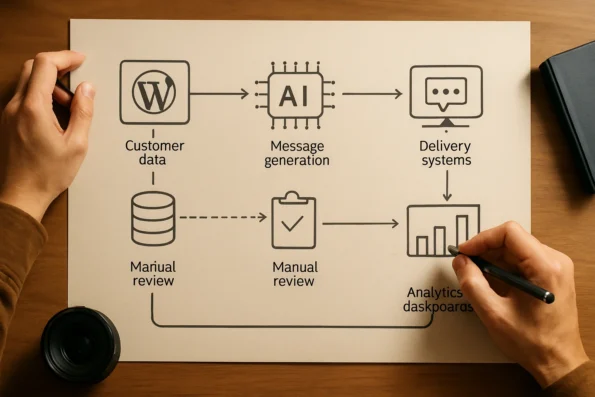
For WordPress and WooCommerce administrators targeting niche segments, a custom AI outreach pipeline requires a clear structure that integrates both automation and human oversight. The following table maps the essential workflow stages, explains each step’s purpose in the context of specialized outreach, and identifies where plugins and manual interventions are most critical. How to Use AI for a Personalized Sales documents the relevant background and implementation boundaries.
| Stage | Function in Niche Targeting | Integration Point | AI Plugin Role | Manual Intervention | Source |
|---|---|---|---|---|---|
| Data Gathering and Preparation | Aggregates and segments customer, product, and content data relevant to the selected niche. Ensures compliance with data minimization and relevance standards. | WordPress/WooCommerce product and user data export, custom fields | Imports and structures data for AI processing (e.g., via NextlerAI Assistant or Publisher) | Data validation, niche segmentation decisions | NextlerAI Publisher Complete Guide; Stanford AI100 Report |
| AI Configuration and Contextualization | Adjusts outreach parameters and messaging templates for specific market characteristics (tone, compliance, language). | Plugin settings, workflow configuration screens | Applies preset or custom rules for audience selection and content adaptation | Approval of targeting settings, review of automated suggestions | NextlerAI Publisher Complete Guide |
| Targeting and Personalization | Dynamically matches outreach content to segmented audiences, aligning with niche preferences or regulatory needs. | Audience lists and tags in WordPress database | Automated segmentation and message tailoring | Override or refine automated targeting rules | NextlerAI Publisher Complete Guide |
| Outreach Message Generation | Creates outreach copy, ensuring factual accuracy and relevance for the niche audience. | Content templates, AI writing plugin modules | Drafts custom outreach messages in bulk or individually | Editorial review and compliance check | NextlerAI Publisher Complete Guide |
| Delivery and Scheduling | Distributes outreach messages via selected channels, timing deliveries for niche engagement patterns. | WordPress email/SMS plugins, scheduler hooks | Queues and dispatches messages according to workflow rules | Monitor delivery logs, adjust schedules for campaign constraints | NextlerAI Publisher Complete Guide |
| Analytics and Feedback Capture | Collects response data, tracks engagement, and refines future outreach based on results and compliance obligations. | Plugin analytics dashboards, WooCommerce order/interaction data | Aggregates performance metrics and feedback into actionable reports | Interpret analytics, initiate manual follow-up if required | NextlerAI Publisher Complete Guide; Stanford AI100 Report |
This workflow table clarifies each core stage in a custom AI outreach pipeline for WordPress and WooCommerce niche markets. Effective implementation depends on seamlessly linking data management, plugin configuration, and human oversight. Integration points are primarily within WordPress and WooCommerce data sources, while plugins such as NextlerAI Assistant and Publisher streamline data ingestion, targeting, messaging, and analytics. Manual checkpoints remain essential for data validation, compliance review, and editorial judgment, especially in regulated or highly specialized markets.
Key Takeaways for Niche Market Targeting
Targeting niche markets with a custom AI outreach pipeline in WordPress or WooCommerce demands a higher standard of data precision and workflow discipline than broad audience campaigns. Specialized segmentation not only dictates the scope of outreach but fundamentally shapes your data acquisition, consent management, and message personalization strategies. In these settings, the success of AI-driven automation is closely linked to the initial accuracy of segmentation and the clarity of each outreach objective. Review the AI outreach provider comparison to understand integration and privacy factors relevant to niche targeting. Artificial intelligence | NIST documents the relevant background and implementation boundaries.
How Niche Segmentation Alters Data and Messaging Strategy
Unlike general outreach, niche segmentation requires that datasets be carefully curated for relevance and compliance. Data sources—from existing WooCommerce customer lists to highly targeted opt-in forms—must be validated both for accuracy and for legal eligibility to receive automated communications. Messaging must be granular, reflecting the distinct priorities and language of the intended segment, as generic templates often undermine trust or relevance in specialized contexts. The mechanisms for segmentation typically include the use of custom fields, taxonomies, or purchase histories, ensuring that the AI pipeline only processes individuals who meet specific, pre-defined criteria. Plugins or external tools used for segmentation should allow for precise filtering, export, and consent verification, avoiding the inclusion of out-of-scope contacts.
Critical Considerations Before AI Pipeline Deployment
Before activating any AI-powered pipeline, several must-address issues stand out: ensure data protection obligations are met under regulations relevant to your jurisdiction, validate plugin compatibility with your specific WordPress version, and confirm that each outreach stage supports human review. Additionally, test all workflow transitions—such as data handoff between WooCommerce and your AI plugin—to avoid silent failures or compliance lapses. These precautions are necessary for both operational integrity and legal defensibility. Consider the granularity of user consent and whether your plugin or platform allows for selective opt-in management, especially in regions with strict privacy standards. Documentation of each decision point, including segmentation rules and consent triggers, should be maintained to support audits or demonstrate accountability. When using third-party plugins, review their privacy and data processing documentation to ensure alignment with your deployment requirements.
Approach Differences: Small Niche Versus Broad Market Automation
Automation in small or highly targeted segments typically relies on manual controls and review checkpoints, minimizing the risk of overreach or irrelevant messaging. In contrast, broad audience pipelines favor scalable batch processing, often trading specificity for volume. For niche deployments, favor plugins and workflows that allow for granular targeting, adaptive content insertion, and clear audit trails. This enables rapid adjustment to changing segment needs and compliance standards without sacrificing oversight. Niche outreach often requires iterative message testing and the ability to quickly roll back or suspend campaigns based on feedback or anomaly detection. The focus shifts from maximizing reach to preserving segment integrity and ensuring that each touchpoint aligns with the audience’s expectations and regulatory boundaries.
Workflow Distinctions: Niche Versus General Audience
AI workflows for niche WordPress markets differ in several key respects. Data onboarding is typically slower but more thorough, emphasizing explicit consent and up-to-date segmentation. Messaging logic incorporates segment-specific variables, ensuring that automated communications remain contextually accurate. Analytics cycles are shorter and more iterative, focusing on micro-level feedback rather than aggregate trends. These structural differences demand continual human oversight and a willingness to pause automation in response to emerging risks or feedback. Administrators must decide where to introduce human-in-the-loop review—such as at the messaging approval or delivery scheduling stage—to mitigate reputational or compliance risks. The pipeline should be configured so that every step, from data intake to outreach delivery, is auditable and reversible in the event of user complaints or regulatory inquiry.
With these distinctions and controls, administrators can align AI outreach pipelines with the nuanced demands of underserved or specialty segments—setting the stage for responsible, results-driven implementation in the next phase.
Implementation Notes: Plugin Integration and Configuration
Ensuring Reliable Plugin Installation and Initial Configuration
Integrating a custom AI outreach pipeline within WordPress or WooCommerce begins with the selection and installation of compatible plugins, such as NextlerAI Assistant. This step requires verifying plugin authenticity, compatibility with current WordPress versions, and proper licensing. Administrators should activate plugins directly through the WordPress dashboard, ensuring all dependencies and server requirements are met before progressing to workflow configuration. Explore multi-provider outreach integration for practical setup examples within WordPress. When your outreach requirements exceed standard plugin capabilities, consider a custom API integration with NextlerAI to securely extend workflow automation for your unique business needs. 2016 Report | One Hundred Year Study on documents the relevant background and implementation boundaries.
Data Flow Setup and Mapping for Outreach Automation
Clear definition of data sources and destinations is essential. For outreach workflows, plugins must be configured to access relevant WordPress entities—such as customer lists, WooCommerce order data, or custom fields—while maintaining data integrity. Careful mapping between WordPress data structures and the AI tool’s required input format reduces the risk of mismatches or communication breakdowns during outreach sequencing. Manual review of field mappings is recommended, especially in niche segments with custom attributes.
Connecting and Sequencing Outreach Tools with WordPress Data
Connecting outreach tools involves establishing secure API connections between the plugin and WordPress or WooCommerce data sources. The AI outreach pipeline should be designed to trigger actions (e.g., message generation, segmentation) based on updates in WordPress data. Sequencing refers to the logical order in which outreach stages—such as recipient selection, content personalization, and message dispatch—are executed. This sequencing is typically controlled by the plugin’s workflow settings, which must be reviewed to match the organization’s niche targeting strategy and compliance requirements.
Multi-Provider Routing and Plugin Compatibility
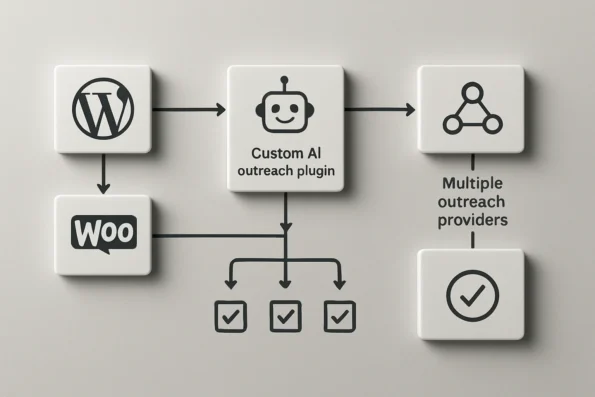
Multi-provider outreach routing, as implemented in platforms like NextlerAI Outreach, enables administrators to assign different tasks or communication channels to specific AI service providers. This approach increases resilience and allows each provider’s strengths to be leveraged for distinct segments or message types. Plugin compatibility must be confirmed for each provider, with attention to API credentials, message formats, and privacy options. Regular compatibility checks are crucial when updating plugins or WordPress core to prevent integration failures.
Verification and Data Mapping Checkpoints
After configuration, administrators should establish checkpoints to verify the pipeline’s reliability. These include test runs with sample data, validation of outbound message content, and confirmation that all data mappings and privacy settings align with intended outreach parameters. Monitoring plugin logs and inspecting analytics dashboards during initial deployment help ensure that the integration performs as expected and surfaces issues early, especially in workflows handling sensitive or regulated data.
Expert Caution: Compliance and Responsible Use
Precision in compliance and ethical practice is non-negotiable when deploying a custom AI outreach pipeline in regulated or sensitive WordPress and WooCommerce environments. Administrators and technical leads must distinguish between legal mandates and advisory best practices at every stage of their outreach workflow. Oversight is especially critical where personal data, consent, or automated communication intersect. For detailed steps on how to track and report outreach performance, this guide outlines KPI configuration and actionable analytics in NextlerAI workflows. AI Principles — Google AI documents the relevant background and implementation boundaries.
Compliance Frameworks Shaping AI Outreach
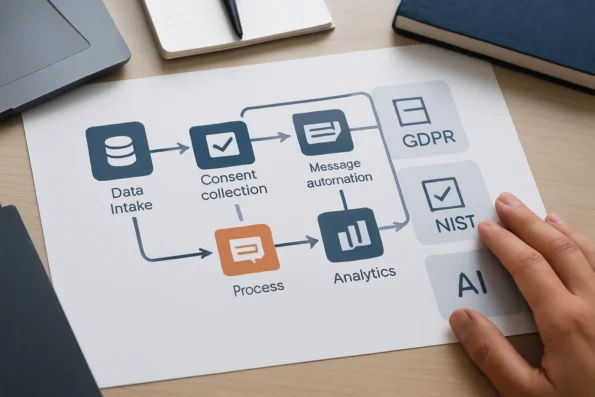
U.S. government standards, such as those set by the National Institute of Standards and Technology (NIST), outline requirements for responsible AI system development and deployment. These guidelines cover risk management, transparency, accountability, and security controls, all of which are directly relevant to outreach automation. Internationally, frameworks like the General Data Protection Regulation (GDPR) in the EU legally require clear lawful bases for personal data processing, explicit consent for outreach, and mechanisms for data subject rights, including access and erasure. These standards set out controller and processor responsibilities, with plugin providers typically acting as processors and site owners as controllers.
Distinguishing Legal Requirements from Recommended Practices
Legal requirements are jurisdiction-specific and enforceable by regulatory bodies. For example, GDPR applies to any outreach targeting EU residents and mandates demonstrable consent, documented data flows, and user opt-out controls. In the U.S., sector-specific rules may apply based on the nature of the data or audience. Beyond legal compliance, advisory best practices promoted by AI ethics leaders—such as Google’s Responsible AI Principles—include transparency in outreach logic, bias mitigation, and human accountability over automated actions. While not always law, these practices reduce reputational risk and contribute to sustainable outreach strategies.
Enforcing Privacy Controls in Plugin Settings and Workflow Steps
Responsible deployment requires that plugin configurations and workflow steps actively enforce privacy. This includes enabling granular consent settings, logging outreach triggers, and restricting the scope of automated actions to only authorized data. For WordPress and WooCommerce, this means configuring plugins to respect privacy flags, integrating with consent management solutions, and routinely reviewing audit logs for unauthorized activity. Site administrators should regularly test the impact of their outreach pipeline on user privacy—adjusting workflows as regulations or internal policies evolve.
Authoritative Guidance for U.S. and International Deployments
To ensure full compliance and responsible use, practitioners must consult official documentation for each target jurisdiction. For U.S. deployments, NIST provides comprehensive resources on AI standards and risk management. International projects must reference applicable laws such as GDPR and local regulations in all operational countries. AI ethics guidelines from leading research institutions and technology providers offer additional direction for designing outreach that is fair, explainable, and justifiable. Site owners should maintain an internal compliance checklist reflecting the current regulatory landscape and update pipeline settings accordingly.
Illustrative Scenario: Customizing for a Specialty Retail Segment
Illustrative scenario: Consider a WooCommerce retailer specializing in vintage camera accessories—a niche market with a small but highly discerning customer base. The retailer’s WordPress site manages a catalog of rare, rotating inventory and maintains a segmented email list derived from past purchases, wishlist activity, and detailed product interest forms. The business goal is to implement a custom AI outreach pipeline tailored to maximize engagement with this unique audience, ensuring compliance and relevancy at every stage. Teams planning to scale outreach across regions should address AI multilingual content automation pitfalls to ensure regulatory alignment and quality localization in niche WordPress markets.
Adapting the Workflow for Niche Inventory
Unlike broad-market outlets, this retailer’s outreach workflow begins by exporting highly specific inventory data—such as product provenance, condition, and collector value—directly from WooCommerce. The data preparation step requires mapping custom product fields (e.g., lens mount compatibility, historical era) into structured datasets compatible with the AI plugin’s schema. Manual verification ensures no sensitive personal data is unintentionally included, aligning with data minimization principles set forth by recognized standards. For this retailer, additional decision-making involves grouping inventory by collector relevance and rarity, with custom taxonomies tagged for use in personalized messaging triggers.
Configuring AI Messaging for Segment Precision
The NextlerAI Publisher plugin is configured to generate content briefs that reflect the nuanced interests of vintage camera collectors. Brief parameters prioritize authenticity, historical context, and rarity—attributes surfaced from the retailer’s product taxonomy. Messaging templates are calibrated to avoid generic calls to action and instead reference specific product stories and restoration guides, supporting customer trust and relevance. The retailer selects which product attributes should be surfaced in messaging, and reviews AI-generated drafts to ensure that historical accuracy and correct terminology are preserved for this audience.
Automating Content Briefs and Analytics
Content brief automation is initiated as new inventory is added or updated in WooCommerce. According to official documentation, NextlerAI Publisher can pull structured input directly from eligible product records, triggering workflow stages that culminate in review-ready drafts for outreach emails and on-site announcements. To further refine outreach, the retailer chooses to segment analytics by audience engagement with specific product eras or brands, using built-in filters to analyze open rates and click-throughs by segment. Analytics integration is enabled to track which product features and content formats drive engagement within this segment, supporting future workflow tuning. Aggregate reporting respects the privacy segmentation configured earlier, and raw data is never exported outside the compliant environment.
Custom Data Handling and Compliance Controls
Throughout this scenario, the retailer acts as data controller, retaining oversight of all outreach content and recipient data. The AI plugin operates as a processor, accessing only the scoped data fields required for message generation. Consent flags, subscription preferences, and opt-out records are mapped between WooCommerce and the AI plugin using built-in API hooks—enforcing compliance with both internal policy and, in U.S. deployments, the NIST AI Risk Management Framework. The retailer also implements periodic audits of consent records and restricts automation triggers to users with valid, current subscription status.
Illustrative Workflow Decisions and Limitations
This scenario demonstrates the practical adjustments required to serve a niche market: customizing data inputs, refining message generation for specialized interests, and enforcing granular compliance controls. No measured outcomes or conversion benchmarks are claimed. Instead, the retailer’s workflow emphasizes transparency, precision, and responsible automation—hallmarks of a well-implemented custom AI outreach pipeline for WordPress and WooCommerce niche environments.
Diagnostic Steps for Outreach Pipeline Issues
When a custom AI outreach pipeline under WordPress or WooCommerce fails to deliver expected results, a targeted diagnostic approach is critical. This section outlines a disciplined, step-by-step troubleshooting sequence designed for administrators handling plugin-based AI workflows, with focus on the unique integration attributes and escalation paths relevant to these platforms. Integrating automated SEO in AI publishing pipelines can support internal linking and metadata optimization steps critical for outreach effectiveness within WordPress environments.

-
Confirm Plugin Activation and Versioning
Ensure that all AI outreach plugins (e.g., NextlerAI Assistant, NextlerAI Publisher) are active, correctly licensed, and running the latest compatible versions for your WordPress and WooCommerce environment. Mismatched versions often disrupt scheduled or automated actions. Verify that update notifications have been addressed and that plugins are not in conflict with recent WordPress core or WooCommerce updates. -
Verify Workflow Configuration Integrity
Examine every step of your outreach workflow for correct triggers, recipient targeting, and message sequencing. Pay special attention to custom fields and taxonomy mappings, as misalignments here can halt or misroute outreach actions. Review conditional logic applied to workflow stages and ensure all required fields are populated and correctly formatted. -
Audit Data Source Connectivity
Check that WordPress and WooCommerce data sources—including user lists, product inventories, and segment definitions—are accessible to your AI plugins. Broken connections, missing permissions, or expired API keys are common sources of silent pipeline failure. Confirm that dynamic data (such as recent orders or new users) is being reliably synced and indexed for outreach eligibility. -
Inspect AI Provider Credentials and API Responses
Validate the presence and accuracy of all required API credentials for external AI providers. Review recent API logs for error codes, rate limits, or authentication denials, which can block content generation or delivery. If using multiple AI providers, check for provider-specific configuration settings within each plugin, and monitor for temporary outages or deprecated API endpoints. -
Monitor for Queue and Job Processing Errors
Use plugin dashboards or native WordPress logs to detect stuck queues, failed background jobs, or incomplete outreach batches. Problems here are often visible as repeated retries or unprocessed message records. Review scheduled cron jobs and background task handlers to confirm that automated processing is occurring as intended, and adjust queue thresholds if necessary. -
Review Role and Permission Assignments
Confirm that all user roles involved in pipeline oversight, approval, or manual intervention have appropriate permissions. Insufficient privileges can prevent workflow advancement, especially in multi-stage approval or manual review steps. Audit recent changes to user roles, group memberships, and plugin-specific permission settings for potential sources of access blockage. -
Assess Integration Points Unique to WordPress/WooCommerce
Evaluate integration touchpoints—such as hooks, scheduled actions, and REST API endpoints—for conflicts with other plugins, themes, or custom code. Incompatibilities or overridden hooks can disrupt scheduled outreach or data synchronization. Use dedicated debugging tools or plugin conflict testers to isolate problematic interactions, and document any modifications to default action hooks. -
Apply Data Validation and Message Content Checks
Examine the quality and structure of data passed to the AI generation process. Inconsistent or malformed input data can result in message failures or compliance flags. Review recent message outputs for anomalies in format, personalization, or compliance notices, and trace these issues back to input source or mapping errors. -
Escalate to Plugin Vendor or Platform Support When Core Steps Fail
If issues persist after internal review, escalate with detailed logs and configuration exports to the responsible plugin vendor or qualified support channel. Persistent pipeline errors may require vendor-side fixes, deeper log analysis, or coordinated updates. Clearly document steps taken, relevant error messages, and environmental details to expedite resolution.
Master Checklist Reference and Escalation Criteria
For complex or recurring issues—including those involving multi-provider routing, deep workflow logic, or cross-plugin conflicts—reference the official troubleshooting master checklist. This authoritative resource details advanced diagnostics, escalation thresholds, and evidence requirements to streamline vendor support and internal audit readiness. Elevated issues, especially those involving cross-system data integrity or regulatory reporting, should be handled according to the escalation protocols set out in the referenced guide.
FAQ
What are the core workflow stages in a custom AI outreach pipeline for WordPress?
A well-structured pipeline for WordPress-based outreach typically follows these stages: preparing and validating source data, configuring AI models, defining segmentation and targeting logic, generating personalized content, managing delivery (such as email or post publication), and analyzing response metrics. Each stage requires targeted controls to ensure precise targeting, compliance, and reliable integration within the WordPress or WooCommerce ecosystem.
Which key decisions and risks should be addressed when designing for niche markets?
Designing for niche markets demands careful assessment of data quality, consent mechanisms, and relevance of messaging to small segments. Key decisions include choosing appropriate segmentation criteria, setting safeguards for data privacy, evaluating plugin compatibility for specialized workflows, and establishing manual checkpoints to catch errors that may disproportionately impact a concentrated audience. Failure to address these risks can undermine both compliance and outreach effectiveness.
How do WordPress/WooCommerce plugins like NextlerAI integrate into the outreach pipeline?
Plugins such as NextlerAI Assistant and NextlerAI Publisher operate by connecting native WordPress or WooCommerce data structures to AI-driven workflow engines. Administrators install, configure, and map data sources to plugin input fields, define workflow triggers, and specify output targets (such as draft posts or messaging queues). The plugins mediate between platform content and external AI services, supporting both automated and manual intervention as required by the workflow.
What expert cautions should guide implementation and data handling?
Experts advise rigorously validating all data inputs and ensuring explicit consent for outreach to meet regulatory and ethical requirements. Administrators should maintain audit trails, configure plugin settings for access control, and routinely review workflow logs. U.S. organizations may rely on NIST standards for responsible AI deployment, while European operators must assess GDPR obligations regarding the roles of controller, processor, and service provider.
Can you illustrate a real-world scenario of pipeline customization for a niche segment?
Consider a specialty WooCommerce retailer serving professional restoration experts. The outreach pipeline must map product metadata unique to restoration tools, segment contacts by certification status, and use AI-generated messaging tailored to regulatory compliance updates. Manual review steps are implemented to prevent miscommunication, and analytics are segmented by project type for granular feedback—ensuring the outreach remains relevant to each expert audience.
How can administrators diagnose and resolve common AI outreach pipeline issues?
Administrators should begin with plugin version and configuration checks, confirm data mappings and permissions, and inspect AI provider credentials. If issues persist, review workflow logs for errors at each stage, validate the processing queue, and test with controlled data sets. For persistent challenges, escalate through the plugin vendor’s documented support channels, ensuring all diagnostic steps and error logs are available for review.
Conclusion
Designing a custom AI outreach pipeline for niche WordPress and WooCommerce markets requires a deliberate, evidence-based approach. The most effective results come from pairing a structured workflow—anchored in verified technical capabilities and regulatory standards—with ongoing human oversight. This ensures each outreach action remains contextually relevant, compliant, and resilient to market or legal changes.
Effective implementation depends on decisions made at each layer: from the selection of compatible plugins and mapping of WordPress data structures, to the establishment of consent management and analytics review procedures. Ownership must be clear—site operators act as controllers under data privacy law, while plugin providers function as processors, with each responsible for distinct compliance and technical safeguards. Integrating multi-provider routing and setting granular field mapping allows for precise control over which user data is processed, and which outreach content is generated or delivered by AI. Prioritizing regular validation and audit of both plugin settings and workflow logs helps maintain a transparent, defensible pipeline that can adapt to shifting regulations or niche customer needs.
For organizations ready to proceed, the immediate next action is to establish a controlled, testable workflow environment. Begin with a single, high-priority outreach segment, configure your AI and plugin settings to mirror real operational data, and observe outcomes through each workflow stage. This pilot approach allows you to validate integration, compliance, and analytics in a low-risk manner while providing a documented foundation for scaling your outreach pipeline with confidence.