







Introduction
For technical leads, outreach managers, and WordPress administrators, integrating several outreach providers within NextlerAI Outreach is essential for building resilient, flexible, and data-driven outreach workflows. Multi-provider outreach integration allows you to configure, route, and track communications across different AI-powered services—each selected for its unique capabilities, privacy policies, and operational fit. This guide addresses the practical setup and ongoing management of multiple outreach providers in NextlerAI Outreach, including provider routing, tracking, and decision-making criteria.
By following this approach, you will be able to:
- Configure NextlerAI Outreach to work with multiple AI providers, each authenticated by its own API key.
- Establish routing logic so specific outreach tasks are handled by the most appropriate provider, based on your operational requirements.
- Monitor provider-level activity and usage, ensuring clear oversight and auditability for every outreach action.
- Apply evidence-based criteria—such as privacy, cost, and compatibility—when selecting providers for integration.
- Avoid common mistakes, such as confusing plugin activation with outreach provider authentication, or assuming automatic provider optimization where manual management is required.
NextlerAI Outreach gives administrators granular control over both the technical and operational layers of outreach integration. Because each provider is configured individually, you must ensure API credentials are valid, securely stored, and updated as needed. The routing logic you define determines which provider executes each campaign, message type, or workflow segment, and can be customized to reflect business priorities or compliance guidelines. Provider monitoring tools within NextlerAI Outreach allow for detailed auditing, making it possible to trace each outreach action to its originating service. This level of control supports compliance with internal policies and external regulations, while also enabling transparent reporting and troubleshooting if issues arise.
This article delivers a stepwise, product-specific framework to help you design a multi-provider outreach environment that meets both strategic and compliance goals. The workflow outlined here draws directly from verified NextlerAI Outreach documentation and is tailored for organizations seeking to maximize control and transparency over their outreach operations. You will finish with a clear understanding of how to configure, route, and track providers—putting you in position to optimize outreach outcomes with confidence.
- Stepwise Setup and Routing for Multiple Providers
- Evaluating Provider Integration Decision Criteria
- Illustrative Scenario: Multi-Provider Outreach in Action
- Tracking and Monitoring Provider Usage Effectively
- Criteria Table: Comparing Provider Integration Approaches
- Key Takeaways for Reliable Multi-Provider Integration
- FAQ
- Conclusion
Stepwise Setup and Routing for Multiple Providers
-
Install and Activate NextlerAI Outreach
Begin by uploading and activating the NextlerAI Outreach plugin within your WordPress environment. During activation, you must enter a valid NextlerAI licence key. This credential is distinct from provider-specific API keys and enables core plugin functionality, including multi-provider configuration. Ensure your WordPress version is compatible as outlined in official product documentation to prevent plugin conflicts or malfunction. For environments with staging and production, activate the correct licence type for each environment to avoid cross-environment conflicts or invalid licensing states. Only users with appropriate WordPress administrative permissions should perform this installation to maintain security boundaries. To configure multiple data providers within Outreach, you can access the Enrichment settings and select whether enrichment applies to Accounts or Prospects.
-
Collect and Validate Provider API Keys
For each outreach provider you intend to use, obtain the official API key from the provider’s platform. Carefully validate that each key is current and assigned the necessary permissions for outreach operations. It is essential to respect the unique requirements of different providers, such as OAuth scopes or IP restrictions, as detailed in their respective documentation. Before proceeding, confirm with your team that all credentials have been securely stored and that any rotation procedures are documented. For providers enforcing IP allowlisting, add your server’s IP to avoid connection failures, and keep a secure record of any required client secrets or callback URLs if the provider uses OAuth or similar protocols.
-
Add Providers in Outreach Settings
Within the Outreach plugin’s settings, add each provider by specifying their integration details, including the API key. Verify that the provider is listed as compatible within NextlerAI Outreach documentation (product page). When entering integration details, double-check for typos in keys or endpoint URLs, as these can cause silent failures. If a provider is not immediately visible or an error is returned, consult the plugin’s compatibility matrix or update the plugin to the latest version. For advanced integrations, review provider-specific options such as message encoding, region selection, or failover settings, and ensure these are set to match your workflow requirements.
-
Configure Routing Logic for Outreach Workflows
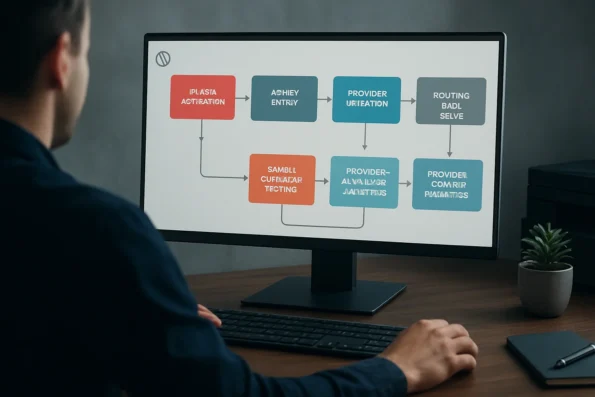
Define precise routing rules to assign specific providers to targeted campaigns, recipient segments, or workflow stages. Routing logic within NextlerAI Outreach is established via the workflow or campaign configuration menus, where you can specify which provider is responsible for particular message types, audiences, or operational hours. Decisions should account for each provider’s strengths—such as channel specialization, privacy profile, rate limit, or geographic coverage. Document these rules in an internal knowledge base for transparency and future audits, and ensure all stakeholders understand how routing aligns with compliance needs. Complex routing scenarios may involve conditional logic, such as fallback providers if the primary fails, or channel-based routing where SMS and email are handled by different providers. After setting up rules, review their priority order and explicitly save configurations to prevent overrides by subsequent changes.
-
Test Routing with Sample Outreach Tasks
Before deploying real campaigns, trigger sample outreach tasks for each route. For each workflow segment, send a test message or campaign and observe which provider processes the request. Confirm that each task is processed by the designated provider and delivered to the intended channel or contact group. Monitor for error codes, latency issues, or unexpected provider handoffs. If a task fails, review the detailed logs in the plugin dashboard, cross-check routing configurations, and adjust as needed for reliability and alignment with your intended outcomes. For compliance, use test data or internal contacts—never real customer data—when verifying routing and delivery in test mode.
-
Review Provider Logs and Analytics
Access provider-specific logs and analytics from within the Outreach dashboard. Each request’s status, provider attribution, and delivery metrics should be visible and exportable for compliance or operational review. Compare processed requests to the original routing logic to ensure consistency. Use analytics to identify anomalies, such as disproportionate error rates or unexpected traffic patterns, which may indicate misconfiguration or provider-side issues. Establish a recurring review schedule to enforce governance, analyze provider-level performance, and adjust routing as your outreach strategy evolves or as external conditions (such as provider updates or regulatory guidance) change. When exporting logs, follow your organization’s data retention and privacy policies to prevent unauthorized access or accidental disclosure.
Evaluating Provider Integration Decision Criteria
Selecting the right outreach providers for integration in NextlerAI Outreach requires a disciplined approach grounded in privacy, performance, cost, and technical compatibility. Each criterion must be evaluated independently to ensure the platform’s long-term reliability, transparency, and compliance, especially in environments with complex regulatory or operational demands. Understanding privacy and performance trade-offs is essential, as detailed in the AI Outreach Provider Comparison. Through Clay’s Outreach integration, teams can add prospects to sequences and look up existing prospect data, supporting dynamic prospect management.
Privacy and Data Handling Practices
Begin by assessing the privacy model and data processing commitments of each provider. For regulated workflows—such as those in healthcare, finance, or legal sectors—review the provider’s data residency controls, retention policies, and encryption standards. Verify whether the provider offers audit trails and supports contractual obligations relevant to your jurisdiction. Document any provider-specific processing or sub-processing arrangements, as these may affect your own organization’s regulatory exposure and risk profile. Evaluate the provider’s mechanisms for data subject access, deletion, or correction requests, and ensure these align with your compliance program where applicable.
API Reliability and Outreach Capabilities
Evaluate the technical maturity and reliability of each provider’s API. Review documentation for evidence of consistent uptime, transparent versioning, and predictable error handling. Assess whether the provider’s models offer the outreach functions required by your workflow—such as support for multi-channel messaging, prompt customization, or advanced recipient segmentation. Confirm that the provider’s API aligns with NextlerAI Outreach’s integration points to avoid unnecessary middleware or workarounds. Examine the provider’s published status pages or incident history, where available, to inform decisions about operational risk. Consider the provider’s support channels and escalation processes in the event of integration failures or degraded service.
Cost Structure, Rate Limits, and Scalability
Analyze each provider’s cost structure, including any minimum volume commitments, per-request pricing, and rate limits that may impact your outreach scale. While NextlerAI Outreach enables bring-your-own-key connectivity, it does not broker or standardize provider-side pricing. Model projected usage against published rate limits to ensure your campaigns are not disrupted by quota exhaustion or budget overruns. For high-volume operations, scrutinize the provider’s ability to handle concurrent requests and burst traffic without degradation. Factor in potential overage penalties or throttling behaviors, and document periodic review procedures for budget and quota consumption.
Technical Compatibility with WordPress and NextlerAI
Before integration, validate that each provider’s API and authentication scheme is fully compatible with your current WordPress installation and the deployed NextlerAI Outreach version. Check for documented support for required protocols, token formats, and version dependencies. Ensure that provider-side SDKs or libraries, if used, are up to date and do not introduce conflicts with core or other plugin dependencies. Assess whether any provider-imposed IP allowlisting or CORS restrictions could impact communication from your hosting environment, and plan for maintenance and version upgrades in alignment with your site’s update policies.
Provider Terms and Compliance Obligations
Document all provider-specific terms of service, data processing agreements, and compliance obligations prior to activation. This is especially vital when integrating providers that may process or transfer data internationally. Maintain clear records of accepted terms, and review any change notifications or amendments that could affect your legal risk or operational continuity. Integrating with providers that lack transparent or accessible legal documentation should be avoided in regulated settings. Assign ownership for ongoing contract management and establish periodic audits of provider compliance status, particularly where regulatory requirements may evolve over time.
Illustrative Scenario: Multi-Provider Outreach in Action
Illustrative Scenario: A marketing team at a mid-sized organization must coordinate outreach using both email and SMS to engage a segmented audience—leveraging Provider X for email and Provider Y for SMS—within a single, orchestrated workflow in NextlerAI Outreach. This scenario demonstrates how precise configuration, routing, and operational oversight ensure reliability and transparency in multi-provider outreach integration. Organizations that integrate Outreach with Common Room can add Common Room Contacts and relevant activity to Outreach, enabling enriched context for communication workflows.
Defining Requirements and Initial Setup
The team determines that campaign effectiveness depends on reaching contacts via their preferred channels. Email messages should route through Provider X due to its deliverability and template support, while SMS notifications must use Provider Y to comply with regional messaging requirements. The administrator first validates both providers’ API keys for compatibility with NextlerAI Outreach, referencing each provider’s documentation and confirming that both support required features and privacy controls. The team evaluates whether each provider can meet campaign goals without violating organizational privacy requirements or exceeding budget constraints, documenting any limitations or required user permissions as part of their initial assessment.
Configuring Providers and Routing Logic
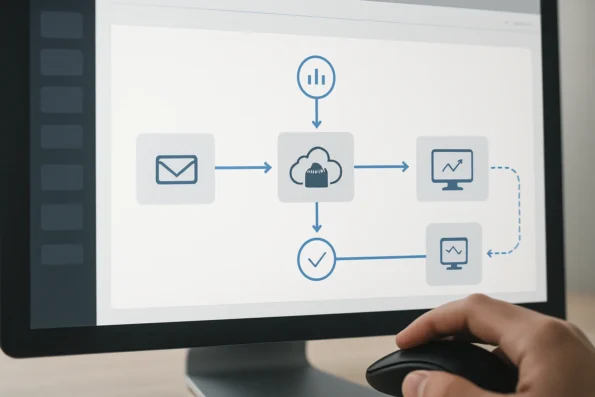
Within the NextlerAI Outreach interface, the administrator adds Provider X and Provider Y using the secure API key entry workflow. After validation, they define routing logic: all outbound email tasks are assigned to Provider X, and all SMS tasks to Provider Y. This routing is configured through explicit assignment in the workflow builder, ensuring that each channel is handled only by its designated provider as per operational policy and compliance needs. The administrator reviews available conditional routing options to confirm that if certain criteria are met—such as user language or region—messages can be dynamically routed, although for this scenario, routing remains static for clarity and control. All configurations are logged, providing an audit trail for future reference.
Operational Testing and Analytics Verification
The team performs controlled test sends to internal recipients, verifying that emails are dispatched via Provider X and SMS messages via Provider Y. Analytics dashboards within NextlerAI Outreach confirm channel-specific activity: usage metrics and response logs display discrete records for each provider. This confirmation step is critical, as it allows the team to immediately identify misrouted tasks or credential issues before live campaigns launch. The analytics interface displays both aggregate and per-provider activity, supporting the team in monitoring throughput, bounce rates, and delivery statuses. If discrepancies are found, the administrator can drill down into message logs, which record metadata for each attempt, including timestamps, provider response codes, and recipient identifiers.
Troubleshooting and Adjusting for Provider Downtime
During a campaign, Provider X experiences an outage. The team reviews real-time logs—available within NextlerAI Outreach—to confirm failed email sends and identify the root cause. They temporarily adjust routing logic to redirect email tasks to Provider Y, whose API compatibility and template support had been previously validated. The administrator documents the routing change and notifies stakeholders, ensuring compliance with internal change management policies. Once Provider X returns to service, routing is restored to the original configuration, and a post-campaign review of logs ensures full traceability of all outreach actions. This adaptive response is coordinated entirely within NextlerAI Outreach’s settings, using the interface’s provider management and routing modules, and does not require direct code changes or downtime for the outreach platform itself.
Summary of Key Mechanisms and Safeguards
- Provider selection and channel assignment rely on explicit, administrator-defined routing logic.
- Discrete analytics and activity logs for each provider offer granular oversight and support troubleshooting.
- Operational flexibility allows for rapid response to provider issues by adjusting routing without workflow disruption.
- Credential management for each provider is distinct from plugin licensing, supporting secure, scalable integration.
- Full audit trails and documented configuration changes help teams meet compliance and governance objectives.
- Analytics dashboards and log access enable teams to continually verify that operational decisions yield the intended delivery outcomes for each channel.
Tracking and Monitoring Provider Usage Effectively
Effective oversight of multi-provider outreach in NextlerAI Outreach requires precise, provider-level tracking and careful interpretation of activity logs. The platform records usage and response data separately for every integrated provider, allowing administrators to monitor outreach patterns, review operational health, and audit compliance with organizational policies. The Twilio API overview outlines the endpoints and features available for tracking and monitoring provider usage within communication workflows.
Myth Versus Fact: Provider Tracking and Optimization
- Fact: NextlerAI Outreach tracks each provider’s activity in detail—outbound requests, response times, status codes, and delivery results are logged per provider. This separation enables teams to analyze individual provider performance, detect anomalies, and confirm that outreach campaigns are routed as intended. Each provider’s log entries include metadata such as campaign ID, target audience segment, and timestamp, supporting granular tracing of outreach actions across multiple providers. Administrators can use these logs not only for summary-level reporting but also to perform deep-dive investigations into specific delivery events or failures. This level of logging is especially important for regulated industries or organizations subject to internal audit requirements, as it provides a documented trail for every message routed through the system.
- Myth: Providers are not automatically balanced or optimized by the platform. There is no built-in mechanism for adaptive load balancing or automatic traffic redistribution among providers. Instead, manual review and adjustment of routing rules are necessary to respond to changes in provider reliability or deliverability. For example, if an administrator identifies a spike in errors or latency from a particular provider, they must manually update routing logic to distribute traffic differently or temporarily pause usage of the affected provider. This puts direct responsibility on operational teams to interpret analytics and act promptly when issues arise.
- Fact: The platform’s logs and analytics dashboards are designed for both operational review and audit. Administrators can export provider-specific data to document compliance, investigate delivery failures, and support post-campaign analysis required for regulated workflows. Analytics modules in NextlerAI Outreach display metrics such as aggregate delivery rates, error distributions, and provider-specific response times. These visualizations assist teams in identifying trends and outliers at a glance, while raw log exports enable detailed forensic analysis if needed. The system supports configurable retention policies for logs, allowing organizations to align data storage with their regulatory and audit obligations.
- Myth: Simply integrating multiple outreach providers does not guarantee improved deliverability or performance. Without ongoing monitoring and manual tuning, risk of misrouted campaigns or unnoticed underperformance remains. Each provider’s effectiveness must be evaluated continuously; relying on passive integration could result in overlooked delivery failures or compliance gaps, especially if routing rules or provider capabilities change over time.
Best Practice: Ongoing Audits and Metrics Review
To sustain operational transparency and maximize outreach effectiveness, schedule regular audits of provider logs and analytics. This process should include:

- Reviewing usage patterns for each provider to identify imbalances or emerging issues, such as unexpected drops in throughput or anomalies in response codes.
- Comparing response rates and error frequencies to detect provider-specific bottlenecks or trending performance shifts, enabling proactive mitigation.
- Verifying that routing logic is functioning as designed, especially after system changes, provider API updates, or modifications in workflow configuration.
- Documenting provider performance to support compliance, facilitate audit preparation, and inform future routing or provider selection decisions.
- Establishing escalation procedures by defining operational thresholds or alert triggers based on analytics—for example, flagging when error rates exceed a set baseline for a particular provider.
Consistent, data-driven oversight allows teams to address inefficiencies proactively, maintain clear audit trails, and adapt workflows as delivery environments evolve. For platform-specific techniques and analytics configuration steps, reference the analytics and reporting guidance published for NextlerAI Outreach at NextlerAI Analytics Guide.
Criteria Table: Comparing Provider Integration Approaches
Choosing the right integration approach for multi-provider outreach in NextlerAI Outreach requires a structured analysis of operational, compliance, and workflow factors. The table below breaks down the most significant decision criteria—ranging from privacy controls to credential distinctions—so technical leads and outreach managers can confidently align each provider with their organizational requirements. To strengthen safeguards like API key security and rate limiting, review the approach to custom API integrations for NextlerAI.
| Criterion | Self-Hosted Integration | Cloud-Based Integration | Operational Impact | Source |
|---|---|---|---|---|
| Privacy Controls (e.g., data residency, encryption, audit logging) | Full control over data flow, local audit logs, and retention policies; increased responsibility for securing environment. | Delegated to provider; privacy may be limited by external jurisdiction and provider policy. | Critical for regulated industries; affects ability to respond to audit and compliance requests. | NextlerAI Outreach documentation, NextlerAI provider comparison blog |
| API Stability & Compatibility | Direct integration; versioning and compatibility managed by administrator. Quick adaptation to API changes possible. | Dependent on provider’s API update schedule and backward compatibility guarantees. | Affects reliability and maintenance workload during provider updates or outages. | NextlerAI Assistant provider guide |
| Cost Model & Quota Control | Transparent, usage-based billing directly from each provider; quotas and thresholds controlled locally. | Provider controls cost and quota; less granular oversight for organization. | Enables tighter cost forecasting and usage monitoring in self-hosted models. | NextlerAI provider comparison blog |
| Ease of Routing & Workflow Assignment | Granular logic configurable within WordPress; manual assignment by campaign, user, or channel. Supports complex, multi-provider routing and custom segmentation. | Limited to provider’s routing options; often less flexible for custom workflows, with potential constraints on channel selection or conditional logic. | Self-hosted allows workflow customization to fit unique operational or compliance requirements where automation of provider selection is needed. | NextlerAI Outreach documentation |
| Support for Audit Logging | Local logging with export and retention policies; facilitates internal and external audits. Administrators can implement granular log retention, offsite backups, or real-time monitoring integrations. | Reliant on provider’s exported logs or dashboards; may lack required granularity or configurable retention, depending on the provider’s feature set. | Essential for incident response, compliance certification, and supporting regulatory investigations. | NextlerAI Outreach documentation |
| Credential Distinction (Licence Key vs Provider API Key) | Licence key activates NextlerAI Outreach; Provider API keys enable outreach tasks per provider. Each credential set should be stored separately—ideally using environment variables or secure vaults, with access restricted based on role. | Same distinction applies; always separate credentials and restrict access. Cloud platforms may enforce additional credential rotation and audit policies. | Prevents configuration errors and credential misuse; enhances operational security and supports compliance with credential management best practices. | NextlerAI Assistant provider guide |
| Best Fit Use Case | Organizations requiring granular privacy, audit, cost control, custom routing, and technical autonomy—especially in regulated or complex environments needing direct adaptation to policy or infrastructure changes. | Scenarios where basic outreach suffices or the provider’s operational controls are adequate for the intended workflow, such as rapid deployment or when internal IT resources are minimal. | Determines alignment with organizational risk, operational complexity, and compliance profile. | NextlerAI provider comparison blog |
This comparative framework enables teams to weigh each integration strategy against their specific needs—balancing privacy, operational control, and workflow flexibility for robust and compliant multi-provider outreach. By considering these distinctions, decision-makers can implement mechanisms such as credential compartmentalization, log retention policies, and custom routing logic that directly map to their internal security standards, business continuity planning, and regulatory obligations. The criteria above are essential for both initial provider selection and ongoing operational governance, providing a repeatable basis for evaluating new provider options or updating integration as organizational needs evolve. In the next section, we synthesize actionable takeaways to guide reliable multi-provider outreach implementation and scaling.
Key Takeaways for Reliable Multi-Provider Integration
Effective multi-provider outreach integration in NextlerAI Outreach demands clear separation and management of credentials. Always distinguish between the product’s licence key, which authorizes the plugin itself, and the individual API keys that activate and enable communication with each outreach provider. This distinction is foundational—confusing them is a common integration error that can prevent successful outreach execution or undermine security. For a comprehensive overview of addressing integration challenges, refer to Troubleshooting NextlerAI Product Integration Challenges. When considering how provider selection impacts workflow, see how AI provider integration for multi-format production addresses real-world automation needs.
Establish explicit routing logic, specifying which provider should handle each outreach workflow segment. Rely on analytics dashboards to validate that routing rules perform as intended. Do not assume providers are automatically selected or balanced for you; manual configuration and ongoing review are required to align provider usage with operational and compliance needs.
Provider performance must be monitored continuously. Examine response times, delivery outcomes, and error rates for each provider using the platform’s tracking and logging tools. Use this real-world data to adjust routing rules when a provider’s performance degrades or when business priorities shift. Automated optimization is not built-in; proactive adjustment remains the responsibility of your team.
Document provider-specific compliance and privacy obligations before onboarding or scaling any provider. This includes retaining records of data residency, audit requirements, and any regional privacy constraints relevant to your workflows. Referencing compliance frameworks and assigning responsibility for ongoing review reduces risk and ensures auditability, especially in regulated sectors.
When integration issues arise, apply a structured troubleshooting checklist before escalating to support. Confirm credential validity, provider API availability, routing configuration, and plugin version compatibility in sequence. Leveraging systematic diagnostics, as outlined in the official NextlerAI troubleshooting resources, streamlines resolution and prevents unnecessary delays.
Deep Integration Insights
Successful multi-provider setups in NextlerAI Outreach depend on deliberate technical and operational decisions at each integration layer. Teams should establish a controlled process for credential lifecycle management, including periodic rotation and secure storage both for the plugin licence key and each provider API key. Access should be limited to administrative roles, and changes to credential assignments must be logged for auditability.
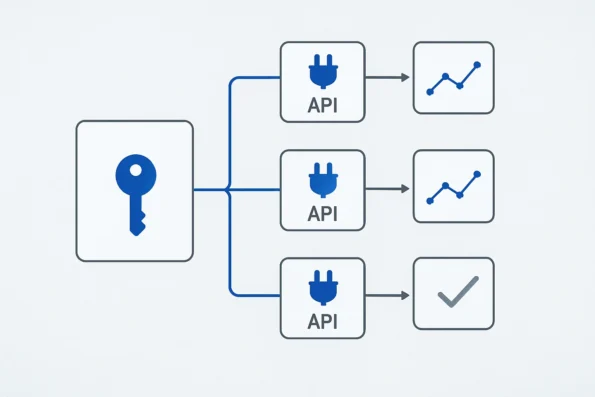
Routing logic should be designed to reflect both business objectives and technical boundaries. For example, outreach volume caps, geographic restrictions, or compliance flags may require granular routing rules that route specific campaign types or audience segments to designated providers. This can also extend to conditional failover logic, where routing is manually updated in response to provider outages or performance dips, as opposed to any automatic switching by the platform.
Ongoing analytics review is not just for operational oversight but also for compliance verification. Teams should regularly export and archive provider-level activity logs, aligning with organizational retention policies. When discrepancies or anomalies are detected in analytics, a root-cause investigation should be initiated, referencing both platform logs and provider-side diagnostics where available.
Finally, updating documentation as integration changes occur is critical for continuity and compliance. Every change in provider configuration, routing rules, or compliance assignment should be reflected in internal documentation and, where applicable, within the NextlerAI Outreach admin notes. This ensures that knowledge transfer, audit response, and future troubleshooting are all streamlined, reducing downtime and compliance risks. For detailed checklists and diagnostic flows, consult the official troubleshooting master checklist at NextlerAI’s troubleshooting guide.
FAQ
How do I set up and connect multiple outreach providers in NextlerAI Outreach?
To enable multi-provider outreach, first activate NextlerAI Outreach with a valid licence key, then add each provider separately within the Outreach settings. For each provider, enter and validate its specific API key, confirm technical compatibility, and assign a clear purpose (e.g., email or SMS). Only once all credentials are verified and saved can you configure routing logic that determines which outreach tasks use each provider.
What are the critical decision factors when choosing providers for integration?
Evaluate each provider for data privacy alignment, outreach capabilities, API reliability, technical compatibility with your WordPress environment, cost structure, and compliance with organizational or regulatory obligations. Documented privacy practices, audit trails, and transparent terms are essential for regulated workflows or sensitive outreach segments.
How does provider routing work within NextlerAI Outreach workflows?
Provider routing is explicitly defined during workflow configuration. Administrators select which provider handles specific outreach tasks based on channel, campaign, or audience. The system follows these predefined rules, and administrators can update routing logic as needs evolve or in response to provider performance and availability. For more granular control, the plugin may allow conditional routing based on attributes such as recipient segment or message type, depending on current feature support. Administrators are responsible for maintaining a clear routing map and for documenting changes to routing assignments as workflows change. This ensures traceability and reduces the risk of misdirected communications, especially in complex, multi-segment campaigns. When routing adjustments are needed (for example, due to provider downtime or policy updates), these changes must be implemented directly within the Outreach configuration settings and verified through test sends and log review. NextlerAI Outreach does not support automatic detection or re-routing in response to provider failures, so administrators should establish internal review protocols and maintain fallback procedures as part of their operational governance. Monitoring analytics after each routing change is recommended to confirm that requests are delivered as intended and that provider handoff remains consistent with defined rules.
Is provider usage automatically optimized, or do I need to manage it manually?
Provider usage is not automatically optimized. Routing assignments and usage decisions must be managed and periodically reviewed by administrators. Analytics and logs help you assess provider performance, but adjustments to routing or provider selection remain manual tasks within the current NextlerAI Outreach feature set. Proactive usage management includes establishing periodic audit schedules, monitoring for anomalies in provider delivery rates, and updating routing logic to reflect changes in provider capability or organizational requirements. Where organizations require load balancing or failover, these functions must be implemented manually through systematic routing updates, as the platform does not perform automated balancing or optimization of outreach traffic between providers.
What are common myths or mistakes about multi-provider outreach integration?
Typical misconceptions include assuming that connecting multiple providers will automatically enhance deliverability, that the plugin licence key can substitute for provider API keys, or that provider usage will self-balance across workflows. In reality, credential distinctions are strict, and oversight of routing and monitoring is required for reliable results. Another frequent error is neglecting to document routing logic changes or failing to regularly review provider-specific analytics, leading to undetected misconfigurations. Administrators should recognize that compliance, privacy, and operational auditability cannot be delegated to plugin defaults—active management and documentation are essential to meet internal and regulatory standards.
Conclusion
Effective multi-provider outreach integration in NextlerAI Outreach is not a set-and-forget process. It requires technical rigor in initial configuration, strict credential management, and ongoing oversight of provider routing and analytics. The distinction between plugin activation and provider enablement—each governed by separate keys and validation steps—remains central to secure, auditable operation. Teams must apply explicit routing logic and maintain vigilant monitoring, as automatic optimization is not provided. Operational safeguards, including rate limiting and granular access control, reinforce compliance and reliability.
Successful deployment of multi-provider workflows is fundamentally a product of deliberate administrative decisions and continuous improvement. Administrators should prioritize establishing clear ownership for provider credentials, routinely verify compatibility as platform or provider APIs evolve, and ensure that every routing rule is documented with the underlying operational rationale. The integration process also demands that log retention policies and analytic dashboards are actively managed to meet organizational and regulatory requirements, rather than relying solely on default settings. This includes designating responsibility for reviewing audit logs and updating routing logic in response to observed trends, incidents, or compliance changes. By embracing these oversight mechanisms and maintaining transparent change records, teams can mitigate operational risks, preserve outreach continuity, and demonstrate adherence to privacy and governance standards during audits.
For your next actionable step, review your current provider routing logic and audit each credential in use. Confirm that all integrated providers are correctly validated, and ensure your team has documented the rationale behind every routing rule. Schedule a regular review of provider analytics and logs to proactively address emerging issues or compliance requirements before they impact outreach performance.