






Introduction
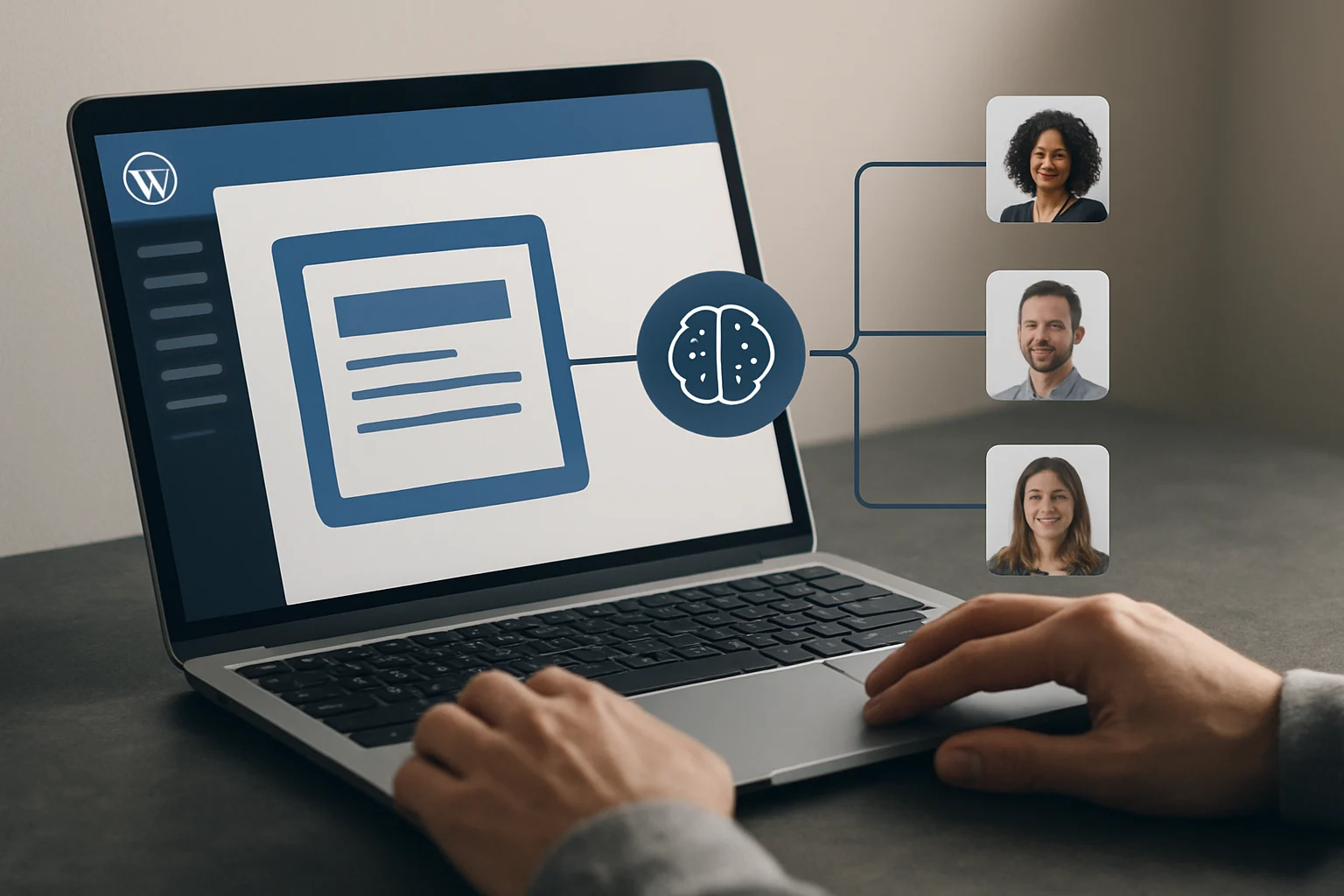
AI automated follow-up sequencing for WordPress and WooCommerce empowers site owners and marketing teams to nurture leads efficiently and systematically. At its core, this approach uses AI-driven logic to deliver personalized, timely messages to prospects or customers, triggered by specific actions or milestones within your site. Whether you’re managing an online store or a service-based business, automated sequencing ensures that every qualified lead receives the right outreach at the optimal moment—eliminating manual follow-up gaps and reducing the risk of missed opportunities.
This article equips you to plan, implement, and refine AI-powered follow-up sequences tailored to your platform. You’ll learn how to define and configure the essential components—such as triggers, sequences, and channels—using the capabilities available in WordPress and WooCommerce environments. By distinguishing proven approaches and dissecting practical mechanisms, you’ll gain the clarity to choose an automation strategy that aligns with your goals, technical constraints, and compliance obligations.
Expect a step-by-step breakdown of workflow design, an illustrative WooCommerce scenario, and actionable troubleshooting guidance. Each section delivers concrete, evidence-based distinctions—so you can confidently structure, diagnose, and optimize your lead nurturing pipeline. By the end, you’ll have a clear framework for leveraging AI to drive sustained engagement and conversion within your WordPress or WooCommerce site.
With AI-enabled sequencing, the implementation often involves mapping user journeys and identifying behavioral cues—such as abandoned carts, product views, or completed forms—that serve as triggers for automated outreach. Decision-making extends to choosing which communication channels best suit your audience, whether email, SMS, or site messaging, and defining the cadence and logic that move leads between sequence steps. Site owners are responsible for configuring permissions and ensuring integration between plugins, AI modules, and the core platform, with attention to data privacy under relevant regulations (such as the GDPR in the EU, where the site owner acts as data controller and is legally accountable for lead data processing practices). These mechanisms provide the foundation for the automation strategies detailed in the following sections, enabling a tailored, scalable approach to lead nurturing for every WordPress or WooCommerce context.
- Key Takeaways: Why AI Automated Follow-Up Sequencing Matters
- Essential Definitions for Automated Follow-Up in Lead Nurturing
- Comparison Table: Approaches to AI Follow-Up Sequencing
- Illustrative Scenario: Implementing AI Follow-Up Sequences on WooCommerce
- Diagnostic Steps: Troubleshooting AI Automated Follow-Up Sequences
- Common Mistakes and Fixes in AI-Powered Follow-Up Workflows
- FAQ
- Conclusion
Key Takeaways: Why AI Automated Follow-Up Sequencing Matters
AI automated follow-up sequencing fundamentally transforms how WordPress and WooCommerce site owners manage lead nurturing. By shifting manual, repetitive outreach tasks to AI-driven workflows, teams can focus on higher-value activities. This automation does not simply reduce labor—it ensures that no lead is overlooked due to human error or resource constraints. Automated sequences operate continuously, allowing outreach to scale with business needs while maintaining timely responses.
Personalization is at the core of effective AI lead nurturing. Automated follow-up sequences, when properly configured, tailor communication based on each lead’s previous interactions and behavioral signals. This targeted approach has been shown in peer-reviewed research to significantly improve engagement and response rates compared to generic bulk messaging. Rather than broadcasting one-size-fits-all content, AI-enabled workflows use data to adjust message timing, content, and delivery channel for each recipient.
Sequencing logic in these AI systems guarantees that every lead receives a coherent progression of messages. This structure prevents gaps in follow-up, ensuring that leads who express interest are not lost in the sales funnel. In platforms designed for WordPress or WooCommerce, sequence steps are typically mapped to user actions—such as form submissions, cart abandonment, or email clicks—triggering specific, relevant communications without the need for manual intervention at each stage.
Modern AI sequence builders can dynamically adapt messaging as they track ongoing lead behavior. For instance, if a user interacts with a particular email or revisits a product page, the AI can alter the next step in the sequence accordingly. This real-time adaptation is supported by evidence from recent studies, which highlight the value of responsive automation in sustaining audience attention and fostering meaningful engagement.
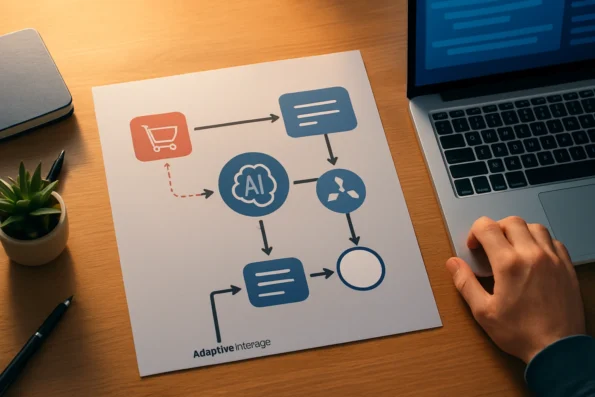
Implementing AI-powered sequencing in WordPress or WooCommerce involves configuring plugins or integrations that support automation and lead tracking. Site owners must decide which triggers—like page visits, purchase events, or inactivity—should launch a sequence. The choice of communication channels (such as email, SMS, or in-app messages) and the rules that govern message timing and content personalization are critical for matching outreach to user intent. Decision points may include selecting between time-based delays and immediate responses or segmenting leads for differentiated messaging based on profile data.
Many AI solutions for follow-up sequencing also offer settings for fallback actions if a lead does not respond or if data is incomplete, ensuring continuity and reducing the risk of broken workflows. This level of implementation detail allows organizations to maintain control over the lead journey while leveraging AI to minimize manual oversight. Integrating analytics dashboards or reporting tools further supports ongoing optimization, enabling teams to review which sequences perform best and refine their approaches over time.
Finally, adopting AI-powered follow-up sequencing enables organizations to scale their outreach efforts without sacrificing the relevance or personalization that drives results. Instead of fragmenting attention across hundreds or thousands of contacts, businesses can maintain a consistent, high-quality experience for every lead. For those responsible for WordPress lead management or WooCommerce sales operations, this approach offers a practical, evidence-backed path to more efficient and effective lead nurturing.
Essential Definitions for Automated Follow-Up in Lead Nurturing
Before configuring any AI-powered follow-up system on WordPress or WooCommerce, it is vital to understand the foundational terms that underpin automated lead nurturing. These definitions shape your configuration choices, clarify the system’s capabilities, and help prevent missteps as you build or refine your outreach workflows. When designing your follow-up processes, integrating GDPR AI outreach automation ensures that every step of your workflow addresses compliance, consent, and data protection requirements for leads in the EU. Automated Email Follow-ups and Lead Management: Challenges and documents the relevant background and implementation boundaries.
Sequence: Structuring Automated Communication
A sequence refers to a pre-planned series of communications—such as emails, messages, or notifications—delivered to a lead based on a defined schedule or conditional logic. In WordPress and WooCommerce ecosystems, sequences are typically configured using plugins or platform-native automation tools. Each step in a sequence is designed to systematically progress a lead through the nurturing process, reducing manual intervention and ensuring consistent engagement. According to official documentation on AI-driven campaign automation, sequences are central to structuring customer journeys and can be tailored to various objectives such as onboarding, re-engagement, or upselling.
Trigger: Initiating or Progressing Follow-Ups
A trigger is the event or condition that starts an automated follow-up or advances a lead to the next step within a sequence. Common triggers in WordPress and WooCommerce contexts include actions like submitting a contact form, abandoning a cart, or reaching a specific product page. Triggers can be behavioral (e.g., clicking a link), time-based (e.g., after 48 hours of inactivity), or system-driven (e.g., payment completed). Well-defined triggers enable precise timing and relevance in AI-powered sequences, ensuring communications align with user behavior and increase response likelihood.
Channel: Selecting the Communication Medium
The channel denotes the medium through which follow-up messages are delivered. Typical channels for WordPress and WooCommerce lead nurturing include email, SMS, and chat widgets. Each channel has distinct advantages and constraints; for instance, email supports richer formatting, while SMS offers immediacy for time-sensitive follow-ups. The choice of channel should reflect your audience’s preferences and the nature of the message. AI-enabled systems often allow dynamic channel selection, tailoring delivery to maximize engagement based on lead history and consent.
Personalization: Customizing Content and Timing
Personalization involves tailoring the content or delivery timing of each message according to lead data or observed behavior. In practice, personalization can range from inserting the lead’s name and relevant product details to adjusting the sequence’s pacing based on interaction signals. AI-powered platforms may leverage lead scoring, segmentation, and real-time analytics to refine personalization beyond static templates. However, the degree of personalization is limited by both the available data and the platform’s supported features. Effective personalization increases relevance and fosters stronger lead relationships without crossing privacy boundaries.
Why These Terms Matter Before Implementation
Mastering these definitions is not just academic—they directly influence your AI follow-up strategy and the quality of your lead management. Misunderstanding the distinction between a trigger and a sequence step, for example, can lead to duplicated messages or missed opportunities. Similarly, neglecting channel configuration can result in messages being overlooked or marked as spam. A clear grasp of these terms underpins accurate workflow mapping, facilitates troubleshooting, and supports compliance with platform documentation. For step-by-step activation guidance within a WordPress environment, refer to dedicated setup guides tailored to your chosen sequencing plugin.
Comparison Table: Approaches to AI Follow-Up Sequencing
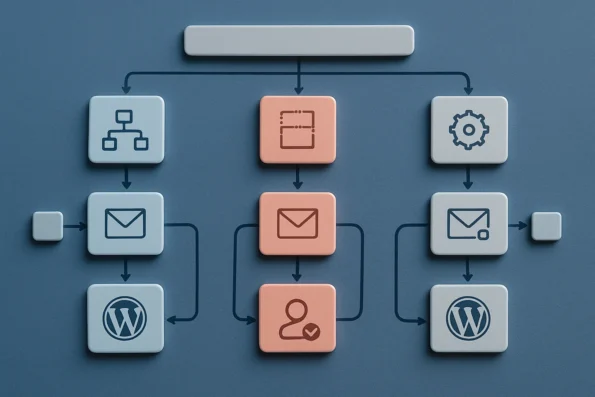
Choosing the right strategy for AI automated follow-up sequencing on WordPress or WooCommerce depends on several key workflow and platform characteristics. The table below contrasts the main approaches—workflow-driven, template-driven, and rule-driven—highlighting how each addresses integration, flexibility, personalization, and oversight. This practical comparison clarifies distinctions between AI-native and AI-enhanced automation, helping you select a model that aligns with your technical environment and lead management objectives. Selecting a sequencing solution that incorporates AI SEO automation for publishing helps unify follow-up messaging with contextual metadata, automated internal linking, and compliance checks within your outreach pipeline. "Robo-Advisor Configuration: An Investigation of User Preferences and documents the relevant background and implementation boundaries.
| Approach | Integration Depth | Sequence Flexibility | Personalization Options | Fallback Controls | Oversight & Lead Experience | AI Role | Source |
|---|---|---|---|---|---|---|---|
| Workflow-Driven Sequencing | Deep: Tightly integrates with triggers, user actions, and CRM data flows. Implementation often includes API-driven connections to CRM or e-commerce data, allowing AI to access real-time lead context and update sequence logic accordingly. | High: Supports branching, multi-step, and conditional sequencing. Sequences can be designed to adjust automatically based on behavioral signals or CRM updates, enabling dynamic response to lead engagement or inactivity. | Dynamic: Adapts content and timing to individual lead behavior. AI can generate message variants or adjust send times by analyzing past interactions and engagement signals. | Comprehensive: Allows for human review, escalation, and automated pauses. Systems can pause sequences for manual intervention or escalate leads to sales when predefined thresholds are met. | Strong oversight; transparent audit trails; tailored lead journeys. Detailed logs capture every step, supporting regulatory compliance and continual process improvement. | AI-native: AI designs, adapts, and monitors sequence logic, making autonomous decisions within defined parameters and flagging exceptions for review. | MDPI Electronics Journal |
| Template-Driven Sequencing | Moderate: Relies on pre-set templates and basic event triggers. Integration typically involves connecting forms or checkout events to email/SMS delivery with minimal data exchange. | Limited: Follows static or linear messaging flows. Sequences are usually fixed, and changes require manual template updates. | Basic: Inserts lead data into fixed templates. Personalization relies on standard merge fields such as name or product of interest. | Minimal: Few built-in safeguards for sequence errors. Interruptions or adjustments generally require manual action or plugin-specific configuration. | Less oversight; risk of generic or repetitive messages. Auditability is limited to basic message logs; user experience may be less differentiated. | AI-enhanced: AI personalizes content within established templates but does not influence sequence structure or timing. | Archiz Solutions |
| Rule-Driven Sequencing | Variable: Depends on configurable business rules and plugin capabilities. Integration may require mapping specific WordPress hooks or WooCommerce actions to rule engines. | Moderate: Supports custom logic but often requires manual setup. Users define if/then relationships, which can become complex as lead journeys branch. | Conditional: Personalization based on if/then rules and segmentation. Message content, delay, and channel can change according to predefined segments or behaviors. | Configurable: Rule-based exceptions and manual intervention points. Administrators can define specific outcomes for non-standard lead behaviors. | Balance of automation and manual review; requires ongoing tuning. Oversight depends on the granularity of rule definition and monitoring. | AI-enhanced: AI automates rule application but not end-to-end flow; human input is required for rule creation and sequence adjustment. | IBM Documentation |
Understanding these distinctions is critical for effective deployment. Workflow-driven models demand more initial configuration and ongoing monitoring but unlock advanced adaptability, ideal for organizations with complex lead management requirements. Template-driven options suit teams seeking rapid setup with minimal technical overhead, though at the cost of nuanced lead engagement. Rule-driven approaches provide a compromise, enabling tailored sequences where business logic is well-defined and resources allow for regular adjustment. The next section illustrates these distinctions in practice during a WooCommerce implementation.
Illustrative Scenario: Implementing AI Follow-Up Sequences on WooCommerce
This scenario demonstrates how a WooCommerce store owner might deploy AI automated follow-up sequencing to nurture leads and recover potential sales, addressing both workflow structure and decision points relevant to real-world ecommerce environments. Global WooCommerce stores using AI multilingual content automation can streamline follow-up messages in multiple languages while maintaining editorial oversight and accurate localization. IBM Documentation documents the relevant background and implementation boundaries.
Mapping Triggers and Building the Sequence
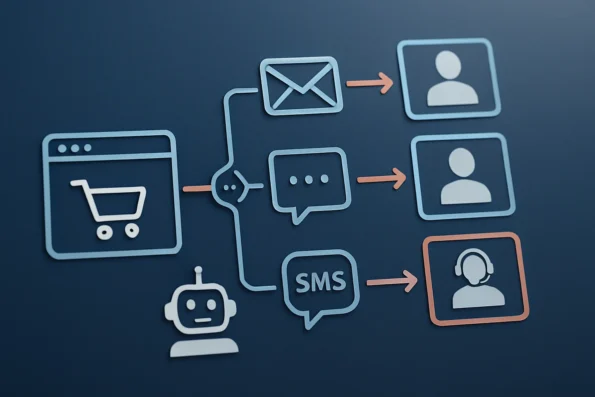
The process begins by identifying essential customer behaviors that should initiate follow-ups. For example, an abandoned cart event can act as a central trigger. The owner configures the AI sequence builder to recognize when a shopper adds items to their cart but exits without purchase. This trigger launches a multi-stage sequence, with each step representing a specific outreach action—such as sending an initial reminder email, followed by an SMS or chatbot prompt if there is no response within a set window. According to IBM’s documentation, mapping these triggers precisely is crucial for accurate and timely automation in customer journey management. The owner may need to define additional conditions, such as minimum cart value or customer log-in status, to further refine when the sequence should activate and which leads qualify for follow-up.
Designing Personalized, Multi-Channel Messages
Within each stage, the store owner selects the preferred channel—email for the first touchpoint, chat for a subsequent nudge, or SMS for time-sensitive offers. Personalization is configured using available customer data, such as name, cart contents, or previous interaction history, to adapt message tone and content. The chosen AI platform enables dynamic message templates that pull in these variables, ensuring communication remains relevant and engaging. Scheduling parameters are set to space messages appropriately, preventing customer fatigue and aligning with business hours or promotional calendars. The messaging logic may also consider customer location or device, ensuring contact attempts are contextually appropriate and compliant with regional communication preferences.
Aligning with Sales and Support Goals
Each follow-up sequence is mapped to specific business objectives. For instance, an abandoned cart workflow focuses on conversion, while a post-purchase sequence might prioritize support or cross-sell opportunities. The store owner aligns AI-driven outreach with these goals by tailoring template logic, message frequency, and escalation rules. Integration with existing support channels—such as live chat escalation when a lead replies with a question—ensures that automated steps can hand off to human agents when needed. This hybrid approach matches the guidance of established automation frameworks, which recommend clear escalation paths for complex inquiries. The owner also monitors sequence analytics to adjust future strategies, reviewing open rates, response times, or drop-off points to optimize the workflow and better align with evolving business targets.
Maintaining Human Oversight and Flexibility
Critical decision points in the workflow allow for human review or intervention. For example, if a high-value lead interacts negatively with an automated message, the sequence pauses and flags the event for manual follow-up. The owner can also set approval requirements for specific outreach templates, ensuring compliance and tone alignment. Workflow flexibility is essential; WooCommerce operators may need to adjust triggers, channels, or content rapidly in response to campaign results, customer feedback, or product changes. The platform’s configuration interface should support these real-time modifications without disrupting existing live sequences. Additionally, the ability to test changes in a staging environment before going live helps avoid unintended customer impacts and supports continuous improvement.
Scenario Summary
This scenario illustrates how a WooCommerce store can structure AI-powered follow-up sequences to maximize lead nurturing, by blending automated efficiency with targeted personalization and necessary human oversight. The approach prioritizes workflow transparency and adaptability, matching the evolving needs of ecommerce operators.
Diagnostic Steps: Troubleshooting AI Automated Follow-Up Sequences
When AI automated follow-up sequences on WordPress or WooCommerce do not perform as intended, a methodical approach to troubleshooting is essential. The following actionable steps are designed to identify, isolate, and resolve issues at each critical point in the workflow. This process strengthens operational reliability and ensures that lead nurturing logic, integration, and delivery mechanisms function as configured. Defining triggers, sequences, and personalization is similar to the precision required in generating automated content briefs, where structured workflow terms help ensure clarity and consistency.
-
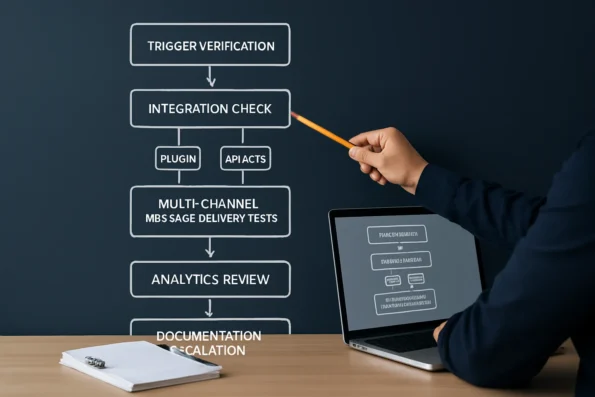
Verify Triggers and Sequence Logic
Begin by confirming that each trigger (such as a new lead, abandoned cart, or completed transaction) is active and mapped correctly to the intended sequence. Review the logic governing sequence progression: ensure that conditions, branching, and delays match your campaign requirements. Misconfigured triggers or sequence step logic are frequent sources of unexpected behavior in automated outreach. Examine dependencies between triggers—ensure that multiple triggers do not conflict or override each other, and that any conditional logic is accurately implemented. If your workflow uses custom hooks or filters in WordPress, validate that these functions are still compatible after recent updates. For complex sequences, diagram the logic flow to visually confirm all branches and end states are properly covered. -
Check Integration Points
Examine all technical integration elements. Confirm that the lead nurturing plugin or sequencing platform is activated and up to date within your WordPress environment. If external API keys are required (for sending messages, accessing CRM data, or enabling AI personalization), validate that each key is correctly entered and has not expired or been revoked. Synchronize scheduling mechanisms—such as cron jobs or queue handlers—to prevent message backlog or delivery gaps. Additionally, review plugin compatibility with your WordPress and WooCommerce versions, as version mismatches can cause silent failures. For integrations with third-party platforms, monitor rate limits and quota usage, as automated AI-powered workflows can sometimes trigger temporary blocks or throttling by external services. Inspect webhook endpoints for connectivity and security settings to ensure data flows securely and uninterrupted between systems. -
Test Message Delivery Across Channels
For every channel enabled in your workflow (email, chat, SMS), perform real-world tests. Send test sequences to internal addresses or sandbox accounts, verifying not only delivery but also message formatting and timing accuracy. Where available, use platform diagnostics to confirm successful handoff from your WordPress instance to the delivery service. For SMS and chat, check carrier or service platform limits that might block or delay delivery. Investigate message headers and payloads to ensure personalization variables resolve correctly. For channels using web push or in-app notifications, confirm browser compatibility and user opt-in status. Document any messages flagged as spam or blocked by receivers, as these indicate sender reputation or configuration issues that may require attention. -
Review Analytics or Activity Logs
Analyze sequence analytics and activity logs for evidence of failed, stalled, or skipped messages. Look for recognizable error codes, unsent status indicators, or repeated sequence restarts. Pay particular attention to patterns tied to specific user actions or plugins that may interfere with normal sequence execution. Detailed logs are often available within the sequencing plugin or platform dashboard. If available, enable debug or verbose logging to capture underlying causes of intermittent failures. Correlate log timestamps with your test events to pinpoint where breakdowns occur. Use filtering and search features in analytics dashboards to isolate events by trigger, channel, or recipient, making it easier to trace anomalies back to root causes. -
Document and Escalate Persistent Issues
If the above steps do not resolve the issue, document your findings in detail: note sequence names, affected triggers, error messages, test cases, and integration configurations. Escalate the problem to the support channel for your sequencing platform or plugin, providing comprehensive context to facilitate a faster and more accurate resolution. Persistent or systemic issues may require patching, plugin update, or server configuration adjustments as recommended by the vendor. When creating a support request, include reproducible steps, environment details (such as PHP version, plugin versions, and server configuration), and screenshots of logs or error states. This increases the likelihood of precise assistance and timely resolution.
By systematically applying these troubleshooting steps—including advanced logic reviews, integration diagnostics, real-world delivery testing, detailed analytics analysis, and comprehensive documentation—you can isolate and address common roadblocks in AI-powered follow-up automation for WordPress and WooCommerce. For a master troubleshooting checklist tailored to these workflows, consult the dedicated guide on the NextlerAI site.
Common Mistakes and Fixes in AI-Powered Follow-Up Workflows
AI automated follow-up sequencing on WordPress and WooCommerce offers significant advantages, but common mistakes in configuration can undermine results. Addressing these issues early ensures your lead nurturing workflows remain effective and compliant. Understanding AI lead qualification automation helps avoid pitfalls in your follow-up strategy. To resolve issues in lead nurturing, examining automated personalization in AI outreach can shed light on the importance of correctly mapping data variables and compliance steps within your follow-up workflow.
Over-Automation: The Absence of Human Review and Fallbacks
One frequent error is over-automation—neglecting to define human review points or fallback logic. Without clear escalation rules, critical leads may be mishandled when the AI encounters ambiguous data or unexpected lead responses. To mitigate this, configure escalation steps within your sequence builder, ensuring that leads flagged as high value, unresponsive, or non-standard are routed to a designated user for manual intervention. Documentation from leading automation providers recommends maintaining manual checkpoints for all high-impact actions, especially when dealing with sensitive prospects.
Generic Messaging: Insufficient Personalization from Available Lead Data
Another common mistake is deploying generic follow-up messages despite having access to lead-specific data. AI-driven workflows are most effective when they utilize behavioral, demographic, or transactional information to tailor outreach. If your follow-up automation does not dynamically adjust message content or timing based on this data, engagement rates will suffer. Review your integration settings and ensure your sequencing platform is configured to inject relevant personal details or segment-specific content into each touchpoint. This adjustment typically requires mapping custom fields and activating dynamic content options in your automation plugin.
Sequence Conflicts: Overlapping Triggers and Inconsistent Timing
Workflow disruptions often occur when multiple triggers overlap or sequences are scheduled without regard for timing consistency. For example, a lead may receive duplicate messages if both a cart abandonment and a new account creation event initiate separate sequences simultaneously. To avoid confusion and message fatigue, audit all active triggers and review their logical relationships. Use sequence throttling and trigger suppression features to ensure only one workflow is active per lead at any given time. Cross-referencing your sequence logic with audit logs can help identify and resolve these conflicts.
Integration Errors: Misconfigured API Keys and Plugin Settings
Technical missteps such as incorrect API key entry, plugin activation issues, or outdated integration settings can cause sequences to fail silently. These errors are especially prevalent when deploying new plugins or updating existing ones. Regularly validate all integration credentials, ensure that plugin versions are compatible, and monitor for error logs or webhook failures. When a sequence does not trigger as expected, reviewing integration logs and testing endpoints with sample data is essential for pinpointing the root cause.
Neglecting Compliance: Missing Consent and Privacy Checks
Compliance oversights, particularly around consent management and data privacy, can expose your outreach to regulatory risk. In the context of the European Union’s GDPR, for example, automated outreach must be supported by explicit, documented user consent, and all processing must align with stated purposes. Ensure your workflow includes consent checks before any outreach is initiated. Most reputable automation plugins for WordPress and WooCommerce allow you to configure consent gating and record user permissions, but this must be reviewed regularly and documented for auditability. For detailed privacy controls, consult authoritative implementation guides specific to your jurisdiction.
FAQ
What is AI automated follow-up sequencing and how does it work on WordPress/WooCommerce?
AI automated follow-up sequencing on WordPress or WooCommerce refers to the use of AI-powered systems to schedule, personalize, and send a series of messages to leads based on predefined events or behaviors. These systems use triggers—such as a form submission or cart abandonment—to initiate multi-step communication workflows across channels like email or SMS. Integration with WordPress or WooCommerce typically relies on plugins or API-based platforms, which must be configured to align with your sales or support objectives.
How do definitions like trigger, sequence, and channel apply to AI lead nurturing?
In the context of AI lead nurturing, a trigger is an event that initiates or progresses a follow-up sequence (e.g., a new lead registration). A sequence is the ordered set of communications sent to the lead, while a channel is the medium used to deliver these messages, such as email, SMS, or chat. These definitions help clarify the technical setup and ensure each workflow step matches your engagement strategy.
What are the main approaches to automating follow-up sequences with AI?
There are three principal approaches: workflow-driven (using visual editors to map complex logic), template-driven (relying on reusable messaging templates for rapid deployment), and rule-driven (using conditional logic to adapt sequences based on lead behavior or attributes). Each method offers different strengths in terms of flexibility, ease of integration, and personalization capability.
How can I diagnose issues if my AI follow-up sequences aren’t performing?
Begin by confirming that your triggers are correctly mapped and active. Next, check integration points such as plugin status, API keys, and channel delivery settings. Use any available logs or analytics to pinpoint failures or bottlenecks in the sequence. If issues persist, document your findings and prepare detailed support requests for your automation provider.
What are common mistakes when setting up AI-powered follow-ups and how do I fix them?
Typical mistakes include neglecting human review checkpoints, using generic or non-personalized messaging, creating overlapping triggers, misconfiguring integrations, and overlooking privacy or consent requirements. These can be addressed by introducing escalation rules, enhancing personalization with lead data, auditing trigger logic, validating all technical connections, and ensuring compliance with outreach regulations.
Conclusion
Adopting AI automated follow-up sequencing for WordPress or WooCommerce is a practical decision that hinges on your site’s operational needs, technical environment, and lead management objectives. The most effective deployments result from a clear understanding of workflow boundaries, trigger logic, and integration specifics, as well as a commitment to ongoing oversight. AI can streamline your sales outreach and lead nurturing, but its success depends on how well you maintain control over automation rules, personalize messaging, and uphold compliance standards relevant to your jurisdiction.
Optimal implementation requires establishing explicit ownership of tasks such as mapping data flows, monitoring sequence logic, and conducting periodic audits of both automation rules and privacy safeguards. This should include defining who is responsible for updating message templates, reviewing sequence performance metrics, and responding to new legal developments that may affect data handling. Collaboration between your technical, sales, and compliance teams is essential for balancing efficiency with accountability. Prioritizing transparency in automation—such as clear fallback mechanisms and audit trails—helps maintain user trust and regulatory alignment. Documenting each modification to sequence logic or integration points not only aids troubleshooting but also ensures traceability for audits or incident response. These layers of operational discipline enable your AI-powered follow-up to remain responsive to evolving business needs while minimizing risk and oversight lapses. Additionally, consider setting up internal controls for access management, requiring approval workflows for significant automation changes, and scheduling regular reviews of integration logs and consent records. These mechanisms deepen resilience and uphold best practices for secure, compliant AI automation.
As your next step, assemble a cross-functional team to review your lead engagement process, select a compatible AI sequencing tool, and draft a monitoring plan that will ensure ongoing effectiveness and compliance.