







Introduction
Successfully migrating your content operations to NextlerAI Publisher requires a clear understanding of the risks, requirements, and controls unique to this platform. Whether you manage a legacy editorial workflow or oversee a manual content pipeline, transitioning to NextlerAI Publisher can streamline your processes within a structured, WordPress-based environment. This guide is designed to provide you—content strategists, editors, SEO managers, and CMS administrators—with a focused roadmap for migration. You will learn how to safeguard editorial quality, protect SEO value, and manage operational boundaries throughout the transition. By mastering the migration-specific diagnostics, controls, and recovery mechanisms built into NextlerAI Publisher, your team gains confidence in both the process and its outcomes.
NextlerAI Publisher introduces a new operational framework centered on inventory-driven content management, governed approval gates, and automation boundaries. Migrating from manual or legacy environments often surfaces challenges such as versioning inconsistencies, metadata gaps, and workflow bottlenecks. The platform addresses these by requiring pre-migration mapping of all content structures—including inventory, taxonomy, and metadata—to its standardized models. Teams must also review licensing and environment compatibility, particularly where AI automation for text or images is planned. Ensuring the availability of API keys for supported providers forms a critical preparatory step for those seeking automation.
Throughout this migration, robust editorial controls are preserved through staged rollouts, explicit approval checkpoints, and safe rollback points. These not only prevent data loss or workflow interruptions, but also help maintain SEO value by enforcing validation at key stages. The result is a migration process that balances operational efficiency with the need for review, compliance, and recoverability. This guide breaks down these mechanisms and responsibilities, enabling your organization to make informed decisions and implement secure, controlled transitions. Each section offers actionable detail, from prerequisite checks to diagnostic recovery, ensuring that your modernization journey with NextlerAI Publisher is both transparent and resilient.
- Implementation notes: prerequisites and migration triggers
- Key workflow boundaries and responsibilities
- Expert risks and editorial control boundaries
- Essential migration terms and boundary definitions
- Illustrative migration scenario: staged rollout
- Diagnostic steps for troubleshooting migration failures
- FAQ
- Conclusion
Implementation notes: prerequisites and migration triggers
Before transitioning legacy or manual content operations to NextlerAI Publisher, it is essential to establish technical readiness and clearly define migration triggers. This approach ensures both operational continuity and editorial integrity throughout the modernization process.
Identifying migration triggers and workflow pain points
Common triggers for migrating to NextlerAI Publisher include persistent workflow bottlenecks, the absence of version control, and recurring SEO issues associated with manual processes. Teams may also prioritize migration when content duplication, inconsistent metadata management, or lack of audit trails hinder scaling or compliance. Clearly articulating these pain points enables stakeholders to align migration objectives with tangible workflow improvements.
WordPress compatibility and licensing requirements
Migration to Publisher requires a WordPress environment that meets the product’s documented compatibility and licensing prerequisites. Prior to any migration activity, verify the site’s PHP version, plugin dependencies, and available administrative permissions. Securing a valid Publisher license is mandatory for activating full migration and automation capabilities. Pay careful attention to plugin conflicts and custom themes that may require adjustment, as these can impact data handling or integration fidelity during the transition.
Mapping content structures and metadata
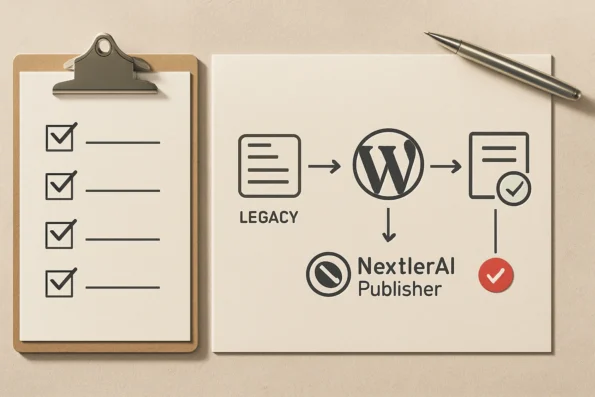
Effective migration depends on a comprehensive inventory of existing content, including posts, pages, and associated metadata. Map these legacy structures to Publisher’s required taxonomy and metadata fields to avoid data loss or misalignment. Inconsistent mapping often leads to broken workflows or incomplete content transfer. Documenting field-level mappings and resolving discrepancies up front reduces the risk of downstream operational issues and supports auditability throughout the migration.
API key preparation for automation
If automation of text or images is planned, prepare and validate API keys for each supported provider in advance. Publisher integrates with designated AI providers for content generation and media insertion, but only when the correct authentication is in place. Failure to configure these keys before migration will restrict automation functionality and slow onboarding. Assign responsibility for credential management to an administrator, and confirm that each API key has the correct scope and quota for the anticipated workload during and after migration.
Reviewing supported migration workflows
Consult Publisher’s product documentation to understand the specific migration workflows, data handling protocols, and safe update practices it supports. The documentation clarifies how settings, topics, jobs, and historical records are preserved during both standard and rollback migrations. Assessing these workflows in advance allows technical leads to match migration plans with Publisher’s supported mechanisms, minimizing unsupported customizations and reducing risk during execution.
Safeguards: pre-migration backups and rollback points
Establishing full backups and defined rollback points is critical before initiating any migration. Publisher’s architecture supports recoverable operations, enabling teams to revert to a prior system state if errors or data integrity issues are detected during migration. This safety net is fundamental to controlling risk and maintaining editorial oversight. Backup verification and clearly recorded rollback checkpoints ensure that, if restoration is required, it can be performed swiftly with minimal disruption.
Reference to product requirements
The official Publisher product details outline current requirements, supported environments, and automation boundaries. Reviewing these resources before migration ensures that technical teams anticipate operational constraints and avoid preventable interruptions. For authoritative requirements, see NextlerAI Publisher product details.
Key workflow boundaries and responsibilities
Successful migration to NextlerAI Publisher depends on clearly defined workflow stages, precise allocation of responsibilities, and strict control over automation boundaries. The following implementation table synthesizes these requirements, outlining each major migration phase—inventory, mapping, migration, validation, and rollback—while distinguishing which steps are automated by Publisher and which demand explicit human action. This approach ensures both operational clarity and editorial protection, reducing the risk of data loss or workflow disruption throughout the migration journey. Clarifying workflow responsibilities during migration should include strategies for risk mitigation for content migration to prevent data loss or service disruption.
| Stage | Primary Role | Automated by Publisher | Manual/Approval Required | Operational Boundary | Checkpoint/Recovery | Reference |
|---|---|---|---|---|---|---|
| Content Inventory | Admin, Technical Lead | Partial: inventory scan | Full: review, eligibility selection | Only eligible, mapped content included | Inventory report, export backup | NextlerAI Publisher complete guide |
| Content Mapping | Technical Lead | None | Full: field mapping, taxonomy, permissions | Manual mapping; Publisher enforces field requirements | Mapping audit, pre-check | NextlerAI Publisher complete guide |
| Migration Execution | Admin | Automated: structured import, job handling | Approval: trigger migration, monitor jobs | No migration without explicit launch | Transactional logs, job status dashboard | Publisher install, update, migration and safe rollback guide |
| Content Validation | Editor, Admin | Partial: duplicate/cannibalization checks | Full: editorial review, SEO, metadata check | Manual gate required before publication | Approval state, version history | NextlerAI Publisher complete guide |
| Rollback & Recovery | Admin, Technical Lead | Automated: restore settings, topics, jobs | Approval: confirm rollback, review recovery report | Rollback can only restore previously preserved states | Recovery logs, pre-migration backup | Publisher install, update, migration and safe rollback guide |
The structure and boundaries established by this table reflect the necessity of controlled handoffs and clear decision points in a migration to NextlerAI Publisher. At the inventory stage, the technical lead works closely with the admin to verify that only content meeting eligibility and mapping requirements progresses further; all inclusions are explicitly confirmed by human review. During mapping, automation is excluded entirely to ensure that taxonomy, permissions, and field requirements comply with both organizational policy and Publisher platform standards. Migration execution then leverages Publisher’s automated job handling, but retains a mandatory approval step prior to launch, preventing unintended or unsupervised migration runs. Validation is reinforced by automated content overlap and duplicate detection, but the editorial team retains sole authority to approve content for publication, safeguarding SEO and brand standards. For rollback and recovery, Publisher automates the restoration of system states and job queues, but always requires admin or technical lead confirmation before reverting, ensuring that rollbacks are auditable and deliberate.
Each stage is designed to minimize risk while maximizing transparency and accountability. For example, the inventory phase incorporates both automated scans and manual checks, but responsibility for the final selection of content to migrate remains with the admin and technical lead, ensuring that only up-to-date and properly structured material is imported. In mapping, Publisher enforces required fields and taxonomies, yet relies on user input for accuracy, making it essential for the technical lead to align legacy data with new schemas. The migration execution phase is protected by explicit launch gating—Publisher will not proceed with import jobs without human approval, and all operations are logged for traceability. Editorial validation, separated from automated checks, mandates a thorough human review; this prevents issues such as metadata loss or SEO conflicts from reaching production. Finally, rollback and recovery procedures are carefully bounded: while Publisher can restore previous content states and configurations automatically, a final confirmation step ensures that these actions are deliberate, logged, and reversible only to a previously preserved state. This layered approach to workflow boundaries helps teams maintain control, uphold editorial standards, and ensure that every migration remains recoverable and auditable. For a detailed explanation of migration and rollback procedures—including inventory preparation, approval gate configuration, and safe update practices—consult the migration and safe rollback guide.
Expert risks and editorial control boundaries
When migrating content operations to NextlerAI Publisher, the most significant risks stem from operational oversights that can compromise data integrity, workflow stability, or SEO value. These are not hypothetical concerns: incomplete content inventory or inaccurate field mapping may lead to irreplaceable data loss, particularly if historical revisions or metadata are omitted or misaligned. The migration process presumes a reliable starting inventory and accurate, field-level correspondence between legacy structures and Publisher’s required taxonomy. Any deviation can result in lost assets or inaccessible content, so technical leads must audit inventory completeness and mapping accuracy before initiating transfers. When managing editorial control boundaries and assessing migration risks, teams should reference industry-recognized security guidelines to ensure content and user data remain protected throughout the migration process.
Workflow interruption is another critical risk, commonly arising from misconfigured permissions or blurred boundaries between automated and manual steps. If editorial roles, approval gates, or automation privileges are not explicitly set, jobs may stall in ambiguous states, leaving content unpublished or, worse, released without appropriate review. Publisher’s workflow architecture addresses this by enforcing granular permissions and mandatory approval checkpoints, but only when teams configure these boundaries according to established policy. Ensuring that editors and administrators have distinct, non-overlapping responsibilities reduces the likelihood of workflow deadlocks and unintended escalations.
SEO cannibalization and metadata loss are perennial threats during operational transitions. Overlapping content topics, duplicate drafts, or omitted SEO fields can dilute site authority and cause ranking erosion. In NextlerAI Publisher, the risk is mitigated by its native overlap detection, metadata validation, and structured reporting tools. However, these controls must be actively utilized: skipping validation steps or bypassing scheduled approval reviews can result in duplicate content or loss of critical SEO signals. Editorial teams should establish routine checks for topic overlap and require metadata validation on every migrated item to preserve search value.
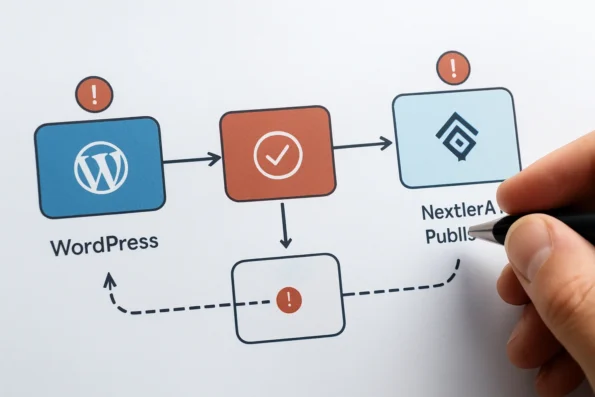
Beyond headline risks, expert caution extends to change management decisions and how configuration errors can propagate. For instance, not all legacy fields or taxonomies may map directly to Publisher’s schema, requiring manual intervention and documented resolution for each exception. Failure to address these discrepancies can result in broken links, orphaned assets, or incomplete content listings within the Publisher environment. Additionally, migrations that do not enforce strict version tracking may make it impossible to audit the source of errors or revert specific changes. Teams must assign responsibility for maintaining a migration log, ideally within Publisher’s job logging system, to track every significant action and approval event. This log should be reviewed by both technical leads and senior editors to confirm that rollback points are current and all inventory changes are traceable. Ongoing monitoring of automation boundaries—particularly when new API integrations or automation triggers are introduced—ensures that editorial intent is preserved and automation does not overstep policy.
To maintain operational stability, a staged rollout is strongly recommended. Begin migration with a subset of content, enforce mandatory approval gates, and conduct thorough validation before expanding to full-scale automation. Parallel testing in non-production environments further insulates live operations from unanticipated failures. This approach aligns with recognized security and risk management frameworks, which emphasize incremental adoption, clear rollback procedures, and continuous monitoring as key safeguards for complex migrations.
NextlerAI Publisher’s dashboards, job logs, and reporting features provide the necessary transparency for diagnosing and responding to operational issues. Teams should review these tools regularly to detect anomalies early, adjust boundaries as workflows evolve, and document lessons learned. For a deeper understanding of workflow automation controls and their role in migration integrity, see the dedicated resource on automation, approvals, and scheduling integrity.
Essential migration terms and boundary definitions
Accurate migration to NextlerAI Publisher requires clear understanding of specific operational terms and boundaries. These definitions are foundational to interpreting product documentation, configuring secure workflows, and ensuring that each migration action aligns with the expected sequence of control and oversight. Teams that thoroughly internalize these definitions can design and troubleshoot migration plans more effectively, avoiding misinterpretations that can cause content loss or process breakdown. For a detailed breakdown of how the stepwise CMS integration process ensures safe and transparent onboarding to NextlerAI Publisher, consult this in-depth guide. Defining migration terms and boundaries requires compliance with accessibility standards to ensure migrated content remains usable by all audiences.
Inventory: Defining migration scope
Within NextlerAI Publisher, inventory refers to the complete set of content—posts, pages, and supported custom types—that are eligible for migration, review, and automation in the WordPress pipeline. Delimiting this scope is essential: only items included in the inventory are processed by Publisher’s automation or scheduled for manual approval. Content outside the inventory remains unaffected until explicitly added, preventing unintended migration or automation of legacy drafts, unpublished work, or excluded sections. Inventory is typically registered through Publisher’s content mapping tools, allowing teams to selectively include or exclude items based on taxonomy, status, or custom metadata fields. This granular scoping supports parallel migration strategies and targeted rollout, limiting the operational footprint of migration actions.
Approval gate: Human sign-off points
An approval gate is a required checkpoint in the Publisher workflow where manual sign-off is enforced before automation or publication proceeds. These gates segment the process, ensuring that editorial teams or designated reviewers assess content quality, policy alignment, or metadata integrity at predefined stages. By design, Publisher does not bypass approval gates—automation pauses here until explicit authorization is provided, preserving editorial oversight during migration and routine publishing. This mechanism is critical for both compliance and content governance. Implementation of approval gates is customizable, allowing organizations to determine the number and placement of gates in response to their internal risk profile, regulatory requirements, or content sensitivity.
Rollback: Controlled recovery boundaries
Rollback defines the process for restoring a previous system state following a migration fault or error. In NextlerAI Publisher, rollback mechanisms are tied to version-aware backups and job tracking: if a migration step results in data loss, mapping error, or workflow failure, the rollback function enables administrators to revert affected content, settings, or pipeline states to their last known good configuration. Publisher maintains a record of updates and migrations to support targeted, non-destructive recovery, reducing operational downtime and risk of permanent content loss. Rollbacks may be initiated manually from the administrative dashboard, with change logs and affected entities clearly indicated to support informed recovery decisions.
Slot: Publication position in the pipeline
A slot is a reserved position within the Publisher pipeline, designating when and where a content item is scheduled for drafting, review, or publication. Slots are explicitly managed—either through manual assignment or automation—and serve to prevent collisions, duplicate scheduling, or content cannibalization. Each slot is tied to a unique job, topic, and timeline, visible in operational dashboards, supporting both auditability and editorial planning. Slot management includes the ability to reassign or defer content, allowing migration teams to coordinate high-priority items or address bottlenecks without disrupting the broader schedule.
Automation boundary: Defining system limits
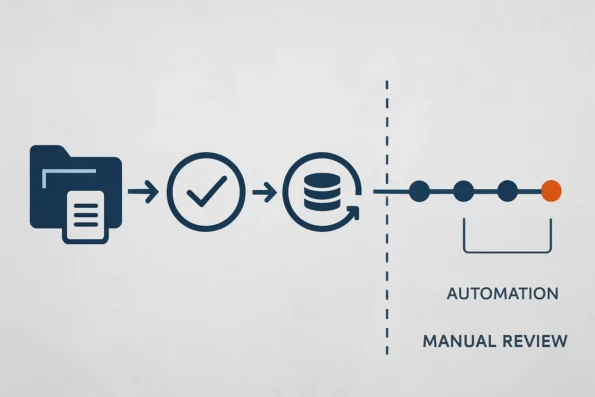
The automation boundary marks the explicit limit between actions performed automatically by Publisher and those requiring human intervention. Publisher enforces these boundaries by segmenting each workflow: for example, automated drafting ends at the approval gate, and only after manual review can scheduling or final publication occur. This delineation is essential for compliance, risk management, and maintaining the integrity of complex editorial and SEO policies. Automation boundaries are configurable, supporting the assignment of specific workflow steps to automation or manual oversight as determined by organizational needs and policy constraints.
Clarifying boundaries in practice
Understanding these terms allows content teams to map legacy operations to Publisher’s structured workflow confidently, ensuring that migration plans and risk controls are interpreted and implemented as intended. This clarity is especially important when coordinating multi-team migrations, resolving conflicts, or auditing change history. For a comprehensive mapping of these boundaries and additional terminology in real-world use, refer to the complete Publisher workflow guide.
Illustrative migration scenario: staged rollout
This scenario demonstrates a controlled, stepwise migration from manual content workflows to the NextlerAI Publisher environment. Each stage is designed to minimize risk, maintain editorial oversight, and leverage Publisher’s operational controls for transparency throughout the process. Understanding AI-driven research automation boundaries can help teams recognize where human oversight is essential during content operations migration.
Stage 1: Initial pilot – manual draft generation
The migration begins by selecting a limited subset of legacy content. The migration team inventories this content within Publisher, mapping each item to the appropriate taxonomy and metadata fields. Publisher is configured to generate article drafts manually—ensuring that no automation or publication occurs without explicit review. Editors receive notifications for each draft, using Publisher’s native approval gates to enforce sign-off before any workflow advances. At this stage, automated actions are deliberately disabled to confine all changes to a test environment and validate integration with WordPress.
Stage 2: Activation of approval checkpoints
With manual draft creation confirmed, approval checkpoints are activated within the Publisher pipeline. These checkpoints require human intervention before any draft can proceed to the next stage. The editorial team tests various scenarios—deliberately rejecting and approving drafts—to verify that permission boundaries are respected and that all actions are logged in Publisher’s dashboard. This process ensures that migration boundaries are enforced and that rollback triggers can be initiated at any point without data loss.
Stage 3: Expansion to automated briefs and scheduled publication
Upon successful validation, automation boundaries are gradually expanded. The pipeline is configured to allow Publisher to generate content briefs automatically, drawing from the inventory and content map established earlier. Editors review these briefs before greenlighting full content generation. Once approval workflows are proven reliable, scheduled publication is enabled using Publisher’s slot allocation system. This transition is managed through WordPress’s native scheduling tools, with Publisher tracking job status and slot assignments in real time.
Stage 4: Operational monitoring and diagnostics
Throughout the rollout, operational visibility is maintained via Publisher’s dashboard and inventory tools. Migration progress, job status, and potential issues are continuously monitored. If a job fails or a workflow interruption is detected, the dashboard surfaces error details and presents rollback options. Editors and administrators use these diagnostics to audit progress, resolve conflicts, and confirm that inventory, mapping, and permissions remain intact during scaling.
Stage 5: Safe rollback demonstration
Should a migration step encounter errors—such as a mapping mismatch or failed automation—the team initiates Publisher’s built-in rollback procedure. This action restores the previous system state, including all settings, job queues, and inventory associations. The migration log records every change and rollback, providing a full audit trail for compliance and technical review. By confining rollbacks to the affected content subset, operational disruption is limited and editorial integrity is preserved.
Diagnostic steps for troubleshooting migration failures
When a migration to NextlerAI Publisher does not complete as expected, a precise diagnostic process is essential for minimizing disruption and ensuring data integrity. NextlerAI Publisher offers operational dashboards, granular job logs, and structured rollback controls to help teams identify problems and resolve them efficiently. Below, you will find a practical, actionable sequence to systematically diagnose and address migration failures using Publisher’s documented native tools. To minimize workflow disruption, reference this scenario-driven approach to automated content brief pipeline setup using NextlerAI Publisher. Troubleshooting migration failures is more effective when teams follow best practices for data migration tailored to the specific storage infrastructure in use.
-
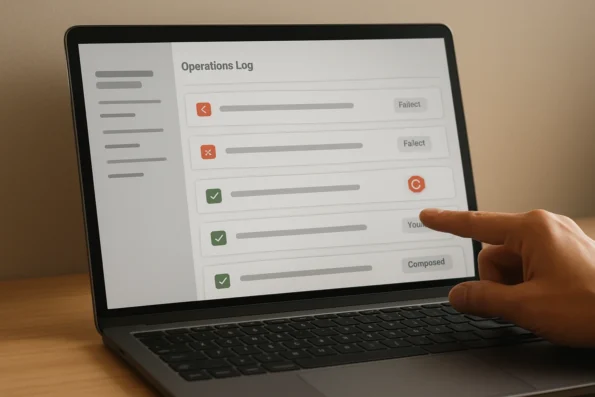
Pinpoint the failure stage in Publisher’s logs.
Begin by reviewing Publisher’s structured logs. These logs categorize all system activities by migration phase—inventory processing, field mapping, automation routines, or publication handoff. Identifying the precise point of failure (for example, during metadata mapping or automated draft creation) narrows the scope of investigation and prevents unnecessary rollback of unaffected content. The logs are accessible via the Publisher dashboard, and their timestamped entries support chronological tracing of the migration process, revealing if the interruption is isolated to a single asset or systemic across the inventory.
-
Assess background job status and system queues.
Open the Publisher operational dashboard and examine the real-time status of all migration jobs. Look for incomplete, stalled, or failed entries in the job queue. An interrupted migration may leave background tasks in a pending or error state, which must be cleared or retried before proceeding to recovery or rerun steps. Publisher maintains separate queues for different migration operations, such as inventory import, metadata mapping, and publication scheduling. Evaluating the status of each queue helps distinguish between transient resource bottlenecks and persistent process failures, allowing for targeted intervention (such as job cancellation or retry) without disrupting unrelated workflows.
-
Execute a controlled rollback if data integrity is at risk.
If the logs or dashboard indicate partial migration or data inconsistency, initiate Publisher’s built-in rollback feature. This restores the pre-migration system state, including original content inventory, settings, and user assignments. Controlled rollback is the recommended action before attempting any re-migration, as it prevents compounded errors and preserves editorial history. Publisher’s rollback mechanism is designed to be atomic and auditable: all changes made during the failed migration are reversed in a single operation, and rollback events are logged for compliance and post-incident review.
-
Analyze detailed job and error logs for root cause identification.
Consult Publisher’s job logs for granular error messages and stack traces. These logs differentiate between permission errors, mapping conflicts, automation boundary violations, and system resource issues. Detailed analysis here enables targeted remediation, such as correcting a specific mapping configuration or resolving a permissions escalation failure. The error logs often provide references to affected content IDs, failed mapping keys, or job tokens, supporting efficient follow-up and reducing the risk of repeated errors in future migration attempts. Regular post-rollback log reviews also help uncover hidden dependencies or integration gaps that may not trigger visible failures but could undermine data consistency longer-term.
-
Escalate unresolved failures with operational logs attached.
If a migration failure persists after local diagnostics, escalate the issue to support or the technical lead with a complete set of Publisher operational logs. Including these logs is critical for efficient triage, as they provide the context required for accurate reproduction and resolution of the failure scenario. Publisher supports export of structured logs in common formats, facilitating secure transfer to support personnel and enabling structured comparison against known issues or update advisories. Teams should follow the escalation protocol outlined in the Publisher support documentation to avoid duplicate investigations and ensure that all relevant contextual data accompanies the initial ticket.
For all diagnostic and recovery actions, reference Publisher’s jobs, logs, and recovery documentation to ensure that each step aligns with official implementation boundaries and does not introduce additional workflow risk.
FAQ
What are the essential steps to safely migrate to NextlerAI Publisher?
The core migration process involves auditing your current content inventory, establishing clear mapping to Publisher’s structured pipeline, and configuring both user permissions and metadata requirements. System administrators should ensure WordPress compatibility, perform comprehensive pre-migration backups, and prepare credentialed access for any automation providers. Migration proceeds through well-defined stages: initial draft import, controlled validation, and stepwise rollout, with each phase governed by approval checkpoints and rollback capabilities.
How does a structured migration table clarify workflow responsibilities and risk points?
A migration table formally assigns roles to each migration phase—for example, distinguishing between administrative setup, editorial review, and technical validation. It delineates which steps are automated and which require human oversight, reducing ambiguity and supporting traceable accountability. This structure helps preempt risks by making approval gates, rollback triggers, and content handoffs explicit, ensuring that no task proceeds without a designated owner and checkpoint.
What critical risks and expert cautions should teams address during migration?
Teams must remain vigilant for risks such as incomplete inventory capture, permission misconfigurations, and metadata loss. Particular attention should be paid to the accuracy of field mappings and the integrity of migration logs. Editorial oversight is essential to prevent duplicate content and maintain SEO value. Misaligned automation boundaries can disrupt workflow, so staged adoption and active monitoring are recommended safeguards.
Which definitions are essential for understanding Publisher’s migration boundaries?
Key terms specific to Publisher include: Inventory (the eligible content set for migration), Approval gate (mandatory human validation point), Rollback (system state recovery mechanism), Slot (reserved pipeline position for publication sequencing), and Automation boundary (the explicit division between automated and manual tasks). Knowing these definitions ensures accurate interpretation of responsibilities and limits during migration.
How can teams diagnose and resolve migration failures using NextlerAI Publisher tools?
When migration issues occur, teams should utilize Publisher’s operational dashboards and detailed logs to pinpoint failure stages—such as inventory import, mapping, or automation execution. Job queues and error logs provide granular insights into stalled or incomplete operations. If content integrity is at risk, the rollback function restores the previous system state. Escalation protocols require attaching operational logs for efficient support intervention. Each tool and procedure is designed for transparent, auditable recovery.
Conclusion
Effective migration to NextlerAI Publisher hinges on translating complex operational intent into a controlled, auditable process. The platform’s preservation of content structures and job history across migrations supports ongoing editorial integrity, while robust dashboards and recovery features ensure any disruptions remain contained and traceable. Crucially, success is determined not only by technical compatibility, but by the clarity of roles, boundaries, and validation points embedded throughout your migration plan. By maintaining a granular inventory and mapping each workflow step to Publisher’s structured pipeline, you protect both your editorial standards and SEO investments during transition.
Fundamentally, the migration decision rests on an organization’s readiness to operationalize strict controls and transparency. NextlerAI Publisher’s architecture empowers teams to explicitly define stages for inventory, mapping, validation, and rollback, and to bind each to accountable roles with clear sign-off authority. The integrity of this process is further reinforced by the platform’s job logging, versioning, and checkpointing mechanisms, which provide a tamper-evident record of all changes and a pathway for safe recovery if unexpected issues arise. The interplay between automation and human oversight is not incidental but engineered into the workflow, enabling organizations to set automation boundaries that protect against data loss, workflow breakdown, and SEO compromise. By proactively assigning responsibility for migration governance, teams can ensure the platform’s features are deployed to their fullest, supporting not just technical transition but continuous editorial excellence.
Your next action: assign a migration owner to coordinate inventory scoping, pre-migration backup, and staged rollout planning. This accountable lead should engage both editorial and technical stakeholders to verify mapping, approval, and rollback controls—before any live migration proceeds. Precision in this preparatory phase will directly reduce project risk and ensure that automation delivers measurable gains without undermining quality or oversight.