







Introduction
Automating the editorial calendar in WordPress requires both precision and real editorial oversight. NextlerAI Publisher editorial calendar automation empowers content managers and editors to streamline topic planning, article scheduling, and workflow tracking—directly within the familiar WordPress environment. This approach leverages WordPress’s native scheduling and cron mechanisms, robust topic management, and clear visual dashboards, all governed by configurable role permissions and explicit approvals.
With Publisher, you can queue, assign, and schedule articles in an organized pipeline—ensuring that every step from strategy to publication is documented and auditable. The automation operates within strict boundaries: only creating native WordPress posts, never overriding quality or eligibility rules, and always supporting manual review at critical checkpoints. This means your team maintains direct editorial control, while repetitive scheduling and progress tracking tasks are handled efficiently by the platform.
Publisher’s automation does not act independently or unpredictably; it works in tandem with your editorial strategy, using configured workflows and topic queues to enforce consistency. Each topic assignment, post status update, and scheduling event is governed by explicit human approval, so editors retain the final say over what is published and when. Workflow dashboards provide real-time visibility into each article’s journey from idea to scheduled post, supporting both transparency and accountability across your content operation. By combining automation for repetitive tasks with structured oversight, NextlerAI Publisher helps you scale editorial output while mitigating the risks of errors or unsanctioned changes.
By the end of this guide, you will understand how to configure and operate editorial calendar automation in NextlerAI Publisher, including how to set up safe scheduling, enforce strategy through topic assignment, and monitor every article’s progress through native dashboards. The focus is on enabling your editorial team to spend less time on manual coordination and more on high-value content decisions, all without sacrificing quality or control.
Implementation Notes: Automating Scheduling, Topic Assignment, and Progress Tracking
Automating the editorial calendar in NextlerAI Publisher relies on WordPress-native systems and explicit editorial controls. Article scheduling is orchestrated via WordPress’s post scheduling and cron, ensuring each article is assigned to a defined publication slot. Publisher never bypasses WordPress’s built-in scheduling safeguards—publication only proceeds when a slot is available, the article is marked as ready, and any quality or approval blockers have been cleared.
Topic assignment is enforced through the integrated Topic Manager, which acts as the hub for editorial strategy. Editors can queue topics, set priorities, and link topics directly to eligible publication slots. This mechanism ensures that content aligns with your strategic plan and that no article is created or scheduled outside the parameters you define. Assignment and queueing are manual where needed, but Publisher can automate the matching of approved topics to open slots, reducing repetitive work without sacrificing policy compliance.
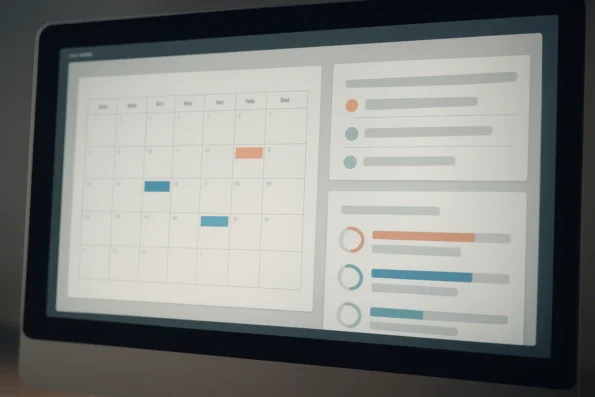
Progress tracking within Publisher is structured around visual dashboards and the dedicated Articles screen. Each article’s workflow state—such as draft, scheduled, or published—is displayed in real time, enabling editors to monitor the status across the entire content pipeline. Transitions between states are always explicit: an article moves forward only after passing manual or automated checkpoints, including role-based approvals and quality reviews.
Publisher’s automation boundaries are strictly defined. All content automation operates on native WordPress posts; pages and custom post types may inform your content inventory or strategy, but they are never automated output targets. Role-based permissions and explicit approvals control every transition, ensuring that no article advances or publishes without the required human oversight. Editorial teams retain the ability to review, modify, or halt automation at any critical point.
Manual review is fully supported. At any checkpoint—such as topic approval, draft completion, or pre-publication—editors can intervene, make changes, or reject content. Quality control settings, slot eligibility, and content safety rules are configurable by administrators within Publisher’s settings, further safeguarding editorial standards.
Automation Mechanisms and Editorial Control
Behind the scenes, Publisher integrates with WordPress’s cron to execute scheduled tasks, such as moving articles from draft to scheduled states or triggering publication at the precise slot time. This reliance on the native cron infrastructure means tasks are executed according to server-defined intervals and WordPress’s own event triggers, reducing the risk of conflicts or missed deadlines. When a topic is assigned to a publication slot, Publisher consults both its internal queue and WordPress’s post meta to check eligibility and readiness before advancing the workflow. Each workflow transition is logged, with audit trails available for reviewing who approved, edited, or halted an article at every stage. Administrators configure automation policies in Publisher’s settings, specifying which roles can override automation, which topic categories are eligible for automated scheduling, and what quality checks must be cleared. If an article fails a required check, it is held in the current state, and editors are notified through the dashboard interface.
Every output from Publisher is a native WordPress post, fully compatible with WordPress’s author, category, and tag taxonomies. This ensures seamless integration with downstream editorial workflows, analytics, and publishing systems within your WordPress environment.
Definitions: Editorial Calendar Concepts in NextlerAI Publisher
Understanding the vocabulary and system boundaries of NextlerAI Publisher is crucial for effective editorial calendar automation. Each term used within Publisher carries specific operational meaning that directly shapes how automation functions and where editorial oversight remains essential.
‘Topic’: Editorial Theme or Article Idea
Within Publisher, a topic designates an editorial theme or article concept that enters the content production queue. Topics are not isolated suggestions; they are the fundamental units around which content planning, assignment, and strategy are organized. The Topic Manager governs topic intake, ranking, and assignment, enforcing editorial guidelines and ensuring that only eligible ideas proceed to the next stage.
‘Slot’: Reserved Publication Time
A slot is a scheduled time reserved for publishing a specific article. In Publisher, slots are directly linked to WordPress’s built-in scheduling mechanism. Once an article is approved and assigned to a slot, Publisher relies on WordPress cron to ensure the post is published at the designated time. This approach provides clear accountability and synchronizes automation with the established editorial calendar.
‘Status’: Workflow State Definitions
The status of an article reflects its current position within the editorial workflow. Common statuses include draft, scheduled, and published, mirroring native WordPress post states. Publisher utilizes these statuses to manage handoffs, approvals, and publication readiness. Each status transition is triggered either by explicit editorial action or by configured automation points, aligning system behavior with human decision-making.
‘Workflow Stage’: Progress Tracking from Idea to Publication
A workflow stage represents a more granular checkpoint within the article’s journey—from initial topic proposal through writing, review, approval, and eventual publication. Publisher tracks these stages visually and functionally, offering editors and content managers a transparent view of where each article stands in the pipeline. This layered approach enables precise progress tracking for editorial teams and supports targeted interventions at any point in the process.
Output Boundaries: Posts Versus Pages and Products
It is critical to note that Publisher exclusively generates WordPress posts. While pages and products are included in the content inventory and can inform strategic planning or internal linking, they are not automation output targets. This distinction prevents misalignment between editorial expectations and system capabilities, ensuring content operations remain predictable and auditable.
Assignment and Queueing: Managed by Topic Manager
Topic assignment and queue management are handled entirely by the Topic Manager module within Publisher. This centralized control mechanism enforces queue order, eligibility rules, and assignment policies, all within editor-defined boundaries. Editorial teams retain the ability to intervene, reprioritize, or remove topics at any stage, safeguarding content quality and alignment with broader strategy.
Decision Steps: Setting Up Automation Controls
-
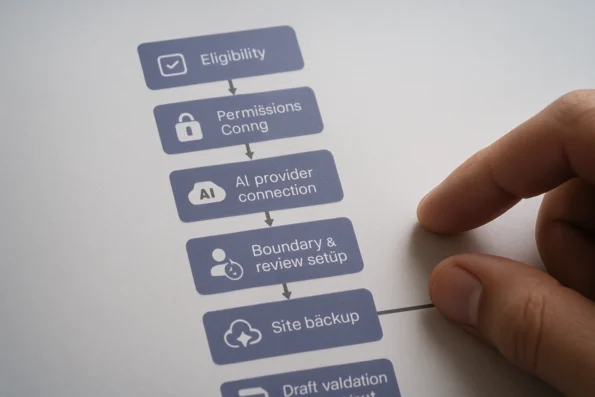
Define Automation Eligibility:
Start by determining which WordPress post types and editorial topics should be eligible for automated scheduling and generation. In NextlerAI Publisher, only native WordPress posts are produced through automation, while pages and custom post types are incorporated into the content inventory for planning purposes. This means your automation strategy must be explicit about which topics and post categories will enter the pipeline and which remain for manual management to ensure clarity and prevent misclassification. At this stage, document the criteria for topic inclusion and review your editorial calendar to avoid overlap between automated and manual streams.
-
Configure Editorial Permissions and Roles:
Assign and verify user roles for all staff involved in the editorial calendar. NextlerAI Publisher enforces workflow boundaries based on role permissions—reviewers, editors, and publishers must be mapped correctly to control who can approve topics, schedule articles, and trigger publication. This step is crucial for restricting automation to authorized personnel and maintaining accountability throughout the process. Within WordPress, use the Publisher settings to explicitly assign workflow responsibilities, ensuring every automated action is traceable to a specific user role. Regularly audit these assignments to align with changes in staffing or editorial policy.
-
Connect AI Providers (If Relevant):
If your workflow requires AI-generated text or images, integrate any necessary provider API keys into Publisher’s configuration. The system operates with or without external AI, but enabling provider connections is necessary for teams planning to automate content or media creation. Ensure credentials are tested and that any provider-specific usage limits align with your editorial volume. Document which AI providers are connected and monitor their reliability—this reduces the risk of workflow interruptions during automated runs. Additionally, verify that provider integrations meet your organisation’s security and privacy requirements before enabling live content generation.
-
Establish Automation Boundaries and Review Points:
Set explicit boundaries for what automation may perform without intervention. In Publisher, automation will never override a quality block, disabled workflow, or missing topic approval. Define manual review checkpoints for each workflow stage—such as post-draft approval and slot assignment—so that human oversight is guaranteed before any content moves to live status. This configuration upholds editorial standards and mitigates risks of unintended publication. Configure these checkpoints directly in Publisher’s workflow settings, and ensure that notifications are enabled so responsible staff are alerted when manual action is required.
-
Perform a Full Site Backup:
Before activating automation features, create a comprehensive backup of your WordPress environment. This provides a safety net for restoring the site should any configuration error or output anomaly occur post-automation. Publisher’s official guides emphasize backup as a prerequisite for safe configuration, especially if you are transitioning from manual to automated workflows. Store backup archives securely and validate their integrity so you can restore promptly if automated actions produce unintended results. Consider scheduling regular backups as part of your ongoing automation maintenance plan.
-
Validate Initial Output in Draft Mode:
Activate automation in a controlled draft-only mode. Review the first set of generated articles within the WordPress dashboard or Publisher’s Articles screen, checking for alignment with editorial standards and correct workflow progression. Only after confirming that automation respects topic eligibility, approval boundaries, and slot assignments should you deploy full automation to live publishing. This staged approach greatly reduces the risk of unexpected outcomes or quality lapses. Document findings from this validation phase, and adjust configuration settings as needed before scaling the automation scope.
Checklist: Safe Setup and Quality Control
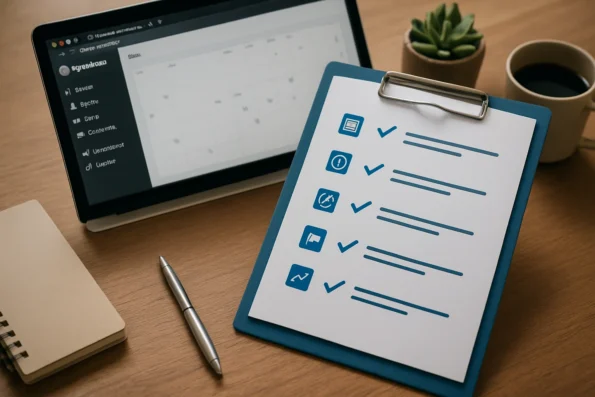
Effective editorial calendar automation with NextlerAI Publisher depends on proactively managing operational reliability and editorial integrity. The following checklist is designed to help you establish a robust, traceable pipeline that enforces your editorial standards at every automation stage. Each item addresses a specific control point or safety mechanism supported by Publisher’s WordPress-native features and documented configuration options. To understand every automation option and manual control available, refer to the complete Publisher workflow guide for a stepwise overview of how research becomes a scheduled WordPress article. When implementing editorial calendar automation, teams should adhere to established guidelines such as the NIST AI Risk Management Framework to address potential risks and promote responsible use of artificial intelligence in publishing workflows.
- Confirm all automation-eligible content types and strategy fields are assigned. Before launch, ensure that every intended post type and associated field is mapped in Publisher’s settings. This prevents unintended job creation and ensures the automation scope matches editorial plans. Publisher’s assignment interface enables you to select content types explicitly, so only posts meeting defined criteria enter the automation workflow. This mapping also links strategy fields to scheduled content, reinforcing alignment with your overarching editorial objectives. (nextlerai.com)
- Test scheduling and cron triggers in a staging environment. Deploy automation configurations in a controlled staging site to verify that WordPress cron events, article reservation, and schedule policies function as intended—without risking live content. Publisher’s reliance on the core WordPress cron subsystem ensures timing precision, but testing for edge cases such as missed triggers, time zone misalignments, and slot collisions is essential. Confirm that posts are scheduled, published, or held as expected based on your configured queue and topic assignment logic. (nextlerai.com)
- Ensure explicit approval and role boundaries are enforced. Review Publisher’s workflow and permissions settings to confirm that only authorized users can approve topics, advance articles, or trigger publication. This restriction is critical for maintaining editorial oversight. Publisher integrates with WordPress roles and capabilities, allowing you to delegate or restrict access to sensitive stages such as final approval, unscheduling, or post-publication edits. Audit these permissions regularly and adjust as your editorial structure evolves. (nextlerai.com)
- Use Publisher’s quality rules to flag or block unsafe outputs. Activate and customize built-in quality rules to automatically halt or flag content that fails predefined checks. These rules help prevent accidental publication of incomplete or non-compliant articles. Quality rules may include required fields, minimum word counts, or compliance checks for prohibited terms. When a rule is triggered, Publisher can either block progression or require additional review, depending on your configuration. (nextlerai.com)
- Monitor the dashboard for stuck, failed, or duplicate jobs. Regularly review the Publisher Dashboard and Articles screen to identify operational issues, such as jobs stalled in a workflow stage or duplicate slot assignments, allowing for prompt intervention. Dashboards provide real-time visibility into all scheduled and in-progress content, surfacing errors or bottlenecks with contextual alerts. React quickly to flagged items by reassigning topics, clearing conflicts, or triggering manual review. (nextlerai.com)
- Document manual overrides and track post-publication changes. Keep a record of any manual interventions, overrides, or significant edits made after automated publication. This documentation supports accountability and enables transparent review of both automation and human decisions. Publisher supports audit logs of scheduling actions and user-triggered changes, which can be exported for compliance or editorial review. Maintain a consistent process for logging interventions, and periodically review logs for recurring issues or opportunities to refine automation settings. (nextlerai.com)
Following these controls ensures that automation augments—not overrides—editorial judgment, and that every scheduled post remains subject to verifiable quality and workflow checks. Next, we address common misconceptions about editorial calendar automation boundaries.
Myth Versus Fact: Editorial Calendar Automation Realities
Myth: Publisher removes the need for all human editorial oversight
Fact: NextlerAI Publisher’s automation never eliminates the need for editorial review and intervention. Rather than replacing editors, the system formalizes where and how human approval is required. At critical workflow stages—such as topic acceptance, content review, and pre-publication approval—the automation engine enforces checkpoints configured by the editorial team. These checkpoints are hardcoded into the workflow and cannot be bypassed by altering scheduling, queue assignments, or slot configurations. If a required approval is missing, the system halts the workflow, displays a diagnostic message in the dashboard, and logs the status for traceability. According to Publisher documentation, this ensures that editors retain ultimate control over every piece of content before publication, and all transitions between workflow states (for example, moving from draft to scheduled or from scheduled to published) require explicit user action where mandated (nextlerai.com). For insights on how AI-driven topic discovery can complement Publisher’s Topic Manager, this article outlines boundaries and safeguards for automated content research.
Myth: Automation can adapt to changing publication times on its own
Fact: Publisher’s automation is strictly deterministic and driven by schedule slots set by the editorial team. Publication times are not dynamically adjusted or optimized by the system in response to missed deadlines, late approvals, or external analytics. If a slot is missed due to a failed cron event or an unresolved approval checkpoint, Publisher does not reschedule automatically; instead, it flags the post for intervention. This design guarantees transparency and auditability—no post is published outside the parameters explicitly set by editors. Automation cannot fill gaps, shuffle slots, or reprioritize topics without authorized user input. If multiple topics are inadvertently assigned to the same slot, Publisher blocks the conflict, surfaces an alert, and halts publication until resolved by an editor. These mechanisms ensure that the editorial calendar remains predictable and under human control at all times (nextlerai.com).
Myth: Publisher generates measurable performance gains automatically
Fact: Publisher is an automation tool for scheduling, topic assignment, and workflow enforcement—it does not analyze post-publication metrics or optimize output based on performance. All measurable outcomes, such as increased output, improved engagement, or calendar consistency, depend on initial configuration, ongoing editorial management, and manual adjustments to strategy or queue priorities. No background logic in Publisher adjusts the automation pipeline in response to traffic, engagement, or other analytics. The system provides robust quality controls and audit logs, but actual performance improvements require continuous attention from editorial staff. This is explicitly noted in official guidance, which states that Publisher’s automation output adheres to configured rules and scheduling, with all key quality and outcome decisions remaining the responsibility of the editorial team (nextlerai.com).
Additional Safeguards and Technical Boundaries
Publisher’s automation ruleset incorporates technical mechanisms to block edge case errors and maintain compliance with editorial policy. For example, every slot assignment is validated for uniqueness, and attempts to assign multiple posts to a single slot are rejected. Content eligibility is checked at each workflow gate, including checks for mandatory metadata, category alignment, and strategy compliance. Any failure triggers a visible alert in the dashboard and a persistent log entry for auditability. All automation output is generated as native WordPress posts, ensuring compatibility with existing editorial review, rollback, and revision processes. These features collectively reinforce that Publisher’s automation is an assistive layer, not an autonomous publishing agent, and that governance always rests with the editorial team (nextlerai.com).
In summary, NextlerAI Publisher’s automation is tightly scoped by design, providing operational efficiency without compromising editorial oversight or process integrity. These realities distinguish Publisher from automation solutions that promise adaptive scheduling or hands-off operation without explicit, documented checkpoints. The next section will examine how these controls compare with those available in alternative editorial calendar management approaches.
Comparison Table: NextlerAI Publisher Versus Alternative Editorial Calendar Approaches
When selecting an editorial calendar automation solution, it is essential to understand not just the feature set, but also the operational boundaries and workflow safeguards each approach provides. NextlerAI Publisher is designed for native WordPress environments and builds automation around established editorial controls—while alternative models, such as manual spreadsheets or generic Kanban tools, may rely on third-party scheduling or lack direct WordPress integration. The following table offers a practical, evidence-backed comparison of key mechanisms, so you can make an informed choice according to your operational requirements and editorial policy. For a succinct summary of capabilities, requirements, and supported automation boundaries, consult the official NextlerAI Publisher product details.

| Capability | NextlerAI Publisher | Generic Spreadsheet or Kanban | Standalone Scheduling Tool |
|---|---|---|---|
| WordPress-Native Scheduling | Directly schedules native WordPress posts using built-in post status and cron; approvals required for automation (see official guides). | Manual entry; no WordPress scheduling or workflow integration. | May schedule via external API or webhooks; WordPress integration not guaranteed. |
| Topic Assignment and Queueing | Automated, queue-based assignment managed by Topic Manager; strategy-driven with eligibility controls (see documentation). | Manual updates or drag-and-drop; strategy enforcement depends on user discipline. | Usually limited to assigning dates/times; topic strategy not built-in. |
| Progress Tracking and Visualization | Status-based tracking visible in Publisher Dashboard and Articles screen; each workflow stage is monitored (integration steps). | Manual status columns or color codes; no automatic tracking or dashboard. | Task status may exist, but often lacks editorial workflow visualization; integration with WordPress unclear. |
| Quality Control & Publication Safety | Configurable quality rules block or flag non-compliant content; automation halted for unresolved issues. | Relies on manual review and user adherence to checks; no automatic enforcement. | May support custom rules; typically not tied to WordPress editorial standards. |
| Manual Override and Staged Rollout | Explicit approvals, staged publication, and safe rollback supported in WordPress-native workflow. | Possible, but requires manual tracking and coordination outside publishing system. | Dependent on third-party features; safe rollback may not be granular or workflow-aware. |
| Auditability and Change Tracking | Persistent audit logs for workflow actions, topic assignments, and schedule changes; all automated actions are traceable in WordPress (auditing documentation). | Change history must be tracked manually or through versioned files; risk of incomplete audit trails. | Audit features vary by tool; may not provide granular or exportable logs. |
| Editorial Role Enforcement | Role-based permissions enforced through WordPress and Publisher; explicit checkpoints for approvals and publishing rights. | Role management depends on external access controls (e.g., file sharing); no workflow-enforced approvals. | Some tools support user roles, but enforcement of editorial approval is not always integrated with publishing. |
| Automation Boundaries and Manual Review | Automation is strictly bounded by editor-defined checkpoints; manual review is always possible before publication. | No automation boundaries; manual oversight is required throughout. | Automation boundaries depend on tool configuration; not all offer granular checkpoints or pause/resume controls. |
| Output Format | All automation output is in native WordPress post format, ready for further workflow or review. | No direct output to WordPress; requires export or copy-paste to CMS. | Output options vary; may require manual import to WordPress or additional formatting steps. |
Each approach to editorial calendar management introduces distinct operational trade-offs. NextlerAI Publisher tightly integrates with WordPress infrastructure, offering queue-driven topic assignment, persistent audit logging, and configurable quality controls directly within the publishing environment. This enables granular workflow governance and traceability, reducing risks associated with manual scheduling or loosely integrated scheduling tools. In contrast, spreadsheets, Kanban boards, and standalone scheduling platforms often require significant manual oversight, offer limited auditability, and may not enforce editorial policy or publishing safety at the system level. The next section addresses the most common reader questions about practical setup and risk management in editorial automation.
FAQ
How do you configure automated scheduling with NextlerAI Publisher?
Automated scheduling in NextlerAI Publisher is set up by enabling the scheduling feature from the Publisher’s Schedule screen within WordPress. You select the cadence (daily, weekly, custom intervals), define eligible publication slots, and save the planning policy. Publisher then uses WordPress’s native scheduling and cron mechanisms to reserve approved articles for these slots, ensuring that each article is tied to one unique, editor-approved publication time.
What editorial workflow terms does NextlerAI Publisher use?
Publisher’s workflow is structured around key terms: a topic (an editorial idea in the queue), a slot (a scheduled publication time), status (workflow state, such as draft or published), and workflow stage (checkpoints, like review or ready for scheduling). These terms are native to the system and determine content progress, eligibility, and review requirements.
What decisions must be made before activating automation?
Before activating automation, decide which post types and topics are eligible, assign editorial roles for approvals, configure quality and eligibility rules, and ensure that all required providers (for text, images, or other assets) are connected. You must also set explicit boundaries for manual review, backup your WordPress environment, and validate output in a controlled stage before live deployment.
Which steps should be followed to ensure safe automation setup?
For a safe setup, assign all content types and fields precisely, test scheduling and cron triggers in a non-production environment, enforce strict approval workflows, configure Publisher’s quality rules, use dashboard monitoring for real-time status, and document any manual overrides or policy exceptions. Periodically review settings and audit logs to maintain operational transparency and compliance with editorial policy.
What are common myths versus facts about editorial automation?
A common myth is that automation eliminates the need for human oversight. In fact, Publisher enforces manual review and explicit approval at key workflow stages. Another misconception is that automation adapts schedules automatically—Publisher only executes the scheduling you define. Finally, Publisher’s automation does not guarantee measurable performance gains; results depend entirely on configuration, oversight, and editorial management.
Conclusion
Automating editorial calendar management with NextlerAI Publisher empowers content teams to orchestrate scheduling, topic assignment, and workflow tracking directly within WordPress, while maintaining strict editorial control. By leveraging native scheduling and explicit approval mechanisms, teams achieve dependable automation without compromising oversight or quality safeguards. The separation of automation boundaries—defined by permissions, topic eligibility, and required manual approvals—ensures that only editorially sanctioned content progresses through each workflow stage. Progress is always visible, and every slot, assignment, and article state remains under audit-ready control.
Publisher’s automation operates on a foundation of WordPress-native post states and cron-based triggers, with each step in the workflow requiring explicit user action at approval checkpoints. Editorial teams control not just what gets scheduled, but who can assign topics or approve movement between workflow stages, using Publisher’s granular role permission screens. This configuration prevents unauthorized changes and enforces compliance with organizational policy. The Topic Manager’s queue logic ensures that topics are only assigned to publication slots after passing eligibility checks and strategy alignment reviews. Meanwhile, dashboards provide real-time visibility into progress, surfacing any bottlenecks or exceptions for prompt intervention. Audit logs capture every significant event—scheduling, assignment, approval, or override—enabling traceability and accountability at both the article and workflow levels. By embedding all automation strictly within WordPress, Publisher guarantees that outputs remain compatible with pre-existing editorial review, revision, and publication procedures, avoiding technical or governance gaps found in external toolchains.
For teams ready to advance, the most effective next action is to review and document your current editorial policies for slot eligibility and approval roles, then map these directly into NextlerAI Publisher’s configuration screens. This preparation ensures your automation rollout aligns with your organization’s quality standards and operational safeguards from the start.