




Introduction
Ensuring data privacy and regulatory compliance is essential when deploying AI in sensitive environments. NextlerAI data privacy compliance focuses on providing administrators with precise controls to minimize risk, meet legal requirements, and support sector-specific obligations. This article addresses how NextlerAI Assistant and Publisher—both WordPress plugins—enable organizations to configure robust privacy safeguards, manage data retention, and restrict access throughout the deployment lifecycle.
Compliance managers, IT leads, and data protection officers will gain a clear understanding of the mechanisms available to protect user data, as well as actionable guidance for operationalizing these controls in regulated industries. The following sections offer a direct mapping between product features and real-world privacy risks, a step-by-step workflow for safe deployment, and a criteria table for evaluating regulatory fit across healthcare, finance, and other highly regulated sectors.
NextlerAI’s privacy compliance framework equips administrators to make informed decisions about data handling at each stage of deployment. The Assistant and Publisher plugins allow configuration of log retention periods, granular access permissions, and explicit exclusion of sensitive credentials from operational support materials. Administrators are responsible for defining the scope of personal data processed, and must use the built-in controls to minimize unnecessary data collection—aligning with legal obligations such as the GDPR’s data minimization principle (GDPR, Article 5(1)(c)). By offering detailed retention settings, contact data capture options, and clear guidance against including passwords or confidential API keys in user-submitted content, NextlerAI supports organizations in proactively managing compliance risks. Readers will be prepared to assess their regulatory exposure, map relevant product settings to industry requirements, and enforce compliance throughout the lifecycle of their AI deployment before progressing to the dedicated risk mapping section.
Mapping Specific NextlerAI Privacy Risks and Controls
Deploying NextlerAI Assistant and Publisher in regulated environments requires a precise understanding of their data handling, the associated privacy risks, and the specific controls available to mitigate those risks. This section systematically identifies the types of data processed, pinpoints concrete risk areas, and explains which product settings and operational practices directly address each concern. For concrete guidance on log retention and contact capture settings, refer to this configuration guide. Global Data Privacy Compliance: How to Navigate the documents the relevant background and implementation boundaries.
Scope of Data Processed: Assistant and Publisher Plugins
NextlerAI Assistant and Publisher operate as WordPress plugins. Both products process user-submitted content, conversation records, contact details (when enabled), and, in some deployments, analytics or logs about usage. The administrator decides whether and how to capture additional information, such as support queries or structured outputs for publishing. Importantly, these plugins do not automatically ingest sensitive system credentials or external personal data unless provided by the site administrator or user during configuration or operation.
Key Privacy and Compliance Risks in NextlerAI Deployments
- Unauthorized Access to Logs and Conversations: Improperly restricted access to logs or captured user data can expose confidential information to unauthorized personnel.
- Excessive Data Retention: Retaining conversation logs or contact information longer than necessary increases regulatory exposure, especially under data minimization rules.
- API Key or Credential Leakage: Mishandling sensitive keys or credentials (for instance, pasting them into support requests or screenshots) risks accidental disclosure.
- Uncontrolled Backup and Recovery: Inadequate backup procedures may lead to unintentional data persistence or data loss, undermining both operational and compliance obligations.
- Inadequate Data Minimization and Export: Failing to configure minimal contact capture or to honor deletion/export requests can breach GDPR and other regulatory requirements.
Admin-Level Controls Addressing Privacy Risks
Administrators configure all critical privacy and security settings in NextlerAI deployments. Access to plugin configuration (including API integrations and data retention) is restricted to authorized WordPress users with administrative rights. Key controls include:
- Log and Retention Settings: Administrators set retention periods for logs and decide if contact details are captured at all. The default is minimal retention, supporting the principle of data minimization mandated by GDPR.
- Access Control: Only administrators and designated team members can review logs or export data. Fine-grained permissions for operational roles are set within WordPress itself.
- Backup and Recovery: Product guides require a current backup before major changes or updates, ensuring recoverability while minimizing risk of unintended data persistence.
- API Key Handling: Explicit instructions are provided to never share passwords, complete API keys, or licence keys in support requests, screenshots, or other external communications, directly mitigating credential leakage risks.
- Secure API Integration: When integrating with external providers, explicit authentication and rate limiting are configurable, reducing exposure from misuse or brute-force attempts.
Contact Capture and Log Settings for Data Minimization
NextlerAI Assistant’s contact capture and analytics logs are fully configurable by the administrator. Only necessary user fields should be enabled, and personal data collection can be disabled entirely to meet strict minimization standards. Log retention can be set to the shortest period compatible with operational requirements. This configurability enables organizations to align deployments with GDPR’s requirements for data minimization and storage limitation, as well as providing mechanisms for subject data deletion and export.
Direct Alignment with Regulatory Requirements
European data protection law, notably GDPR, requires clear documentation of data flows, data minimization, and strict retention policies. NextlerAI’s plugin-based architecture supports this by allowing precise control over what data is collected, who can access it, and for how long it is retained. Administrators are responsible for conducting Data Protection Impact Assessments (DPIAs) in cases of high-risk processing, as required by the European Commission for certain deployments. Other regimes—such as HIPAA, CCPA, or SOC 2—may require further documentation, policy updates, or technical safeguards external to the plugin.
Managing Log Retention Risks: Mechanisms and Decisions
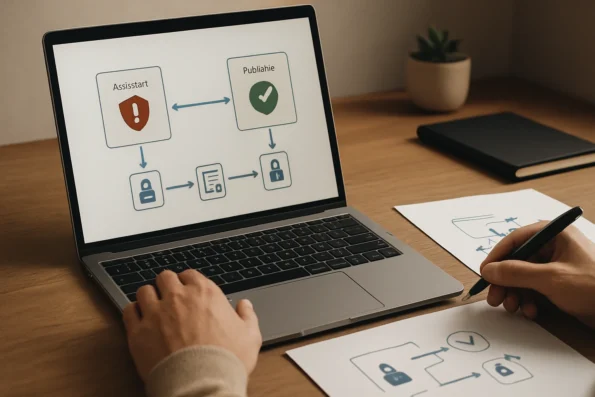
One of the most significant privacy risks with NextlerAI deployments is mishandling log retention. The platform provides granular options for administrators to specify both the type of data logged and the exact duration for which these records are held. For example, in the Assistant’s settings, administrators can select which analytics events, user interactions, or contact details are stored, and configure automatic log deletion after a predefined period. This mechanism directly supports compliance with GDPR Article 5(1)(e), which mandates that personal data be kept no longer than necessary for the purposes for which it is processed (GDPR text). Failure to utilize these controls—such as leaving log retention at indefinite or unnecessarily long periods—can result in the unintentional accumulation of personal data, increasing the risk of regulatory breach if data subjects request deletion or if an audit is conducted. Administrators must therefore regularly review and adjust retention settings, documenting these decisions as part of their Records of Processing Activities (ROPA) where required under GDPR.
Administrator Responsibilities in Support Interactions
NextlerAI product documentation explicitly instructs administrators not to include passwords, API keys, or licensing details in support tickets or screenshots (Assistant Security Guide). This directive not only reduces the risk of credential leakage but also reinforces a culture of data minimization and defensive privacy practices throughout operational processes. Administrators are expected to anonymize logs or redact sensitive identifiers when seeking technical assistance, ensuring that no extraneous personal or confidential information is exposed externally.
Configurable Boundaries and Auditable Controls
The plugin-based nature of NextlerAI means all data access, capture, and retention settings are visible and manageable within the WordPress administrative interface. Each change—such as adjusting who can export logs or narrowing the scope of contact fields—can be documented as part of a privacy management program. These auditable controls enable organizations to demonstrate, upon request, both proactive risk identification and the implementation of mitigating measures, which is a cornerstone of accountability under GDPR and similar regimes. For high-risk use cases, the European Commission recommends that Data Protection Impact Assessments include a review of all automated logging and retention features to ensure that technical settings meet the standard of data protection by design and by default.
With a risk register tailored to NextlerAI’s operational mechanisms, organizations gain a clear map of potential privacy exposures and the administrative levers available to control them. The next section will detail how to translate these insights into a stepwise, compliant deployment workflow.
Operational Workflow: Stepwise Deployment for Compliance
-
Start with Administrator Access and a Verified Backup
Always initiate deployment or any major update exclusively from an administrator account. This limits the risk of unauthorized configuration changes and ensures that every adjustment is subject to traceable access logs. Before proceeding, create a full backup of the site, including all databases and configuration files. Use the backup features recommended in your web platform’s documentation and conduct a test restore to confirm backup integrity. Assign only the minimum required permissions to all other users, restricting access to configuration, logs, and sensitive data fields. This principle of least privilege sharply reduces the attack surface and simplifies post-deployment auditing. -
Limit Contact Capture and Log Retention to What Is Necessary
Access the NextlerAI Assistant’s configuration panel and actively review each contact field: remove or disable any fields not strictly required for operational or legal purposes. In the logging settings, select the shortest available retention period permitted by business needs, and disable verbose or debug logging outside of controlled test environments. Double-check the settings to ensure that logs do not inadvertently capture sensitive data, such as user credentials or payment information. Train all staff responsible for support communications to never transmit passwords, access tokens, or license keys—even in screenshots or troubleshooting messages. These practical steps are directly aligned with data minimization and storage limitation requirements under GDPR Article 5(1)(c) and (e), as well as comparable obligations in other regimes. -
Apply Explicit API Integration Controls
For each API integration—such as connecting to external language models, third-party analytics, or CRM systems—review the official NextlerAI documentation (nextlerai.com) for secure setup procedures. Generate unique API credentials for each integration and store them in environment variables or secure vaults outside the application codebase. Enforce authentication for every connection, and set up granular access boundaries so that each credential is scoped only to the required resources. Implement rate limits on API calls to prevent misuse, and review the application’s firewall or network rules to ensure that only approved endpoints are accessible. Periodically audit all active API credentials and immediately revoke any that are no longer needed or show signs of compromise. -
Test Compliance-Critical Features in a Controlled Environment
Deploy a staging environment that mirrors the production setup. Using the official NextlerAI pre-launch test guide (nextlerai.com), methodically test all GDPR and CCPA-relevant features: ability to delete user conversations on request, export user data in standard formats, and restrict log access to authorized personnel. Document each test with time-stamped screenshots or log extracts, making sure not to capture sensitive data. Validate that log exports, if used, are encrypted in transit and at rest, and that access reviews can be performed on demand. Retain detailed records of successful and failed tests to demonstrate due diligence during future audits. -
Conduct a Data Protection Impact Assessment (DPIA) for High-Risk Processing
If the deployment involves systematic monitoring, large-scale processing of personal data, or special categories of data (e.g., health or biometric data), conduct a DPIA as required by GDPR Article 35 and guidance from the European Commission (commission.europa.eu). Assess the nature, scope, context, and purposes of the data processing, and identify potential impacts on individuals’ rights and freedoms. Involve relevant stakeholders, such as the Data Protection Officer and legal counsel, in the assessment process. Document the results—including risk mitigation strategies and approval—before moving any functionality to production. -
Evaluate Industry-Specific Regulatory Requirements
Review your business model and data flows to determine if specialized frameworks apply. For healthcare organizations, verify whether NextlerAI’s access controls and data handling align with HIPAA Security and Privacy rules for protected health information. California-based entities must assess whether CCPA applies, focusing on consumer data rights and opt-out mechanisms. For cloud service providers or vendors targeting enterprise clients, consider SOC 2 requirements for security, availability, and confidentiality controls. Where NextlerAI’s built-in features do not fully meet sector expectations, deploy supplementary safeguards such as encryption-at-rest, audit trail enhancement, or policy documentation. -
Document the Entire Deployment Workflow for Audit Readiness
Throughout each step, maintain a timestamped, detailed record of configurations, tests, access reviews, risk assessments, and approvals. Use a secure, access-restricted documentation system to store these records. Include annotated screenshots of critical admin screens (with sensitive data redacted), test logs, and summaries of any compliance checks or DPIA findings. This living audit trail supports both internal policy enforcement and external regulatory inquiries, demonstrating a systematic and proactive approach to privacy compliance.
Once the workflow is established and documented, proceed to evaluate how these steps map to compliance criteria relevant to your industry and regulatory environment. To strengthen internal data privacy controls, review how granular permissions and workflow management are applied in enterprise NextlerAI Assistant deployments.

Compliance Decision Criteria Across Regulated Industries
Deploying AI in regulated sectors demands a precise match between product capabilities and legal requirements. The following criteria table clarifies how NextlerAI Assistant and Publisher features align with regulatory duties across multiple frameworks. Each row distinguishes mandatory legal controls from recommended practices and identifies when additional external measures or documented assessments—such as a Data Protection Impact Assessment (DPIA)—are required. This structure allows compliance managers, IT leads, and data protection officers to benchmark sector expectations and determine where NextlerAI’s settings provide sufficient coverage or must be complemented by external technical or policy controls. When comparing tools, it is essential to understand the data privacy, accuracy, and compliance risks outlined for AI workflow automation solutions. SME Home | Data protection guide for small documents the relevant background and implementation boundaries.
| Compliance Requirement | NextlerAI Product Feature | Relevant Industry/Sector | Notes on Fit and External Measures |
|---|---|---|---|
| GDPR: Data minimization (Art. 5(1)(c)) | Configurable contact capture fields and log retention in Assistant; minimal data by default in Publisher | EU/EEA General Data Protection Regulation (GDPR) environments | Administrators must restrict fields to necessary data and limit log duration. Additional data mapping and minimization duties remain with the controller. DPIA required for high-risk processing. Source: GDPR Regulation – EUR-Lex |
| GDPR: Data subject rights (access, erasure, export) | Admin interface for log deletion and export in Assistant; WordPress-native controls apply to Publisher | EU/EEA public and private sector | Support for access and erasure must be operationalized via admin controls. Policy documentation and process verification are controller obligations. DPIA required if AI use is likely to result in high risk. Source: GDPR Regulation – EUR-Lex |
| GDPR: Retention limitation (Art. 5(1)(e)) | Custom log retention periods in Assistant; content review and deletion in Publisher | GDPR-regulated deployments | Retention settings help meet regulatory expectations but must be matched to documented data policies. Review periodicity and enforce deletion when required. Source: GDPR Regulation – EUR-Lex |
| HIPAA: Minimum necessary standard | Administrator-controlled log and contact capture; access restrictions | US healthcare and covered entities | HIPAA compliance requires technical safeguards beyond plugin settings. Encryption of data in transit and at rest, plus business associate agreements, are externally mandated. NextlerAI controls support but do not fulfill all HIPAA requirements. Controller must validate end-to-end security. |
| CCPA: Consumer data access and deletion | Log export/deletion in Assistant; WordPress user data controls for Publisher | California-based businesses and services | Plugin functionality enables procedural compliance. Controllers must notify consumers and ensure timely response to requests. Policy documentation required; opt-out and disclosure mechanisms must be implemented externally where applicable. |
| SOC 2: Access control, auditability, data integrity | Administrator-only configuration; log access boundaries; audit trails via WordPress | US cloud providers, SaaS, and enterprise IT | SOC 2 demands formal documentation, procedural review, and security measures beyond out-of-the-box plugin settings. NextlerAI’s access controls contribute but must be paired with organization-wide policy and external audit protocols. |
| Data Protection Impact Assessment (DPIA) requirement | Not product-specific; assessment required for high-risk data processing | EU/EEA, any high-risk context (per European Commission) | DPIA is the controller’s duty where processing is likely to result in high risk to individuals’ rights and freedoms. AI deployments in sensitive or large-scale scenarios commonly trigger this obligation. Source: European Commission DPIA guidance |
| API integration security | Explicit authentication, rate limiting, and administrator-only configuration | All regulated and enterprise sectors | Core controls mitigate access and usage risks; encryption, key management, and regular penetration testing are recommended as external measures. Controllers must avoid exposing credentials in support or logs. |
| Operational transparency and documentation | Administrator activity logging and settings export options | All sectors—especially those subject to audit or regulatory review | Exportable logs and configuration records support audit preparation, but formal policy documentation and process mapping are still required at the organizational level. External records should be maintained securely and regularly reviewed to demonstrate compliance readiness. |
| Third-party data sharing controls | Integration review and restriction capabilities in Assistant and Publisher | Any context handling data with onward transfer risks | While NextlerAI allows administrators to control plugin integrations, assessment of third-party service agreements and data flow mapping must be conducted externally. Regulatory requirements may demand detailed records of all transfers and processor obligations. |
| Role-based access management | Administrator-only access to compliance-critical settings | Highly regulated environments (finance, healthcare, government) | Restricting sensitive features to authorized administrators limits risk exposure. For advanced needs, external identity management solutions or enhanced role segregation may be necessary to align with strict sectoral requirements. |
This table serves as a working reference for mapping NextlerAI’s compliance features to sector-specific regulatory needs. For authoritative product details and configuration instructions, consult the official NextlerAI Assistant and Publisher documentation. The next section addresses frequently asked questions on operationalizing and verifying compliance in real-world deployments.

FAQ
What privacy and compliance controls are available in NextlerAI products?
NextlerAI Assistant and Publisher provide administrator-level controls for user access, log retention, contact data capture, and API key management. Administrators can configure contact and log settings to minimize data collection, restrict access to sensitive records, and enforce secure API authentication. Product guidance instructs never to share passwords or keys in support requests. Regular backup and deletion features support compliance with data retention policies in regulated environments.
Which risks must be managed when deploying NextlerAI in regulated industries?
Key risks include unauthorized access to personal or sensitive data, excessive retention of logs or user contacts, exposure of credentials during support or integration, and failing to document or implement required data protection processes. Each deployment must also address any obligations under sector-specific laws such as GDPR, HIPAA, or CCPA, including risk assessments and technical safeguards suitable for the industry context.
How should administrators configure NextlerAI for data minimization and safe retention?
Administrators should enable only essential contact fields, set minimal and policy-aligned log retention periods, and verify that all export and deletion features operate as intended. Restrict access to logs and configuration screens to authorized users and conduct regular reviews of data flows. Backups should be performed before major changes, with sensitive data excluded from support communications and documentation.
What steps are required for GDPR or equivalent compliance in AI deployments?
GDPR requires transparency, explicit user consent for data processing where needed, data minimization, and the ability to fulfill data subject rights such as access, deletion, and export. For high-risk processing, a Data Protection Impact Assessment (DPIA) is mandatory. All processing activities and technical safeguards should be documented, and regular reviews must be conducted to ensure ongoing compliance with regulatory requirements.
How do I decide if NextlerAI meets my sector’s compliance needs?
Assess the product’s access controls, retention settings, and data export/deletion functions against your industry’s legal requirements. Confirm that built-in controls align with documented obligations under GDPR, HIPAA, CCPA, or SOC 2. Conduct or update a risk assessment for your use case, and if any required measure is unsupported, plan supplemental technical or policy controls to close the compliance gap.
Conclusion
Ensuring robust data privacy and compliance in NextlerAI deployments is not a one-time task but an ongoing process of vigilance and adaptation. As regulatory landscapes and industry standards evolve, maintaining compliance means routinely reviewing your configuration, updating documentation, and validating that all controls—such as log retention and contact capture limitations—align with both legal requirements and your organization’s data governance policy.
To reinforce compliance, it is crucial to implement a structured review schedule that includes periodic verification of administrator-level permissions, system logs, and backup protocols. This process should involve cross-checking retention settings against current regulatory thresholds and revisiting documented configurations after every product update or regulatory change. Assign responsibility for regular audits and product updates to a named data protection lead or compliance manager. This person should coordinate with IT to verify that all administrator-controlled settings in NextlerAI products remain configured for minimal retention and restricted access. They should also ensure that required assessments, such as a Data Protection Impact Assessment under GDPR for high-risk processing activities, are completed and kept current. This proactive approach positions your organization to meet evolving regulatory demands and minimize operational risk.